Qwen/Qwen-Image-2.1:7B 参数的统一文生图与图像编辑模型
英文标题:🤗 Qwen/Qwen-Image-2.1
Qwen 开源了 Qwen-Image-2.1,这是一款统一支持文本生成图像与图像编辑的模型,其视觉生成组件包含 70 亿参数和 32 个 Single-Stream DiT 层。该模型通过混合粒度注意力与 Prefix KV Cache 复用,在降低计算成本的同时兼顾图像质量、推理效率和多功能性。它原生支持透明 RGBA 图像生成与编辑、最多 10 张参考图、局部圈选或蒙版编辑,以及人物和商品身份保持。对于开发者而言,模型已提供基于 diffusers 的文生图、图像编辑、透明图生成及 CPU 卸载优化示例,可直接集成到生成式视觉应用中。
 4.5 KB
 2.8 KB
 197.0 KB
 290.4 KB
 399.6 KB
 967.7 KB
 222.0 KB
 4.1 MB
 3.1 MB
 3.1 MB
 403.4 KB
中文
🤖 ModelScope | 🤗 HuggingFace | 📑 博客 | 🖥️ 演示 | 🫨 Discord
简介
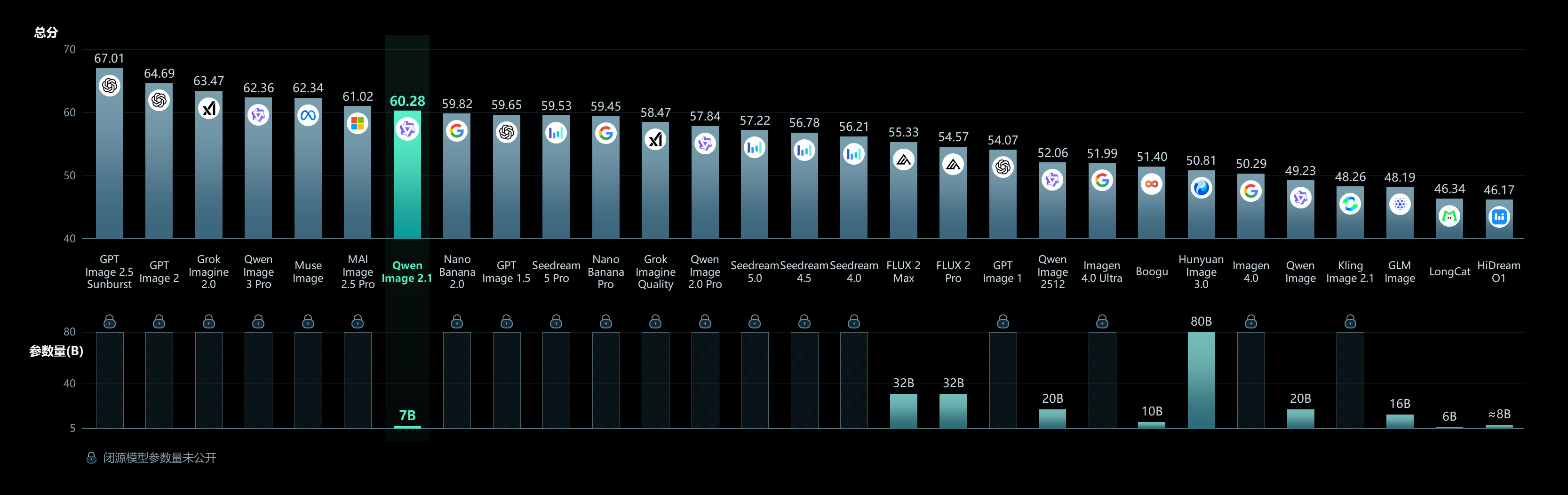
我们很高兴开源 Qwen-Image-2.1。这是 Qwen 系列中一款统一的文本生成图像和图像编辑模型。其视觉生成组件仅包含 70 亿参数(32 个 Single-Stream DiT 层),在生成质量、推理效率和通用性之间取得平衡。
本次发布的四项关键改进包括:
- 紧凑且高效 —— 采用轻量级架构,结合混合粒度注意力和 Prefix KV Cache 复用,以较低的计算成本提供出色的图像质量。
- 原生透明支持,创作与编辑统一 —— 可根据文本生成普通图像或透明(RGBA)图像,编辑透明图层,并从照片中提取主体,所有能力均集成于同一个模型。
- 多功能编辑 —— 最多支持 10 张参考图像,可通过圆圈、绘制标注或独立蒙版指定局部编辑区域,并保持人物和商品的身份一致性。
- 真实纹理与精细美学 —— 改进排版文字、人像光照和精细细节,带来更具视觉吸引力的结果。
快速开始
安装
pip install torch>=2.4.0
pip install transformers>=5.17
pip install git+https://github.com/huggingface/diffusers
pip install accelerate pillow
文本生成图像
import torch
from diffusers import QwenImage21Pipeline

pipe = QwenImage21Pipeline.from_pretrained(
    "Qwen/Qwen-Image-2.1", torch_dtype=torch.bfloat16
).to("cuda")

image = pipe(
    prompt="A neon shop sign that reads \"QWEN IMAGE 2.1\", rainy night, reflections on wet pavement",
    width=2048, height=2048,
    num_inference_steps=40,
    generator=torch.Generator("cuda").manual_seed(42),
).images[0]

image.save("t2i_example.png")
图像编辑
import torch
from PIL import Image
from diffusers import QwenImage21Pipeline

pipe = QwenImage21Pipeline.from_pretrained(
    "Qwen/Qwen-Image-2.1", torch_dtype=torch.bfloat16
).to("cuda")

input_image = Image.open("input.png")

image = pipe(
    prompt="Change the background to a sunset beach",
    image=input_image,
    num_inference_steps=40,
    generator=torch.Generator("cuda").manual_seed(42),
).images[0]

image.save("edit_example.png")
透明图像生成(RGBA)
请使用推荐的透明图像提示词格式:
image = pipe(
    prompt="This is an RGBA image with transparency. A cute cartoon dragon sticker. The image has alpha channel and the background is transparent.",
    width=2048, height=2048,
    num_inference_steps=40,
    generator=torch.Generator("cuda").manual_seed(42),
).images[0]

image.save("transparent_example.png")
支持的宽高比
aspect_ratios = {
    "1:1":  (2048, 2048),
    "4:3":  (2400, 1792),
    "3:4":  (1792, 2400),
    "3:2":  (2528, 1696),
    "2:3":  (1696, 2528),
    "16:9": (2752, 1536),
    "9:16": (1536, 2752),
}
内存优化
pipe = QwenImage21Pipeline.from_pretrained(
    "Qwen/Qwen-Image-2.1", torch_dtype=torch.bfloat16
)
pipe.enable_model_cpu_offload()
展示
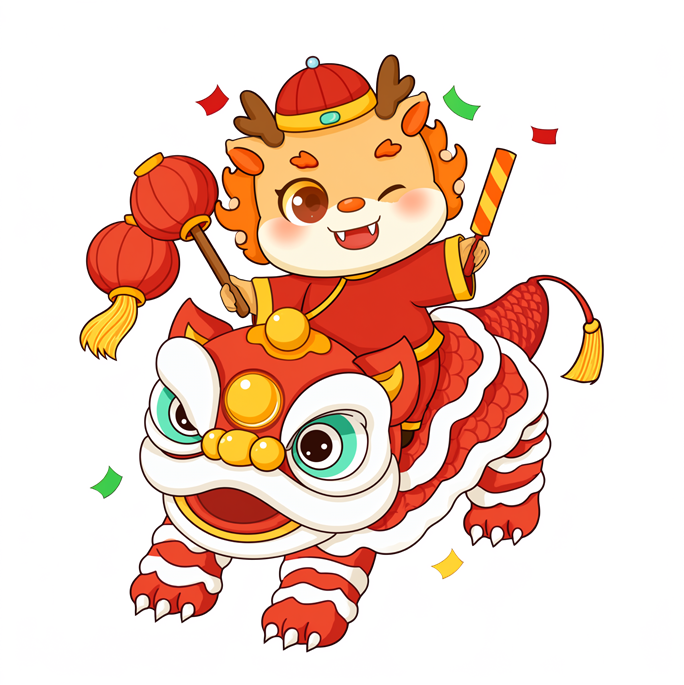
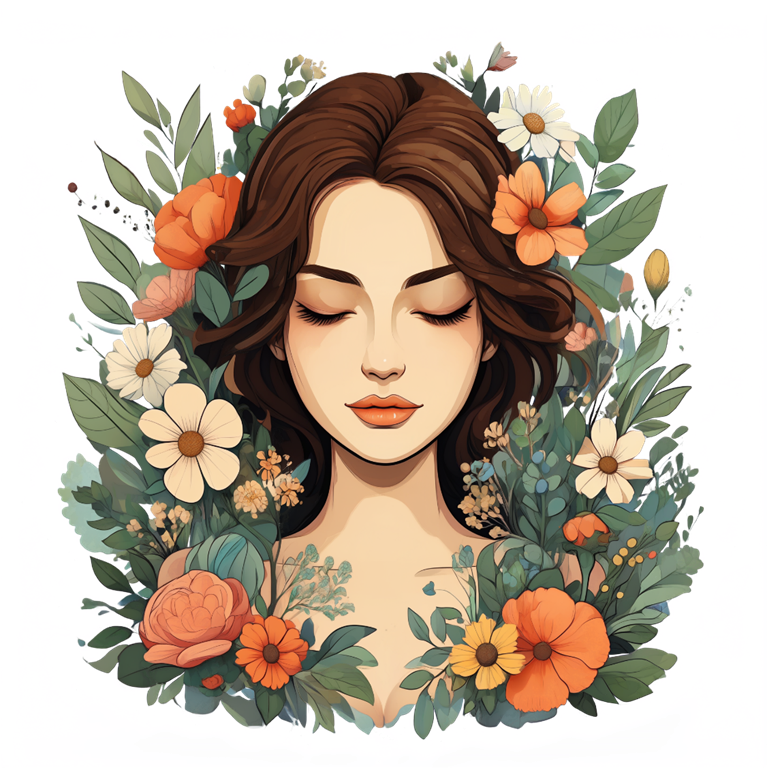

原生透明图像生成
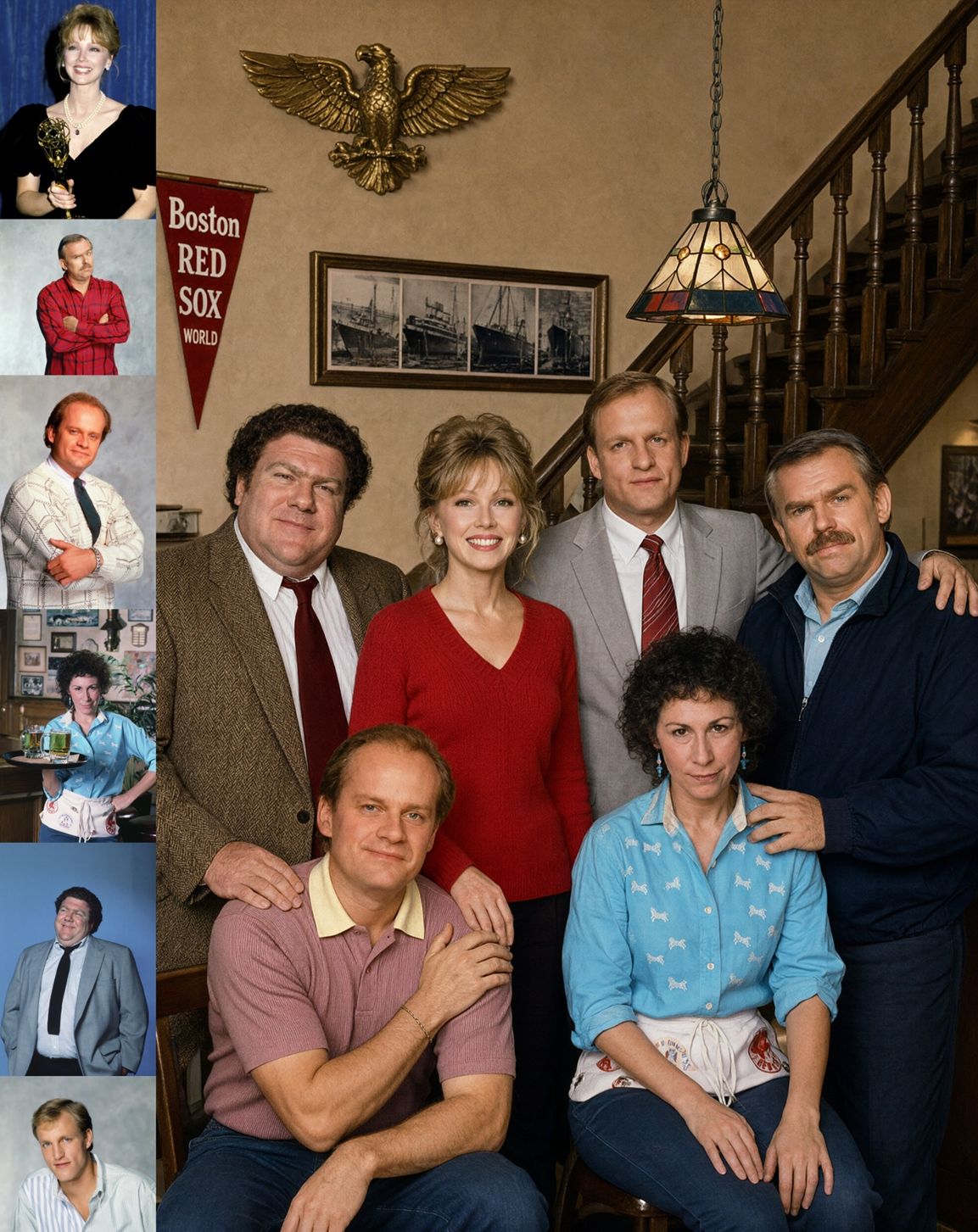
基于 6 张人像参考图生成的合影
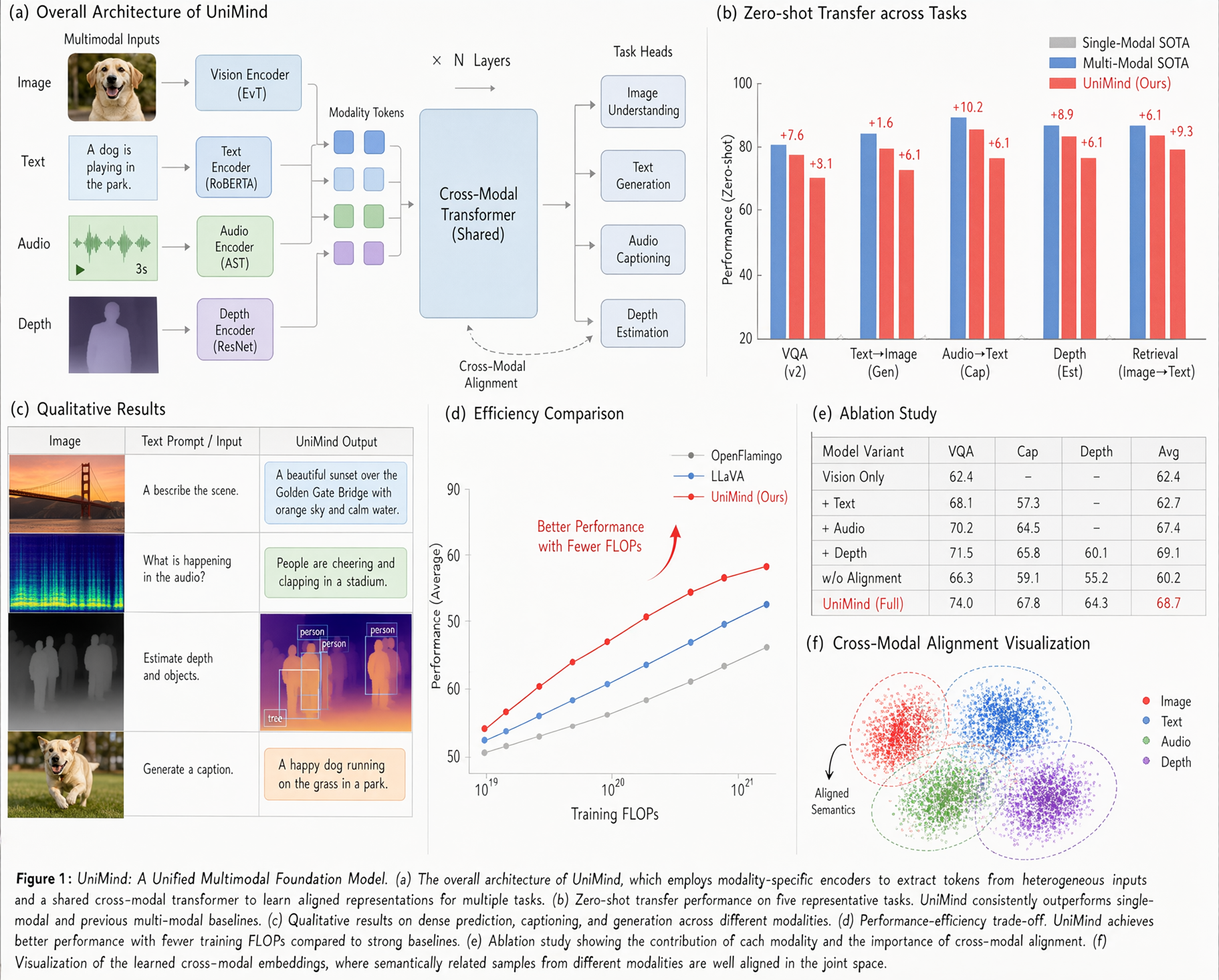
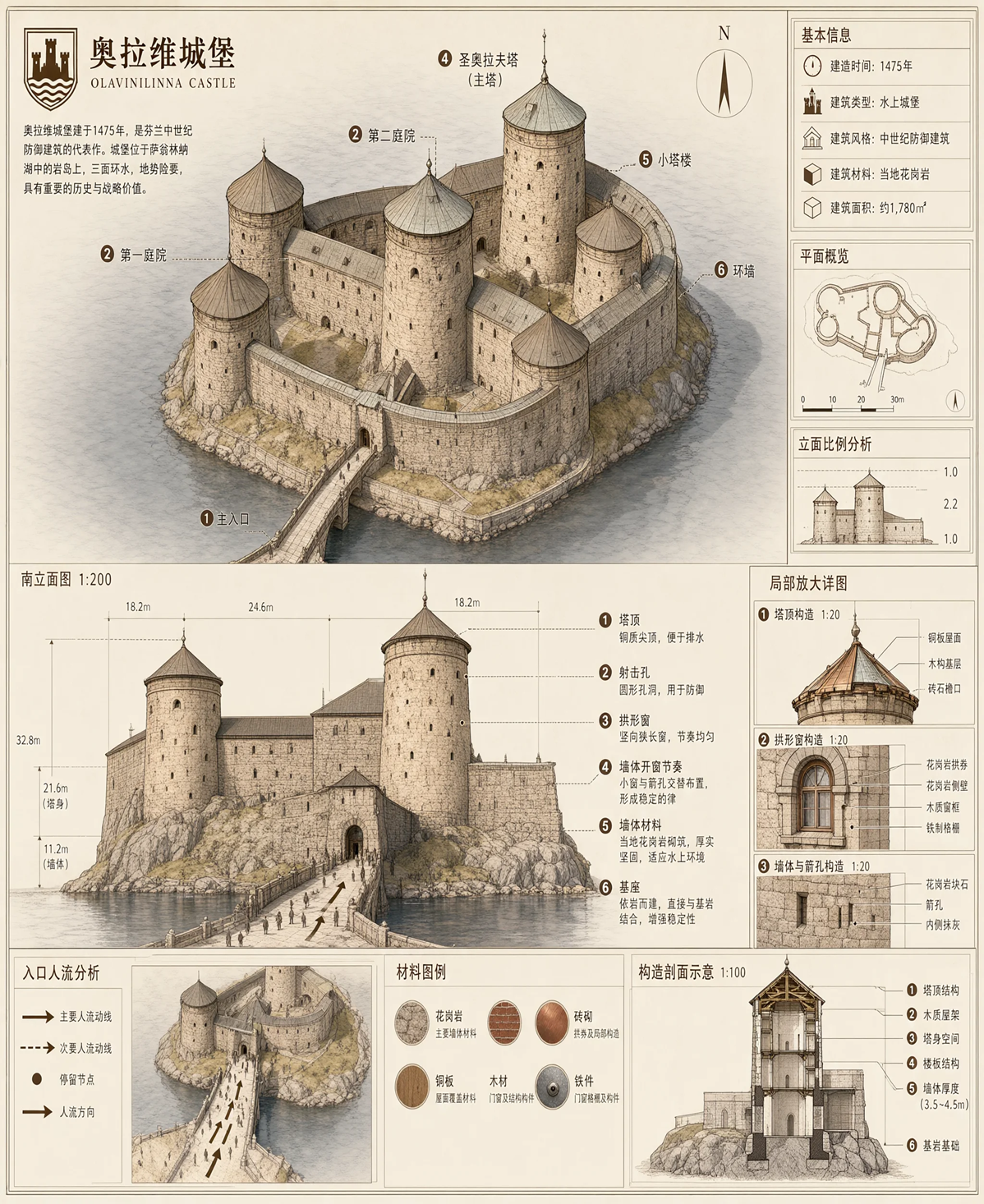
文字渲染
许可证
该模型采用 Qwen Research License Agreement 授权。
English / 原文
🤖 ModelScope | 🤗 HuggingFace | 📑 Blog | 🖥️ Demo | 🫨 Discord
Introduction
We are excited to open-source Qwen-Image-2.1 , a unified text-to-image generation and image editing model in the Qwen family. With just 7B parameters in its visual generation component (32 Single-Stream DiT layers), Qwen-Image-2.1 balances generation quality, inference efficiency, and versatility.
Four key improvements define this release:
- Compact and Efficient — A lightweight architecture with mixed-granularity attention and prefix KV cache reuse delivers strong image quality at low computational cost.
- Native Transparency, Unified Creation and Editing — Generate regular or transparent (RGBA) images from text, edit transparent layers, and extract subjects from photographs—all in one model.
- Versatile Editing — Support up to 10 reference images , specify local edits via circles, painted annotations, or separate masks, and preserve identity for people and products.
- Realistic Textures and Refined Aesthetics — Improved typography, portrait lighting, and fine details for more visually compelling results.
For more details, see the GitHub repo and Blog.
Quick Start
Installation
pip install torch>=2.4.0
pip install transformers>=5.17
pip install git+https://github.com/huggingface/diffusers
pip install accelerate pillow
Text-to-Image
import torch
from diffusers import QwenImage21Pipeline

pipe = QwenImage21Pipeline.from_pretrained(
    "Qwen/Qwen-Image-2.1", torch_dtype=torch.bfloat16
).to("cuda")

image = pipe(
    prompt="A neon shop sign that reads \"QWEN IMAGE 2.1\", rainy night, reflections on wet pavement",
    width=2048, height=2048,
    num_inference_steps=40,
    generator=torch.Generator("cuda").manual_seed(42),
).images[0]

image.save("t2i_example.png")
Image Editing
import torch
from PIL import Image
from diffusers import QwenImage21Pipeline

pipe = QwenImage21Pipeline.from_pretrained(
    "Qwen/Qwen-Image-2.1", torch_dtype=torch.bfloat16
).to("cuda")

input_image = Image.open("input.png")

image = pipe(
    prompt="Change the background to a sunset beach",
    image=input_image,
    num_inference_steps=40,
    generator=torch.Generator("cuda").manual_seed(42),
).images[0]

image.save("edit_example.png")
Transparent Image Generation (RGBA)
Use the recommended prompt format for transparent images:
image = pipe(
    prompt="This is an RGBA image with transparency. A cute cartoon dragon sticker. The image has alpha channel and the background is transparent.",
    width=2048, height=2048,
    num_inference_steps=40,
    generator=torch.Generator("cuda").manual_seed(42),
).images[0]

image.save("transparent_example.png")
Supported Aspect Ratios
aspect_ratios = {
    "1:1":  (2048, 2048),
    "4:3":  (2400, 1792),
    "3:4":  (1792, 2400),
    "3:2":  (2528, 1696),
    "2:3":  (1696, 2528),
    "16:9": (2752, 1536),
    "9:16": (1536, 2752),
}
Memory Optimization
pipe = QwenImage21Pipeline.from_pretrained(
    "Qwen/Qwen-Image-2.1", torch_dtype=torch.bfloat16
)
pipe.enable_model_cpu_offload()
Showcase
Native transparent image generation
Group photograph generated from six portrait references
Text rendering
License
This model is licensed under the Qwen Research License Agreement.