OpenAI DevDay 2026 现场博客
英文标题:OpenAI DevDay 2026 live blog
OpenAI 在旧金山 Fort Mason 举办 DevDay 2026,现场发布了面向个人与团队的 Dots、ChatGPT Space,以及更低价更快的 GPT-6.1 Sol。公司还推出 Ultrafast 推理模式、Decisions API、Codex Security Cloud、支持 Computer Use 的 Agents API,并宣称 Codex 已全面上云。面向开发者的平台更新包括使用 ChatGPT 登录、Plugin extensions、ChatGPT Sites 和 OpenAI Marketplace。OpenAI 表示 ChatGPT 周活跃用户已达 12 亿,Dots 当日向 ChatGPT Pro 和 Enterprise 用户开放。
 158.8 KB
 110.5 KB
 69.9 KB
 57.7 KB
 43.2 KB
 51.1 KB
 109.6 KB
 119.1 KB
 115.4 KB
 99.4 KB
 65.3 KB
 68.6 KB
 25.1 KB
 113.1 KB
 107.2 KB
 77.5 KB
 113.9 KB
 19.6 KB
 43.3 KB
 51.7 KB
中文
09:27 我已经在主题演讲现场,活动将在半小时后开始。
今年,我用 vibe coding 做了一个系统,让自己能更方便地为现场博客添加照片。本来我打算使用 Codex Cloud 来做这件事(我是在去会场的路上用手机搭建的),但遇到了一些问题,于是改用了网页版 Claude Code。
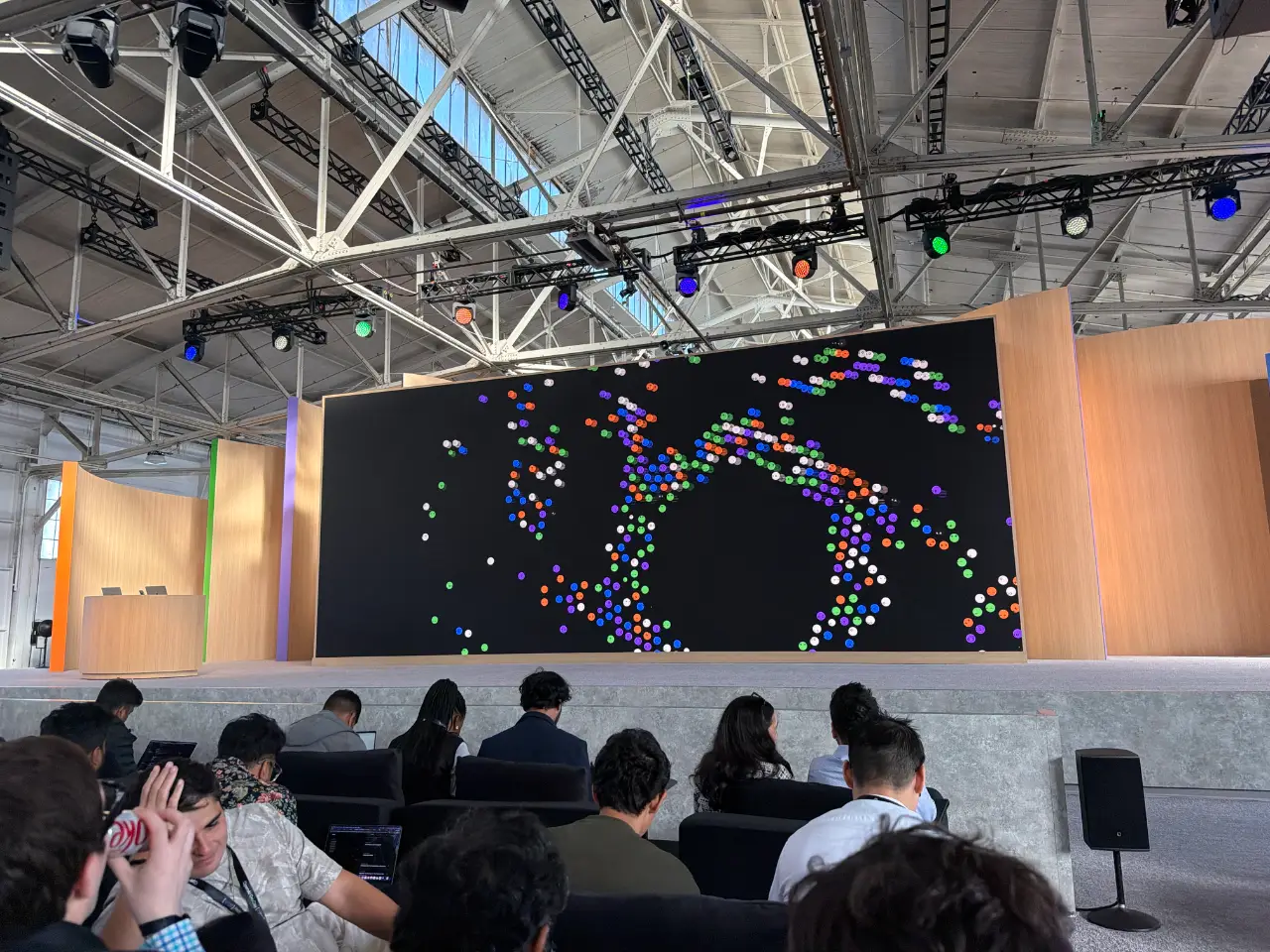
10:01 Sam Altman 登台欢迎大家来到 DevDay。他承诺这将是“我们有史以来最棒的一届 DevDay”。
10:02 他展示了他们已发布、且用户此前一直在要求的功能。Codex on Linux 和手机上的 Codex 都获得了一些掌声。
10:03 今天将推出一款让人感觉像是“与 AI 协作的全新方式”的产品。我猜它会是一个类似 Muse 的个人 Agent……
10:03
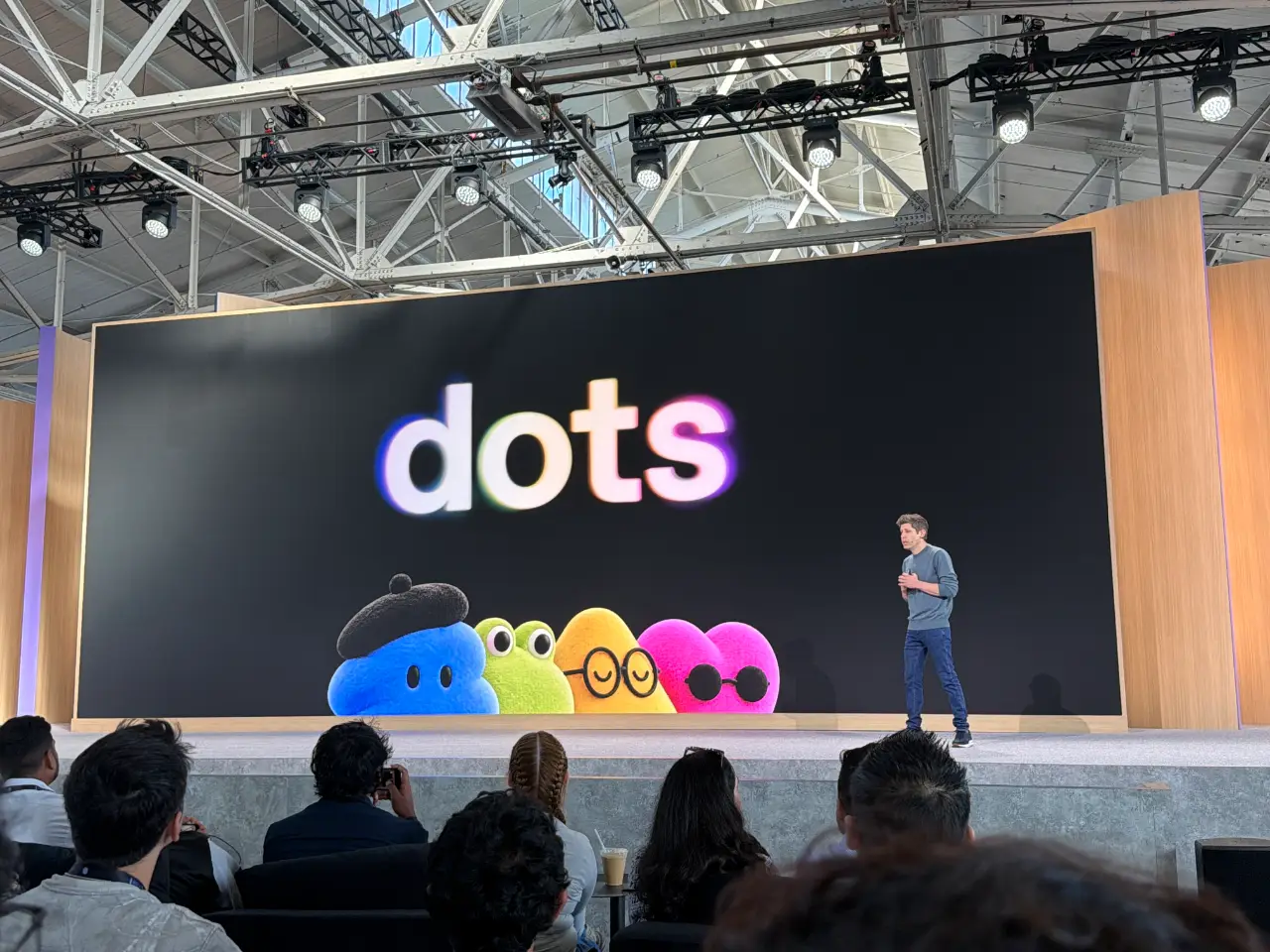
10:03 它叫做“Dots”。
10:05 它看起来确实非常像 Muse。你可以为它选择名字,然后它会以一个可爱的团状头像呈现。(我的 Muse 头像是一只鹈鹕。)
10:06 这段演示视频中包含了大量语音交互,推测使用的是 GPT-Live 或这一技术的新一代版本。
10:06
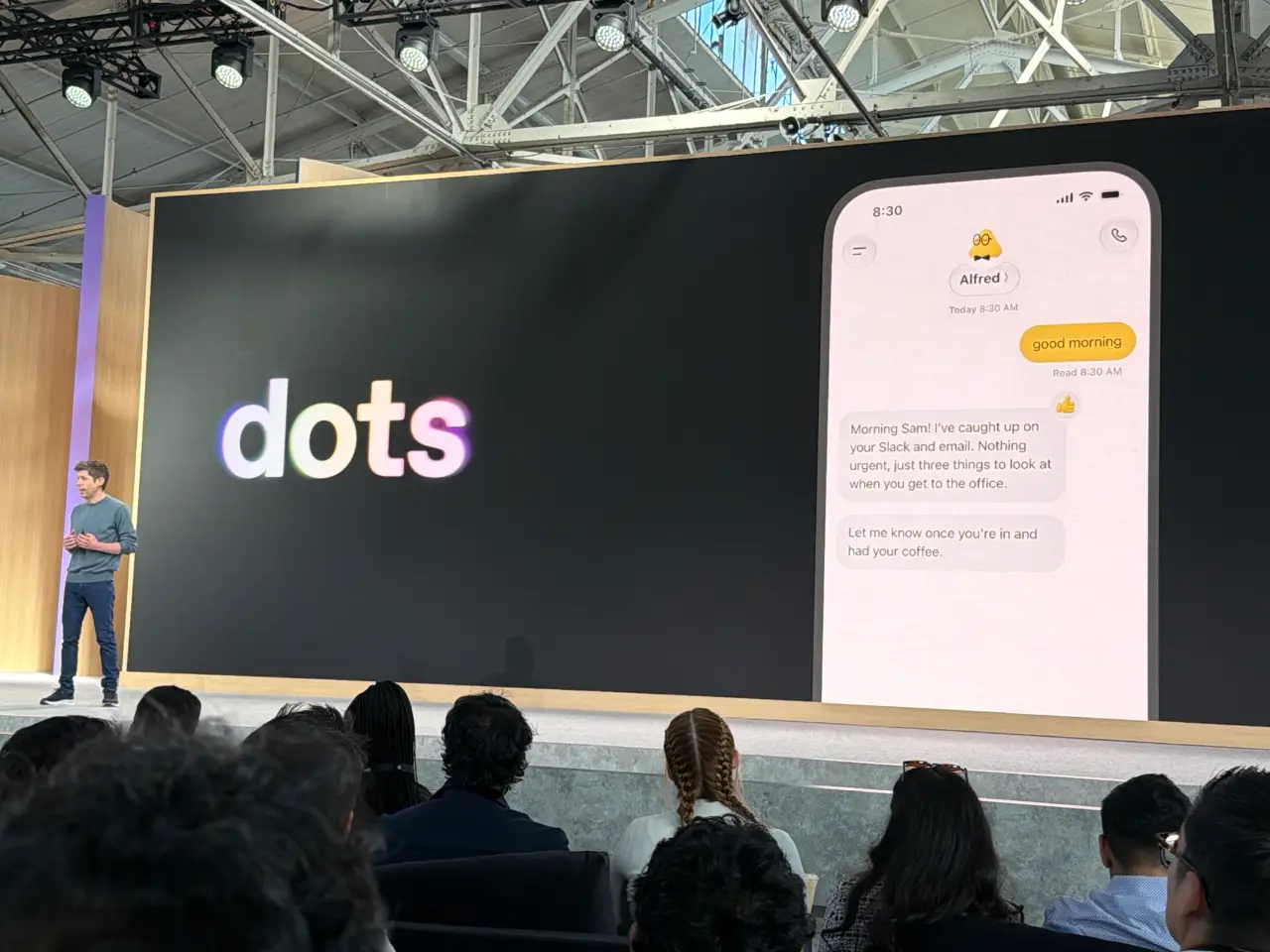
10:07 Dots“由 Astra 驱动”。这会是一个相当昂贵的默认模型!
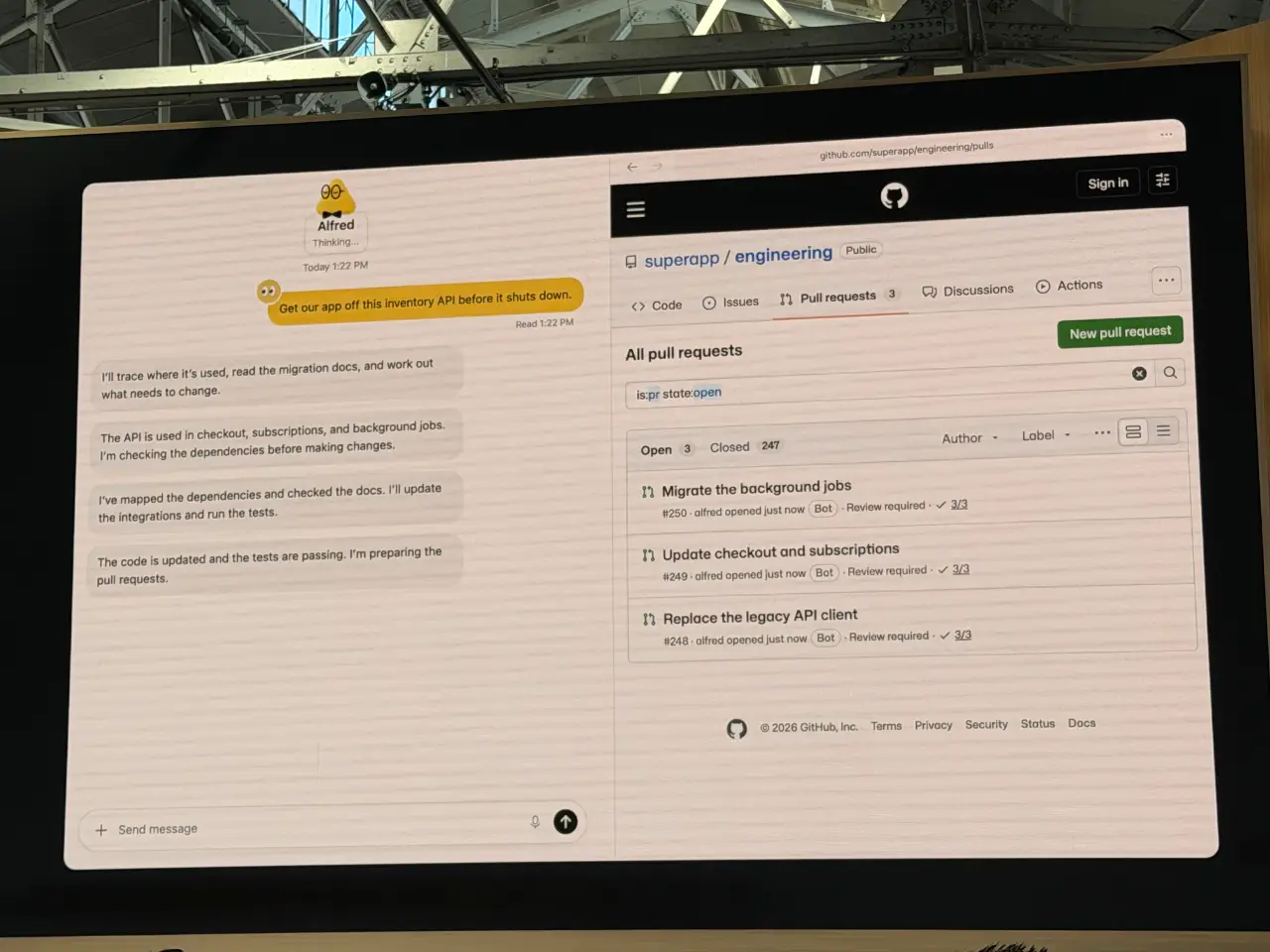
10:08 这是一个非常有野心的使用场景:迁移一个 API。我很惊讶他们这么早就选择了如此重度编码的案例,不过我猜这里毕竟是开发者受众。
10:09 Sam 称 Astra 是“我们对齐程度最高的模型”,让你可以把“自己觉得舒服的那么多责任”交给自己的 Dot。
10:09 “你还需要一个让团队与各自 Dots 协作的地方。”因此他们推出了 ChatGPT Space。
10:10
这些 Space 看起来像是共享工件,可能是 Google Docs 与 artifacts 模式的结合。
Sam 介绍了 Holly Li。
10:11 Holly 正在讲解一个构建虚构音乐 App 的场景。Holly 有一个名为“Dottie”的 Dot,可以访问 ChatGPT、Slack、Teams 等更多服务。
10:12 这个 UI 的确很像 Meta 的 Muse Agent;后者目前仍位列 iOS App Store 免费榜第一。
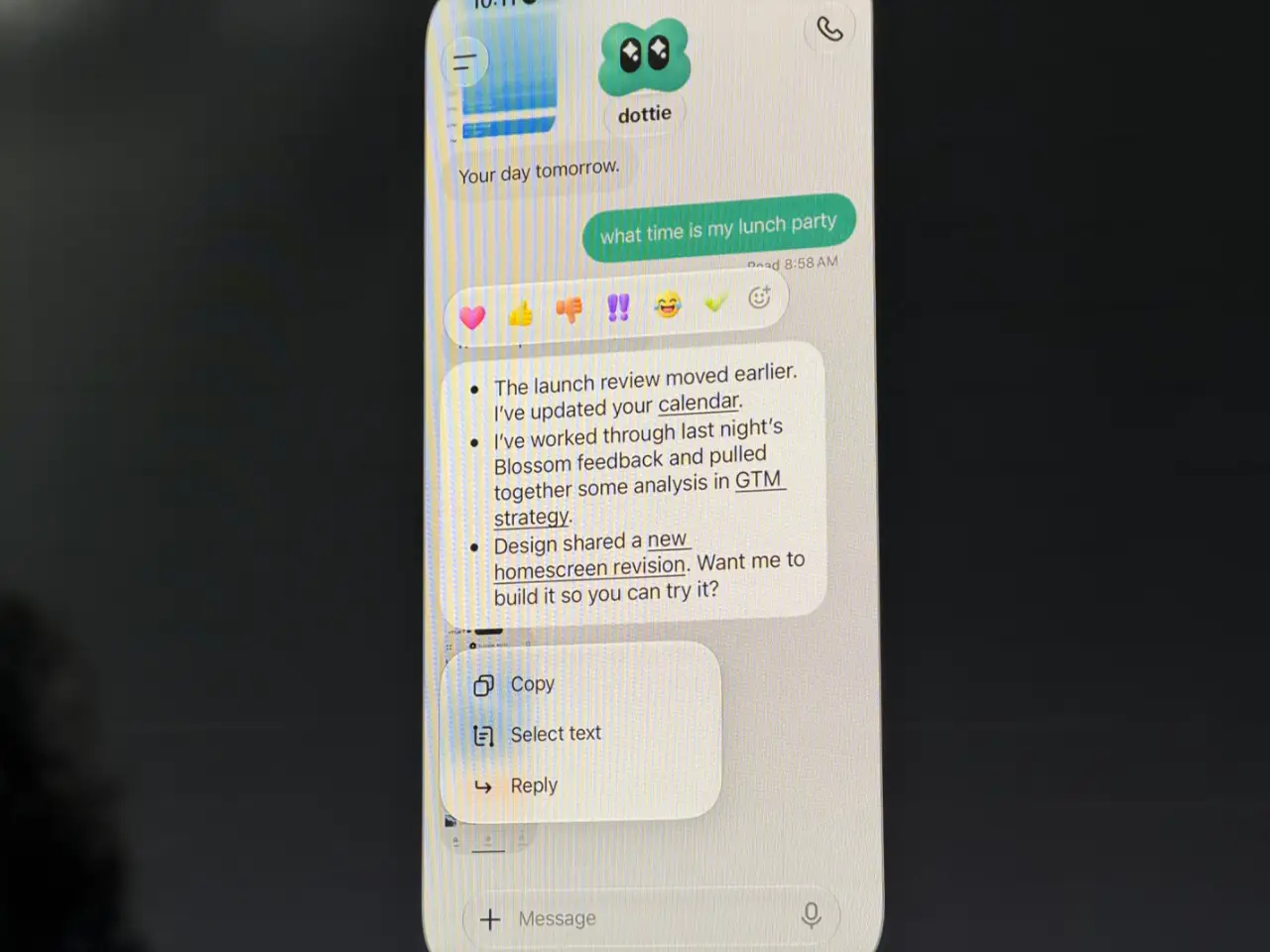
10:13 现场演示!“Dottie 今天早上有点慢”——我们看到了“still checking”,随后出现了一段尴尬的沉默。
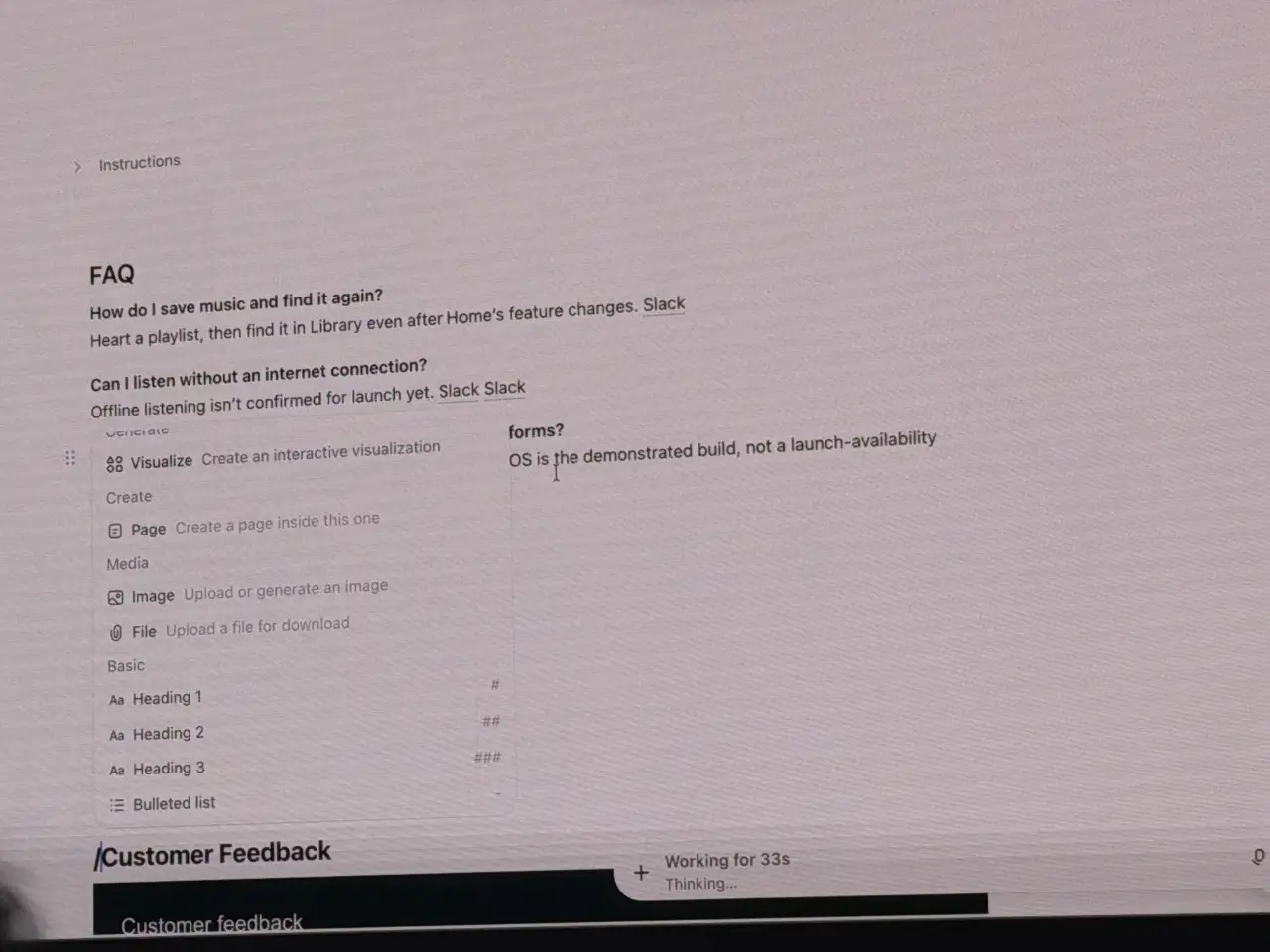
10:14 现在进入 ChatGPT Space。它有一个 Notion 风格的斜杠菜单。
10:16 OpenAI 的员工开始直接在 Slack 中向自己的 Dots 委派任务;这些 Dots 在 OpenAI 的 Slack 中拥有各自的身份。我猜这是 OpenAI 对 Claude Tag 的回应。
10:17 “Dottie 可以在我的笔记本电脑上使用 Codex 来构建 App,并在 iPhone Simulator 中启动它。”
10:18 ChatGPT Pro 和 Enterprise 客户今天就可以获得 Dots 的访问权限。
10:19
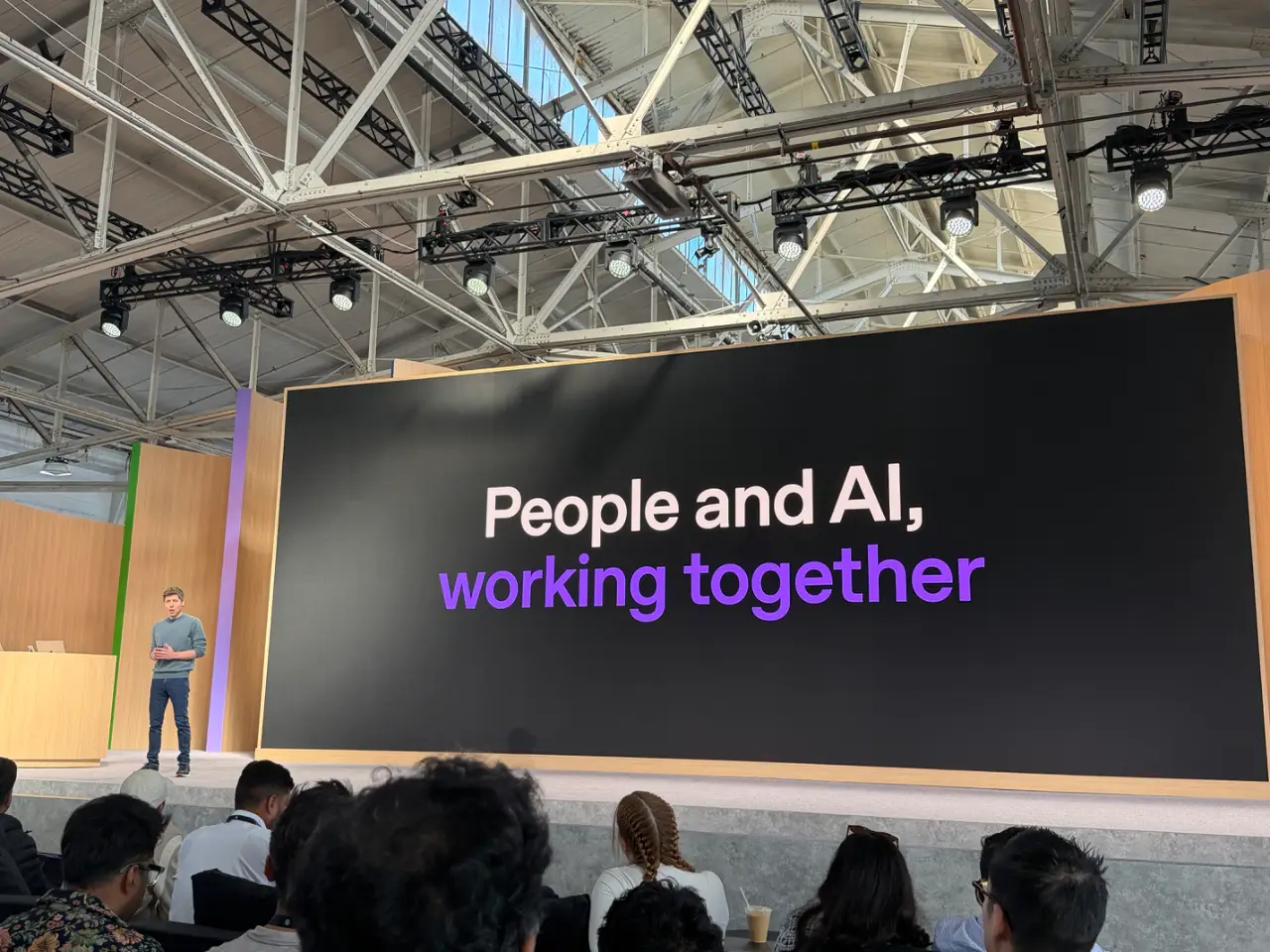
10:19 他们还在构建面向法务、财务等领域的“专业 Dots”。他们将与企业合作推进这件事,也正在围绕这些能力与 Microsoft 365 开展合作。
10:20 “今天的第二个重要部分”是平台。Sam 表示:优秀的模型、工具——可访问 OpenAI 内部使用的同类工具——以及分发能力。
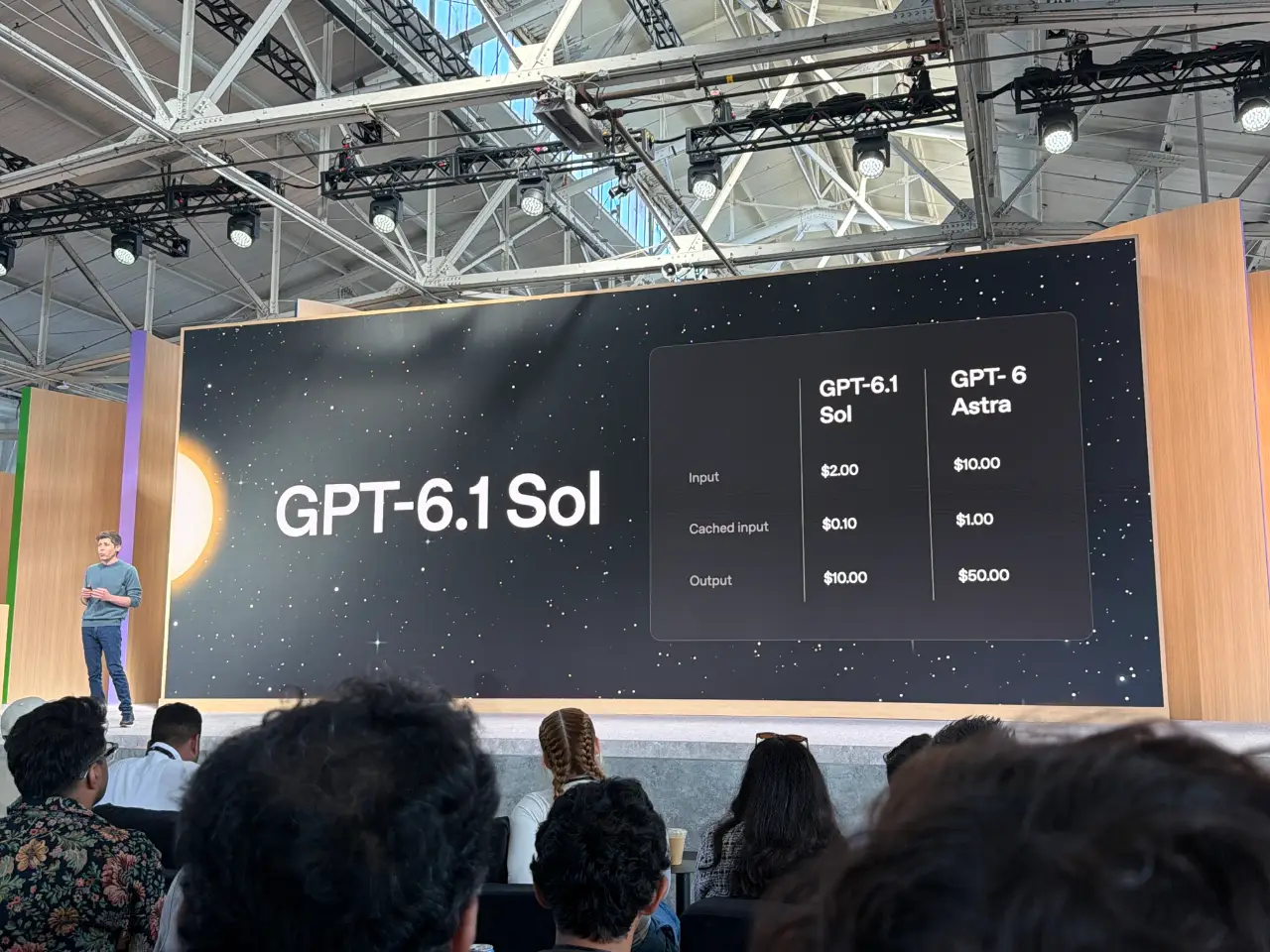
10:21 人们一直在要求推出比 GPT-6 Astra 更便宜、更快的版本。今天他们发布 GPT-6.1 Sol。
10:21 “以五分之一的价格,提供接近 Astra 水平的智能。”
10:22 6.1 Sol 将于今天发布。
10:22 同样在今天发布:Ultrafast。速度提升 8 倍,最高可达每秒 300 tokens。可用于 API、ChatGPT 和 Codex。价格是标准模式的 6 倍——Sam 说,“你知道吗,这值得。”
10:22 Ultrafast 今日可用于 Astra 6,Sol 6.1 也将很快支持。
10:23 新订阅方案:Pro 500。它提供 Ultrafast 访问权限,以及 Plus 方案 25 倍的使用量。他们今天也重新向新订阅用户开放每月 200 美元的方案。
10:24 同样在今天:预览新的 Decisions API。它可以让模型“在几分之一秒内”作出响应。其工作方式是向 Luna 模型提供“一个预定义选项集供其选择”。这听起来像是对 Jev 的回应,后者在不到两周前才结束隐身模式、正式亮相!
10:26 Tejal 正在讲 Astra 的 Computer Use 能力。“我们的模型帮助优化了我们用于 Computer Use 的 harness。”他们加速了这个 harness,实现了“2 倍的延迟改进,并已向所有用户发布”。
10:27 “我们的模型在桌面和浏览器中导航时犯错的可能性大幅降低”——这“对你所有的 Dots 都应该非常重要”。
10:28
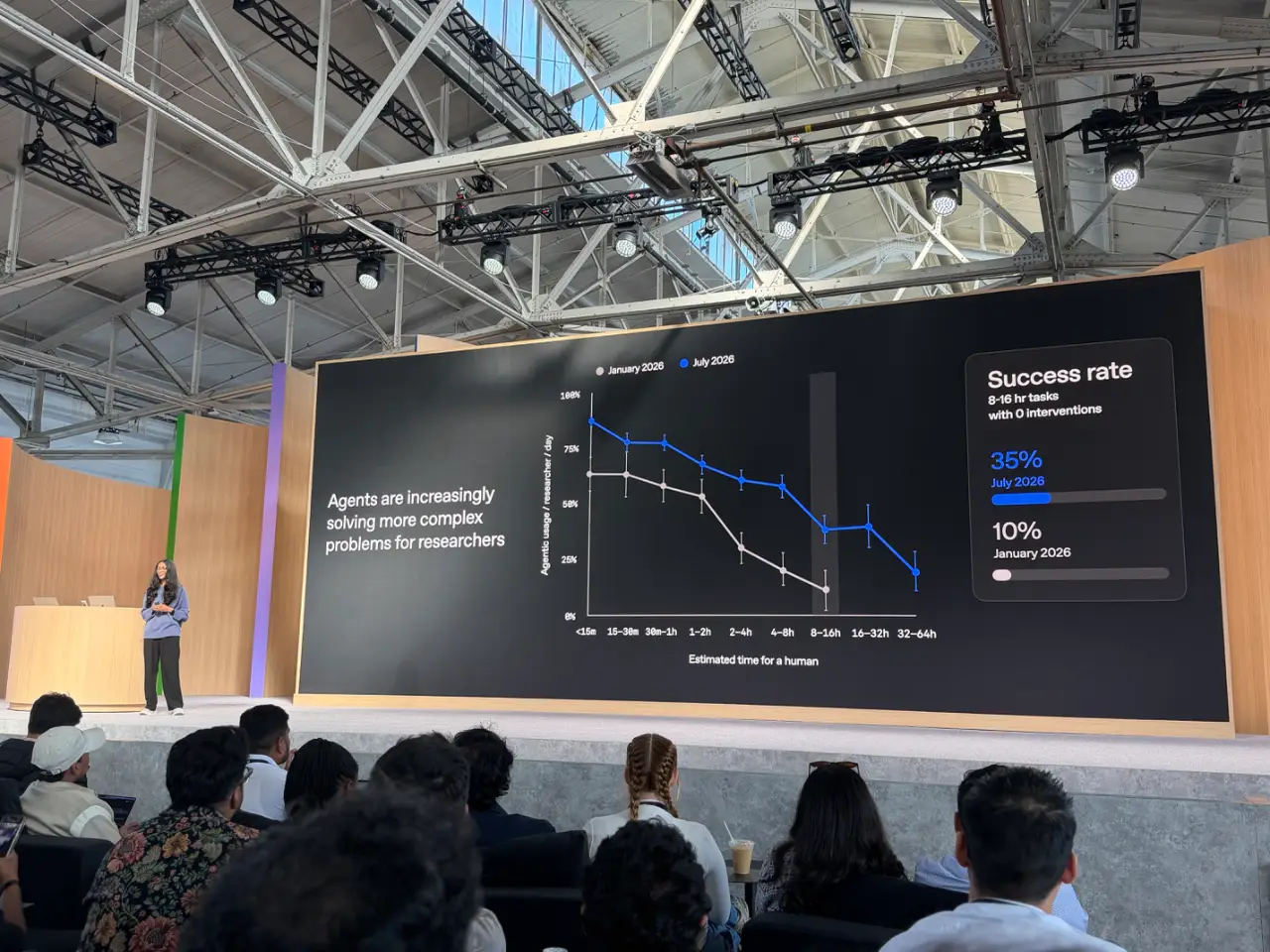
10:29 Sam 回来了。现在他谈到“支持开发者”——让开发者获得与 OpenAI 相同的基础能力。这从开源 Codex harness开始。Codex 现在也“全面上云”了。就在两小时前,我对云端 Codex 的体验很糟糕,所以希望这次的新发布能让它好很多。
10:30 今天发布“Codex Security Cloud”,提供“Daybreak Blue access”——包括定时扫描和自动去重。今天也已上线。
10:31 有一个(新的?)Agents API,现在支持 Computer Use。
10:31 (AWS 合作部分让我有点走神,不过只持续了几秒钟。)
10:32 Sam 正快速讲解企业隐私功能部分。
10:33 Sam 正在夸耀他们拥有当前“性能最高、最可靠的 API”。这感觉像是在针对 Claude,尤其是考虑到 Claude 就在今天早上发生了故障。
10:33 Romain Huet 刚刚以有趣的方式登场:他走进会场时进行了现场演示,屏幕上播放了摄像机画面。
10:34 看起来他将通过现场演示展示使用 Ultrafast 进行 3D 建模。语音模式没能配合!他只能改用打字。
10:35
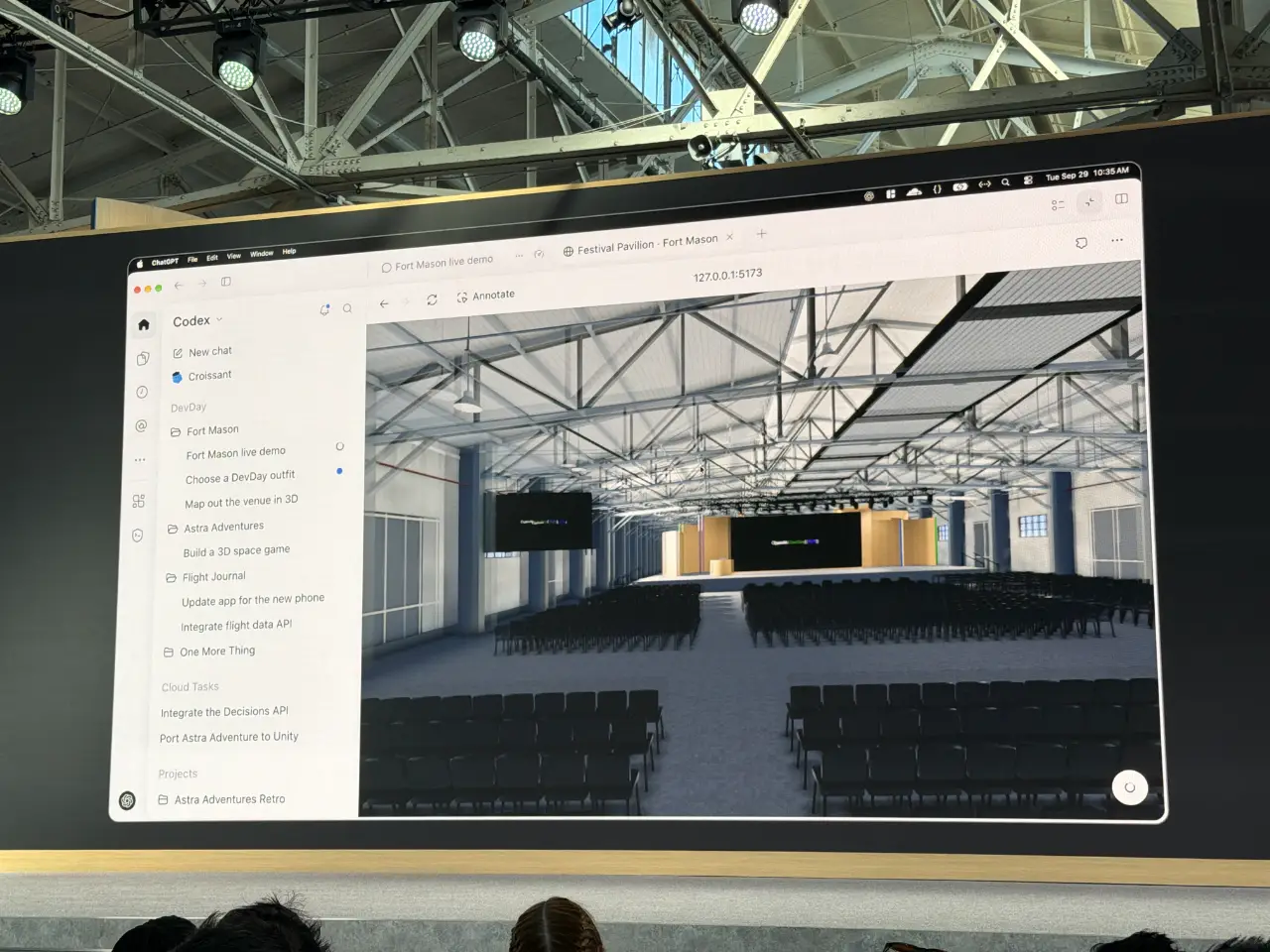
10:36 这是个不错的演示。他输入诸如“把直播放到大屏幕上”之类的命令,片刻之后,视频就出现在场馆 3D 模型中的大屏幕上。
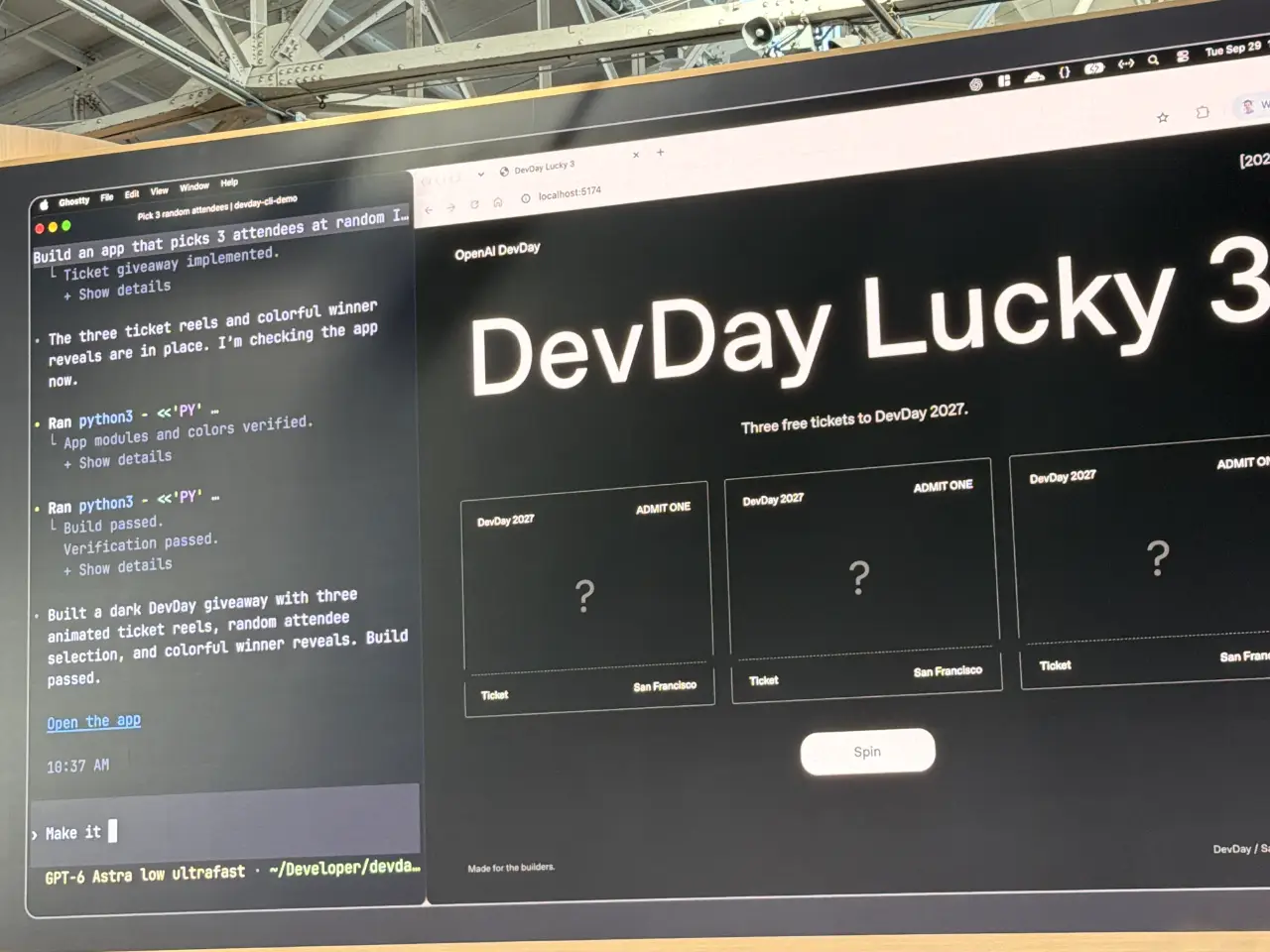
10:38 Romain 正使用 Ultrafast 现场编写一个 App,向随机与会者发放免费门票。
10:39 (这符合一个模式:在此前的 DevDay 中,Romain 经常进行以有趣方式与观众互动的现场演示。)
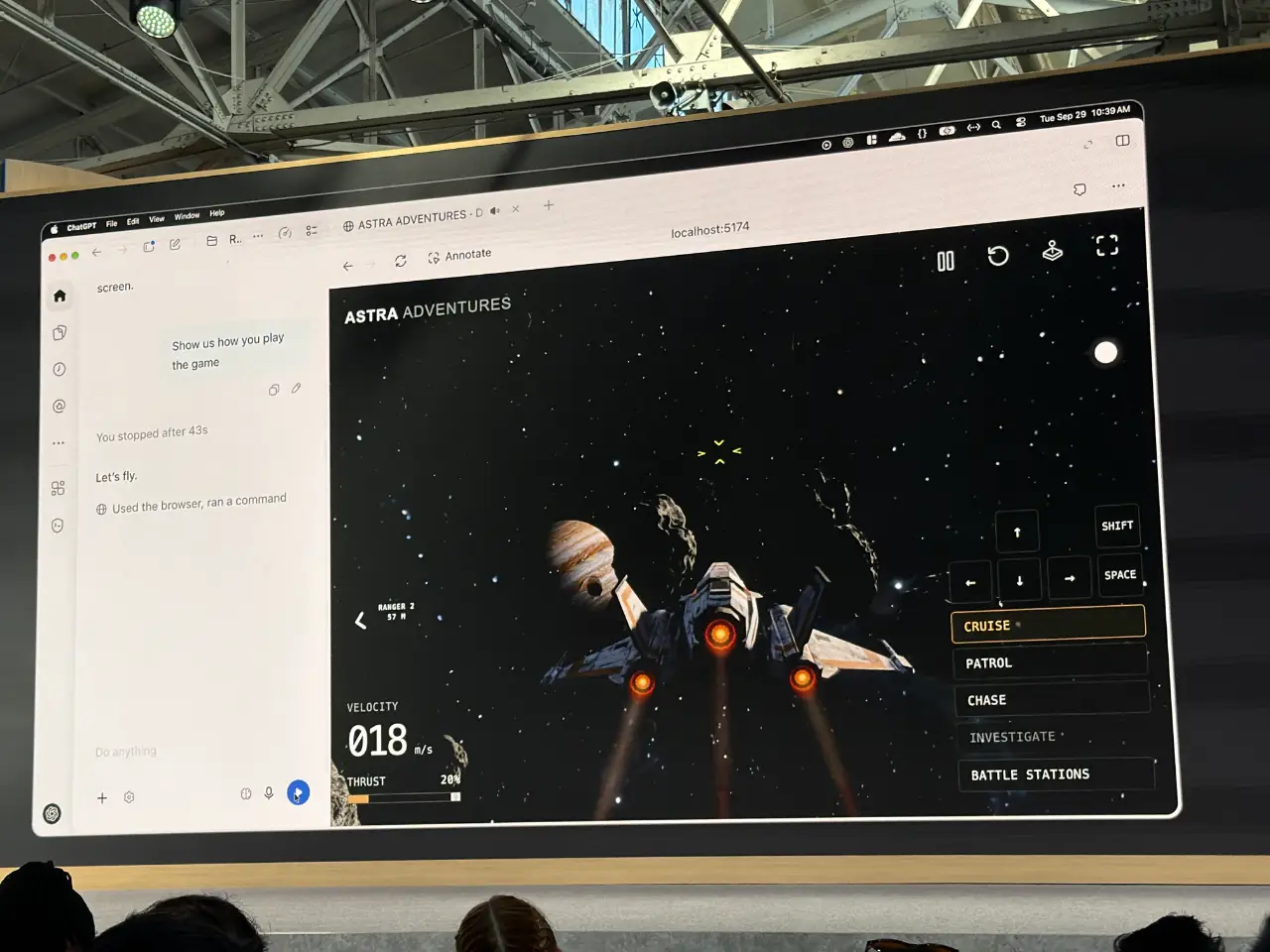
10:39 现在是 Astra Computer Use 演示,Astra 要弄清楚如何玩一款新的、通过 vibe coding 制作的游戏。
10:40
10:41 ……接着是一个演示:Codex Remote 为 iPhone Duo 构建 App,并在 Codex UI 中展示来自模拟器的界面。
10:42 现在 Romain 切换到 Codex Cloud,输入“rewrite the entire backend in Rust”。
10:44
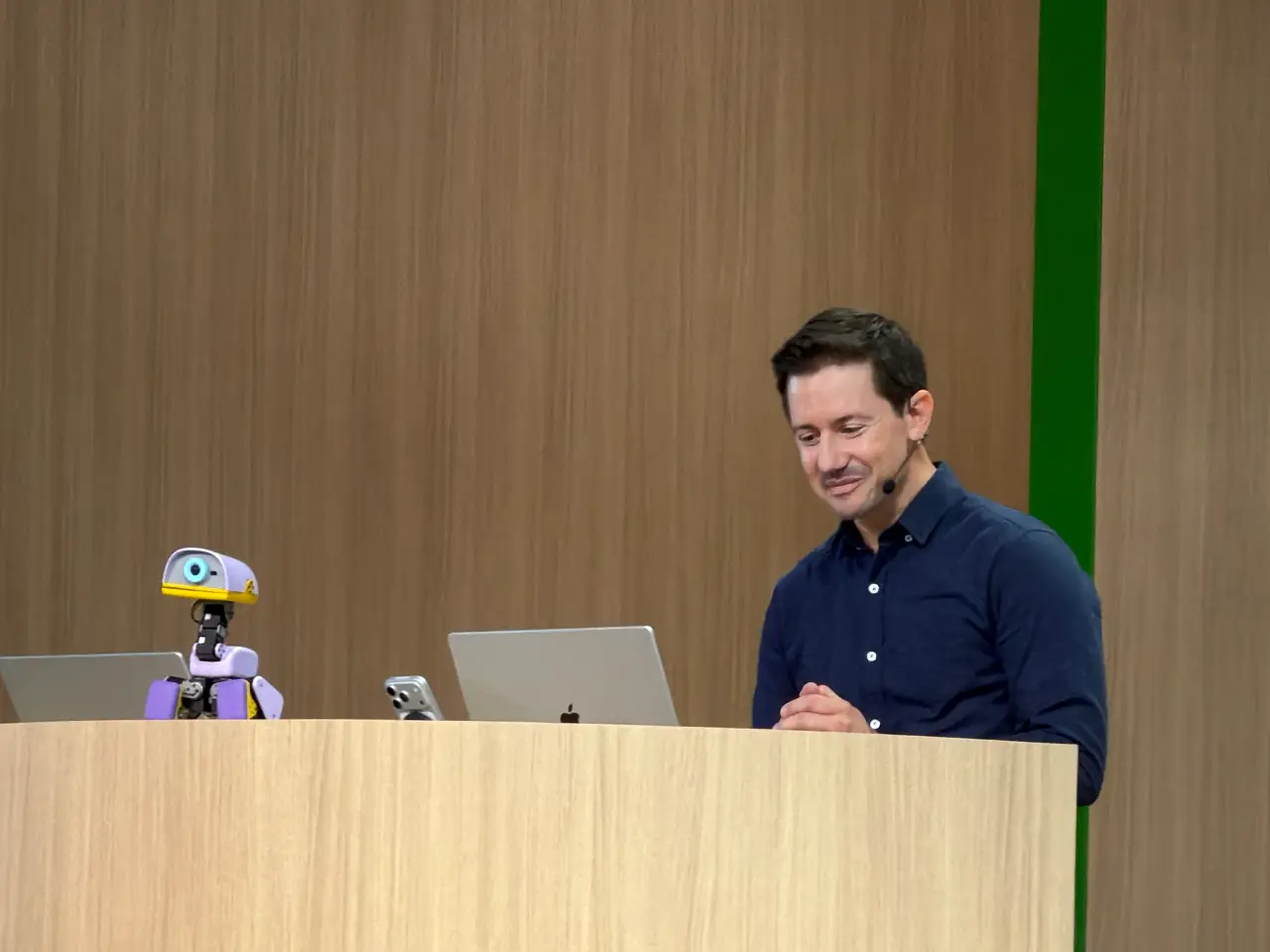
10:46 Sam 回来了。每周有 12 亿人使用 ChatGPT。“我们以前尝试过这个,结果有好有坏”,但他们准备再次尝试。首先是:sign in with ChatGPT,它让用户能够登录你的 App,并使用他们已经付费购买的 tokens。我已经想要这个功能很多年了!
10:46 还有:Plugin extensions——这些插件是“完整的应用程序”,在 ChatGPT(以及 Codex)中具有原生体验。
10:47 这里有一个来自 Adobe 的 ChatGPT 插件示例。
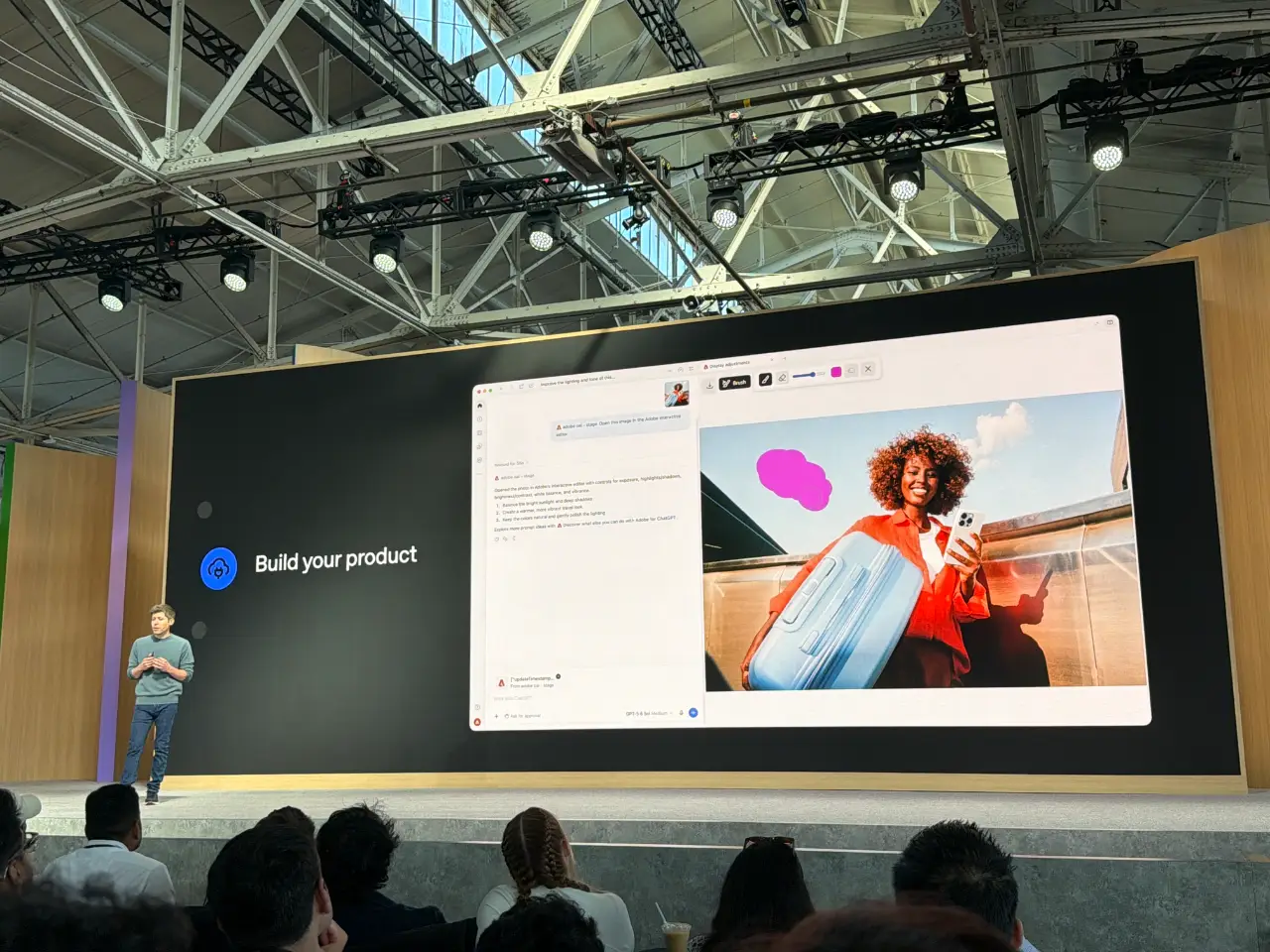
10:48 你还可以构建 ChatGPT Sites,并将它们分享给指定的其他人。(我承认,我原本以为他们已经有这个功能了。)
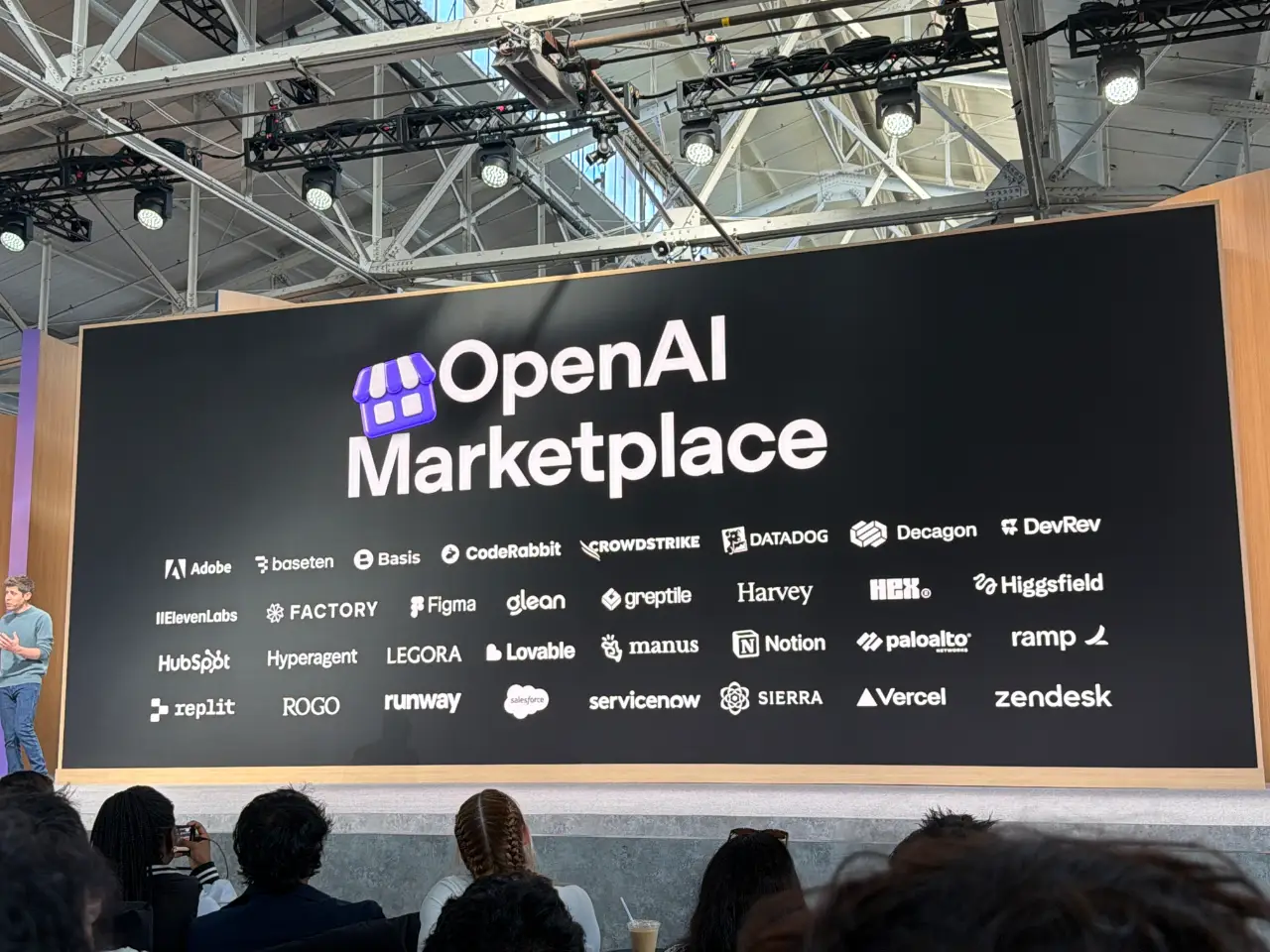
10:49 他们还在今天推出 OpenAI Marketplace,并公布了这些合作伙伴。
10:49 最后以一段温情内容收尾,介绍了一些基于 OpenAI 平台进行开发的人。现场播放了一段视频。
10:52 他们会给每位与会者发一个这个东西,以及一次预先安排好的 reset。
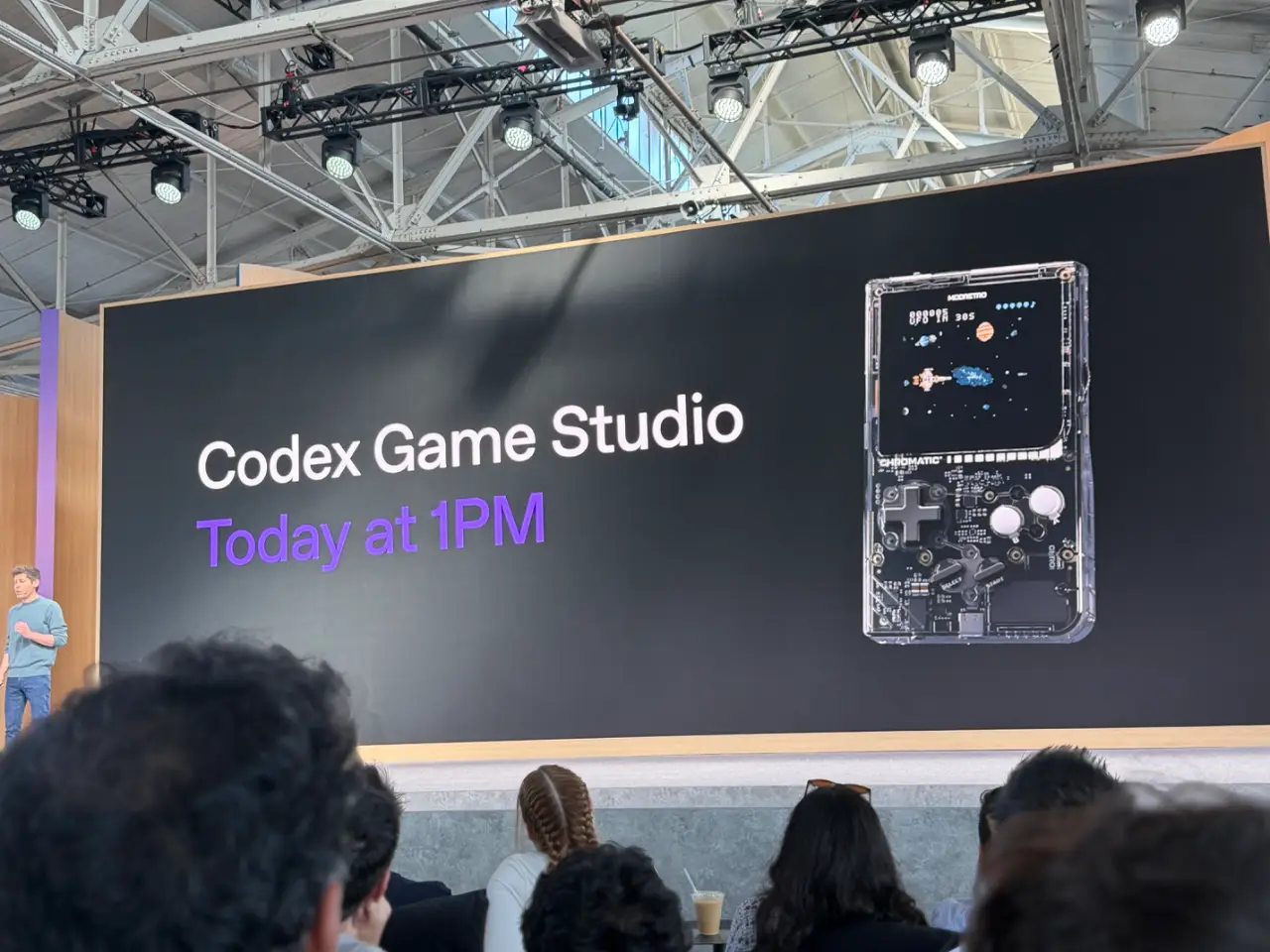
10:53 他们在现场按下了按钮。这个 reset 会影响全球所有人,而不仅仅是 DevDay 与会者。
12:47 我现在正在参加 ChatGPT Sites 主题会议。Jon Abrams 最初为这项工具制作原型,是因为他对内部工具如此难以上线感到沮丧(我在许多过去的雇主那里也感受过这种痛苦)。它在今年早些时候推出,如今已托管 800 万个站点,OpenAI 70% 的员工都在制作自己的站点。
12:47 Katia Gil Guzman 展示了一份记录 DevDay 发布内容的电子表格,并演示如何将其转换为一个 Site。“你能把这张表转成”
English / 原文
09:27 I'm in the room for the keynote, which starts in half an hour.
This year I vibe-coded a system for more easily adding photos to my live blog. I intended to do that using Codex Cloud (I built it on my phone on the way to the venue) but ran into problems with that and switched to Claude Code for web instead.
10:01 Sam Altman is on stage, welcoming us to DevDay. He promises "our best DevDay yet".
10:02 Showing features they've shipped that people asked for. Codex on Linux and Codex on your phone both got some applause.
10:03 Today, a product to feel like a "whole new way of working with AI". My guess is that it's a personal agent similar to Muse...
10:03
10:03 It's called "Dots".
10:05 It does look very Muse-like. You get to pick its name, then it's represented by a cute blob-like avatar. (My Muse avatar is a pelican.)
10:06 This demo video includes a whole lot of voice interactions, presumably using GPT-Live or a new generation of that technology.
10:06
10:07 Dots are "powered by Astra". That would be an expensive default model!
10:08 A very ambitious use-case, migrating an API. I'm surprised that they went for such a code-heavy example so early on, I guess this is a developer audience.
10:09 Sam called Astra "our most aligned model", to allow you to trust your Dot with "as much responsibility as you are comfortable with".
10:09 "You also need a place four your team to collaborate with their Dots". So they are introducing ChatGPT Space.
10:10
These Spaces look like shared artifacts, maybe Google Docs meets the artifacts pattern.
Sam Introduces Holly Li.
10:11 Holly is talking through a scenario building fictional music app. Holly has a Dot called "Dottie", which has access to ChatGPT, Slack, Teams, and more.
10:12 This UI really does look like Meta's Muse agent, currently still at number one on the iOS App Store free list.
10:13 Live demo! "Dottie is having a slow morning" - we got a "still checking" and an embarrassing silent moment.
10:14 Now we're in ChatGPT Space. It has a Notion-style slash menu.
10:16 People at OpenAI started delegating to their Dots directly in Slack, which have their own identities in OpenAI Slack. I guess this is OpenAI's answer to Claude Tag.
10:17 "Dottie can use Codex on my laptop to build the app and launch it in the iPhone Simulator."
10:18 ChatGPT Pro and Enterprise customers get access to Dots today.
10:19
10:19 They're also building "specialist dots" for legal, finance, etc. They'll collaborate with enterprises on this, and are also doing a thing with Microsoft 365 around these.
10:20 "The second big part of today" is about platforms. Says says: Great models. Tools - access to the same tools used within OpenAI. And distribution.
10:21 People have been asking for GPT-6 Astra but cheaper and faster. Today they're launching GPT-6.1 Sol.
10:21 "Near-Astra level intelligence at a fifth of the price".
10:22 6.1 Sol is launching by today.
10:22 Also today: Ultrafast. 8x faster - up to 300 tokens/second. Available in the API, ChatGPT, and Codex. 6x the price of standard - "you know what, it's worth it" says Sam.
10:22 Ultrafast is available for Astra 6 today, and Sol 6.1 soon.
10:23 New subscription plan: Pro 500. This gives you access to Ultrafast, and 25x the usage of Plus. They're also putting their $200/month plan back on sale for new subscribers today.
10:24 Also today: previewing a new Decisions API. Lets the model respond "in a fraction of a second". It works by giving the Luna model "a predefined set of options to choose from". Sounds like their response to Jev, which came out of stealth less than two weeks ago!
10:26 Tejal is talking about Astra's abilities at Computer Use. "Our models helped optimize the harness we use for Computer Use". They accelerated the harness, getting "a 2x latency win that we've shipped to all of you".
10:27 "Our models are much less likely to make a mistake while navigating the desktop and the browser" - which "should really matter for all your Dots".
10:28
10:29 Sam is back. Now talking about "supporting developers" - giving developers access to the same foundations they have at OpenAI. This starts with the open source Codex harness. Codex is also now "fully in the cloud". I had a bad experience with Codex in the cloud just two hours ago, so hopefully this new launch will make that a whole lot better.
10:30 Today launching "Codex Security Cloud", with "Daybreak Blue access" - scheduled scans, automatic de-duplication. Also launched today.
10:31 There's a (new?) Agents API, now with Computer Use.
10:31 (My eyes glazed over a bit at the AWS partnership section, but it only lasted a few seconds.)
10:32 Sam is dashing through a section about enterprise privacy features.
10:33 Sam is boasting about the "most performant and reliable API" available today. Feels like a jab at Claude, especially given they had an outage just this morning.
10:33 Romain Huet just made a fun entrance, with a live demo as he walked into the venue (with camera footage on screen.)
10:34 Looks like he's going to show off some 3D modeling with Ultrafast, in a live demo. The voice mode is not collaborating! He's going to have to type instead.
10:35
10:36 This is a good demo. He's typing commands like "put the livestream on the big screen" and a moment later the video appears on the big screen in the 3D model of the venue.
10:38 Romain is live coding an app to distribute free tickets to random attendees, using Ultrafast.
10:39 (This fits a pattern - in previous DevDays Romain has frequently run live demos that interact with the audience in interesting ways.)
10:39 Now we have an Astra Computer Use demo, where Astra figures out how to play a new (vibe coded) game.
10:40
10:41 ... and a demo showing Codex Remote building an app for the iPhone Duo, showing the UI from the simulator in the Codex UI.
10:42 Now Romain is switching to Codex Cloud, with "rewrite the entire backend in Rust".
10:44
10:46 Sam is back. 1.2B people use ChatGPT every week. "We've tried this before with variable results", but they're trying this again. First up: sign in with ChatGPT , which lets people sign into your app and use the tokens they are paying for already. I've wanted this one for years!
10:46 Also: Plugin extensions - plugins that are "entire applications" that feel native to ChatGPT (and Codex).
10:47 Here's an sample ChatGPT plugin from Adobe.
10:48 You can also build ChatGPT Sites and share them with specific other people. (I admit I thought they had that feature already.)
10:49 And they're launching the OpenAI Marketplace today, with these partners.
10:49 Finishing with a feel-good bit profiling some people who are building on OpenAI's platform. There's a video.
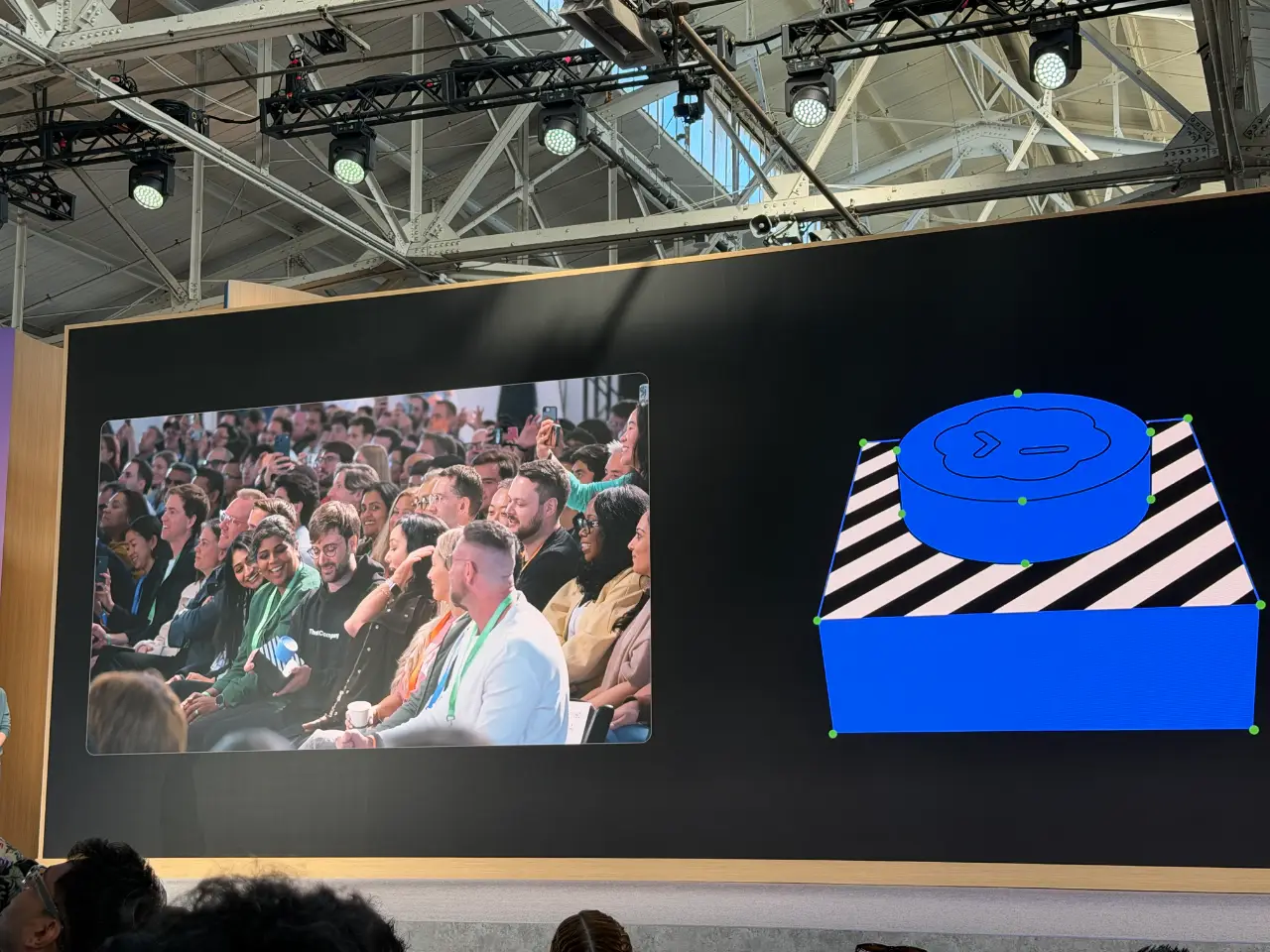
10:52 And they're giving every attendee one of these. And a banked reset too.
10:53 They pressed the button live in the room. The reset affects everyone in the world, not just the DevDay attendees.
12:47 I'm now in the ChatGPT Sites session. Jon Abrams initially prototyped this tool because he was frustrated at how hard it was to ship internal tools (I’ve felt that pain at many previous employers). It launched earlier this year and is already hosting 8m sites, and 70% of OpenAI employees are making their own sites.
12:47 Katia Gil Guzman demonstrates a spreadsheet of DevDay launches, and shows how to turn that into a Site. "Can you turn this sheet into a Launch Radar app in a new folder and publish it as a Site?"
12:48
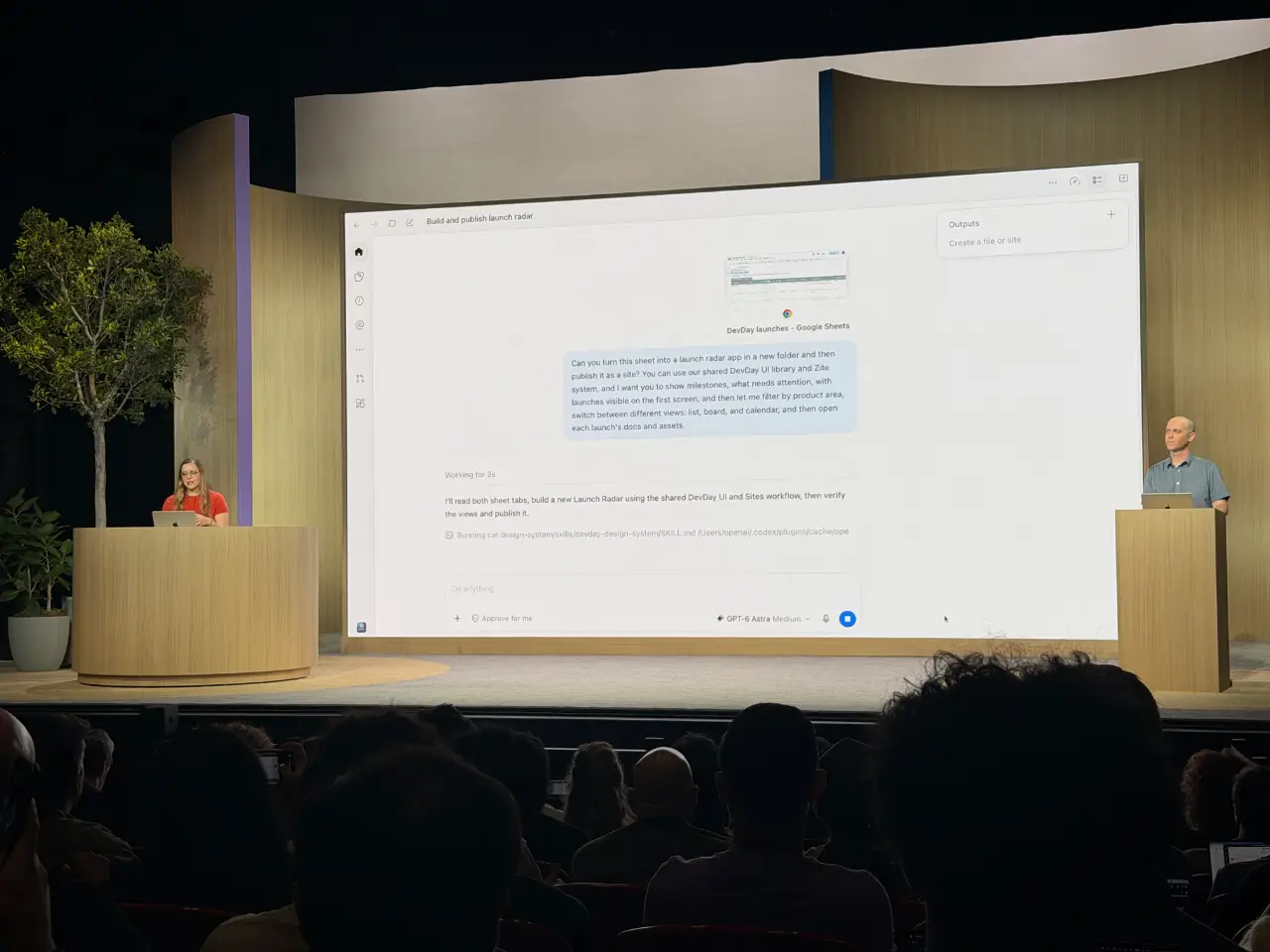
12:49 You can also tell Codex to keep an eye on e.g. a shared sheet and continually update the site with new details.
12:50 Sites get a SQLite database! They're launching scheduled tasks for Sites today.
12:51 They also have "Sign in with ChatGPT" support. Sites default to private.
12:52 Launching today is Plugins in Sites , which will allow a Site to display data that is personalized for the visiting user imported from their plugins. I recently noticed that Claude Artifacts can access MCPs, which looks like the same shape of feature.
12:53 Here's the Radar Launch app built as a live demo in the session.
![A man stands at a lectern beside a large projected screen showing a launch-planning dashboard titled “Launch Radar [DEVDAY 2026].” The dashboard lists six launches, with three on track, two needing attention, and 13 of 30 milestones complete; a coding assistant interface is visible on the left.](https://static.simonwillison.net/static/2026/live-20260929-125248.webp)
12:54 You can add other people as "editors", which allows them to publish updates to the Site themselves.
13:01 Katia is now talking about WebMCP, and how much more efficient it is than using Computer Use.
13:32 Now a session by Kyle Brown on Ian Webster on Codex Security.
13:33 At OpenAI they had a security sprint a couple of months ago involving a quarter of their product engineers, and they fixed 53 critical findings on the first day.
13:34 Today they're launching a major upgrade to their Codex Security Cloud product, integrating lessons learned from their internal security sprint.
13:35
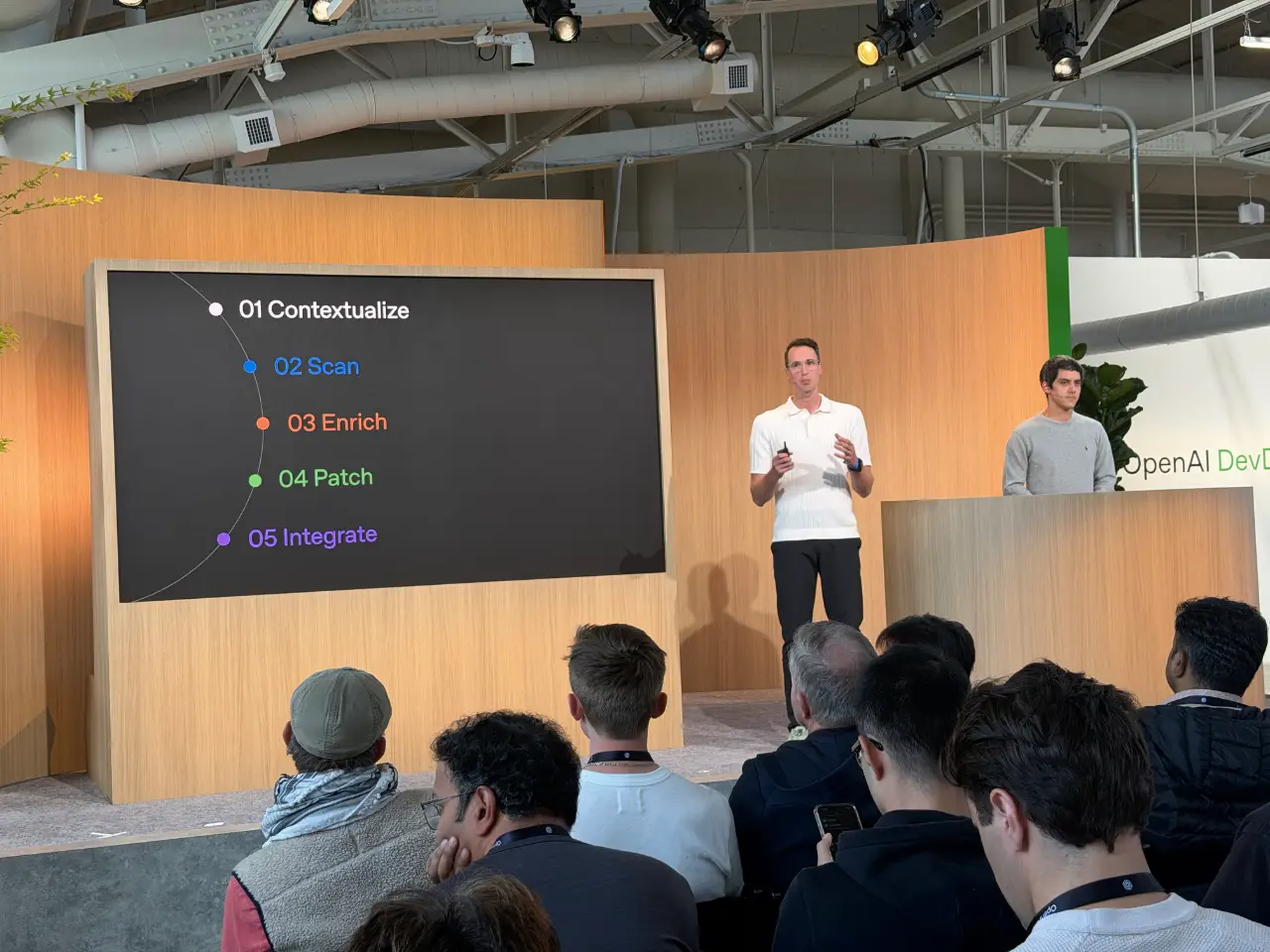
13:37 They build a security knowledge base which includes architecture details and things that might not be visible in source code. They also now use SECURITY.md files, allowing product owners to define their own threat models and secure guidelines.
13:38 Running a scan using Codex Security.
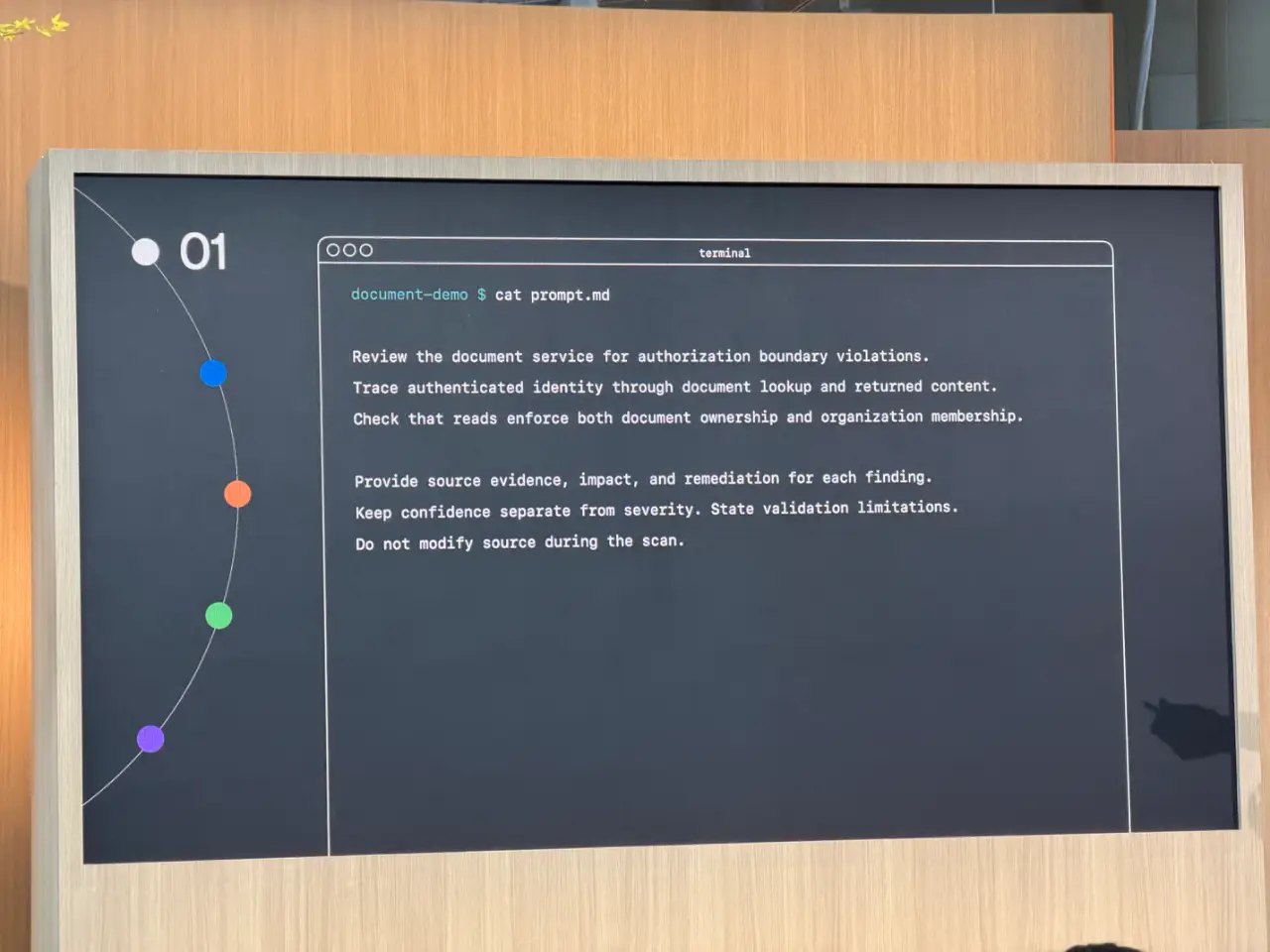
13:39 The scanner keeps on looping until it can find no more issues.
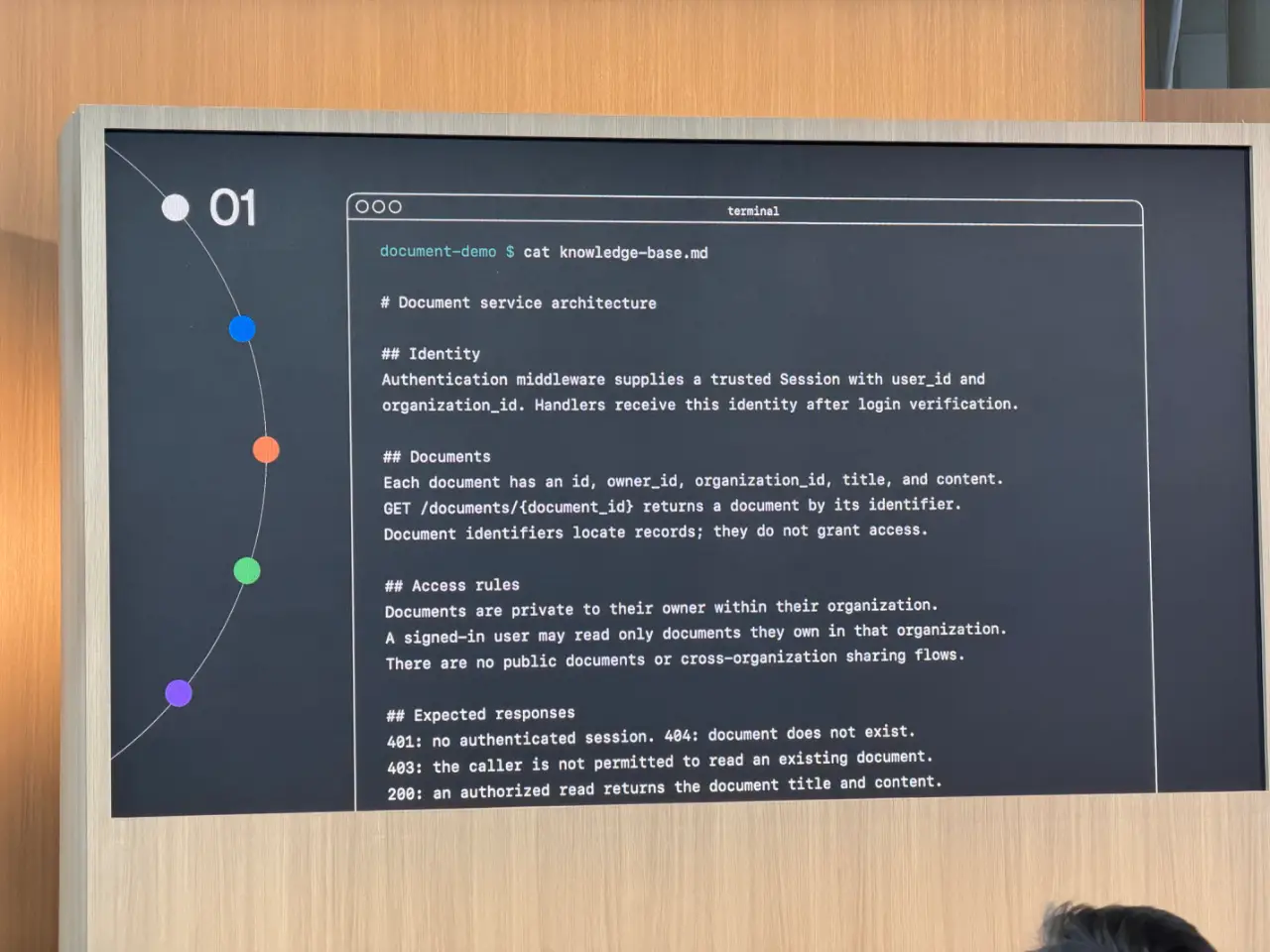
13:40 Deduplication is now available as a workflow in the CLI.
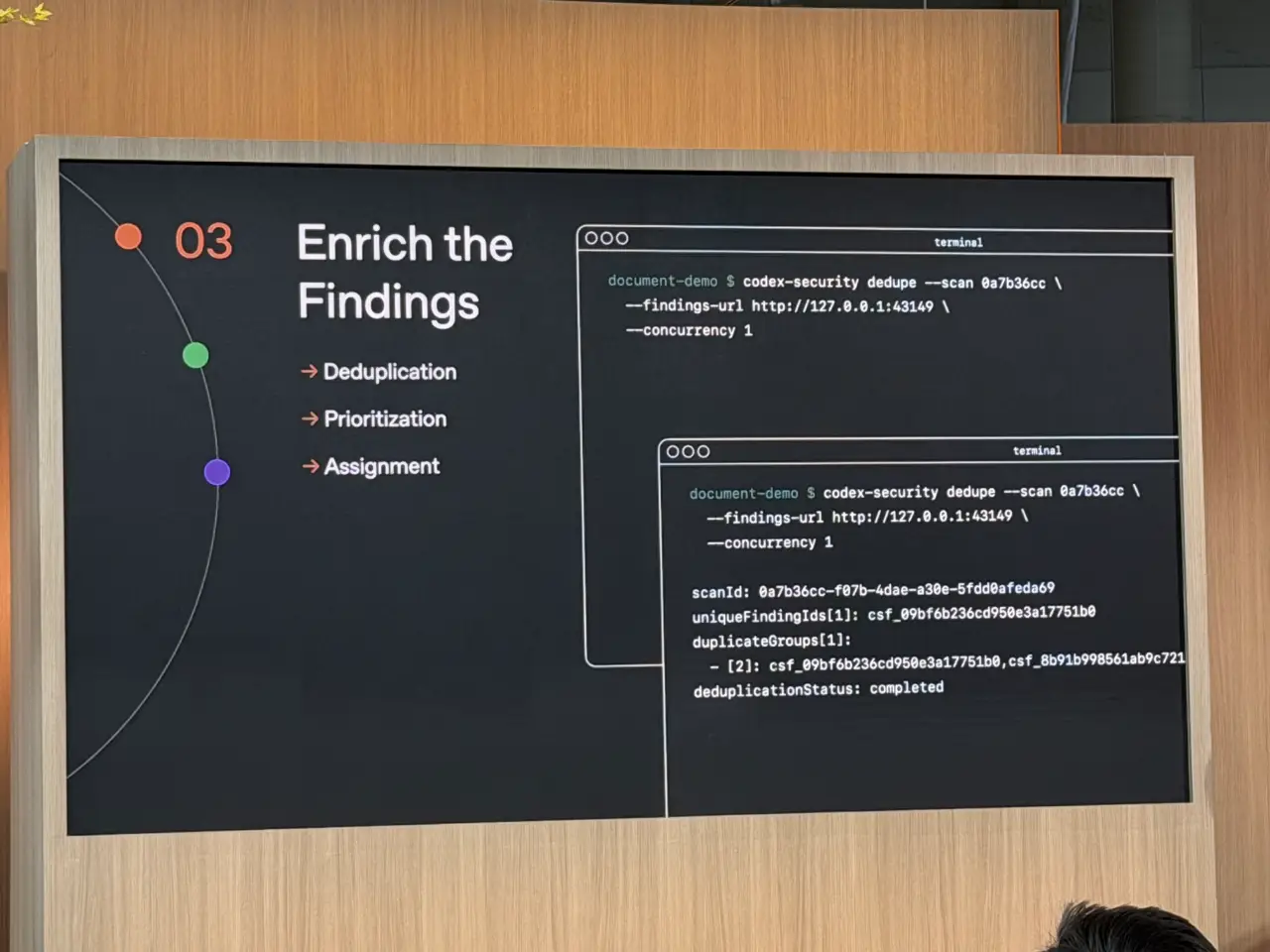
13:41 In their internal sprint 36% of the discoveries were duplicates. Eliminating these saved a lot of developer time.
13:42 They put a lot of work into figuring out who owned what - a surprisingly hard problem in a company growing at OpenAI's rate.
13:43 Over time they got to the point where the system could generate patches. This was more of a "dial you turn up" as you get more comfortable with the quality of the results.
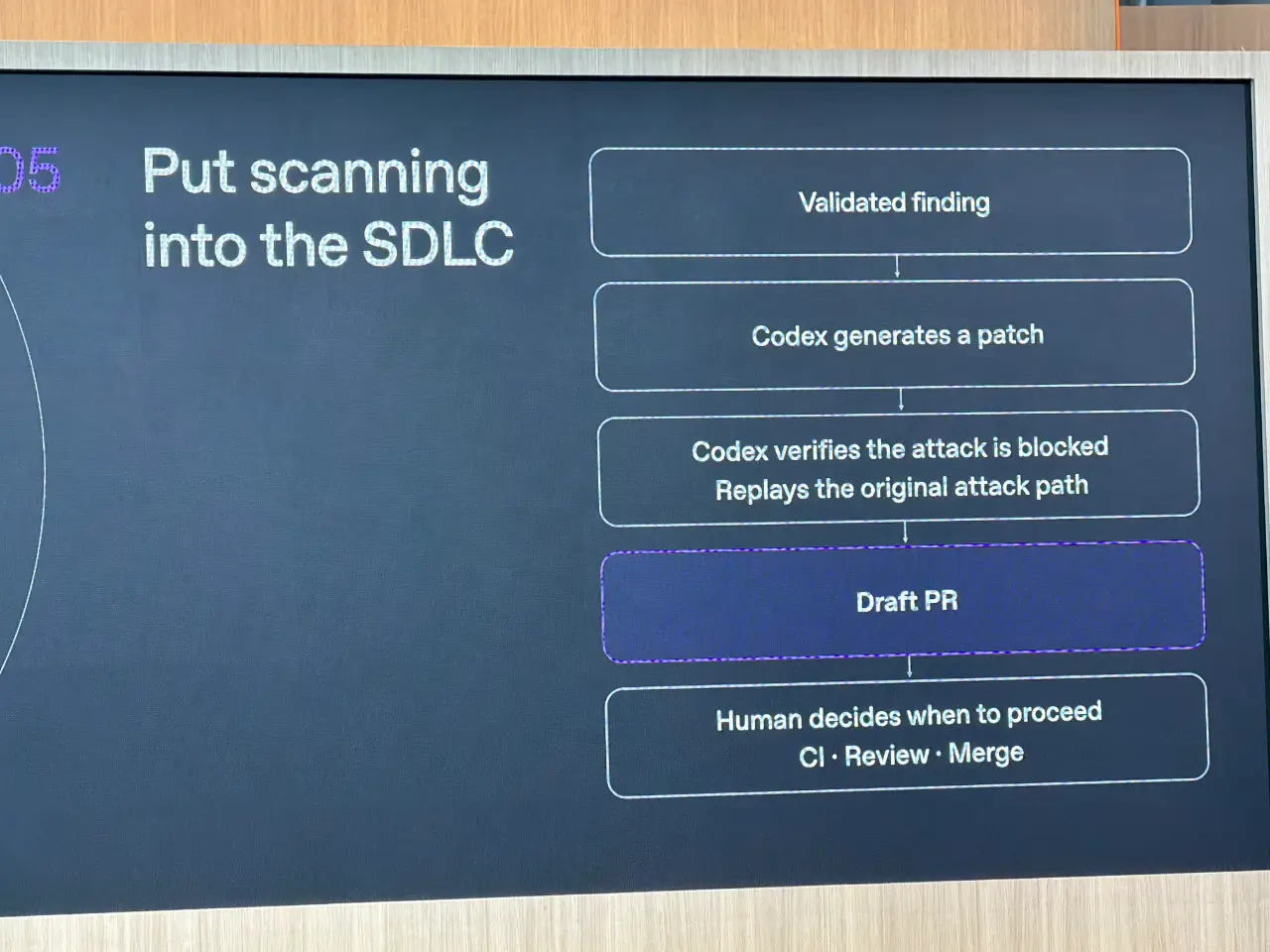
13:45 Now the codex-security patch command can generate patches and open PR. They only had a 1% rollback rate, thanks to a verify-fix command, which you can think of as an adversarial agent against the fix.
13:45
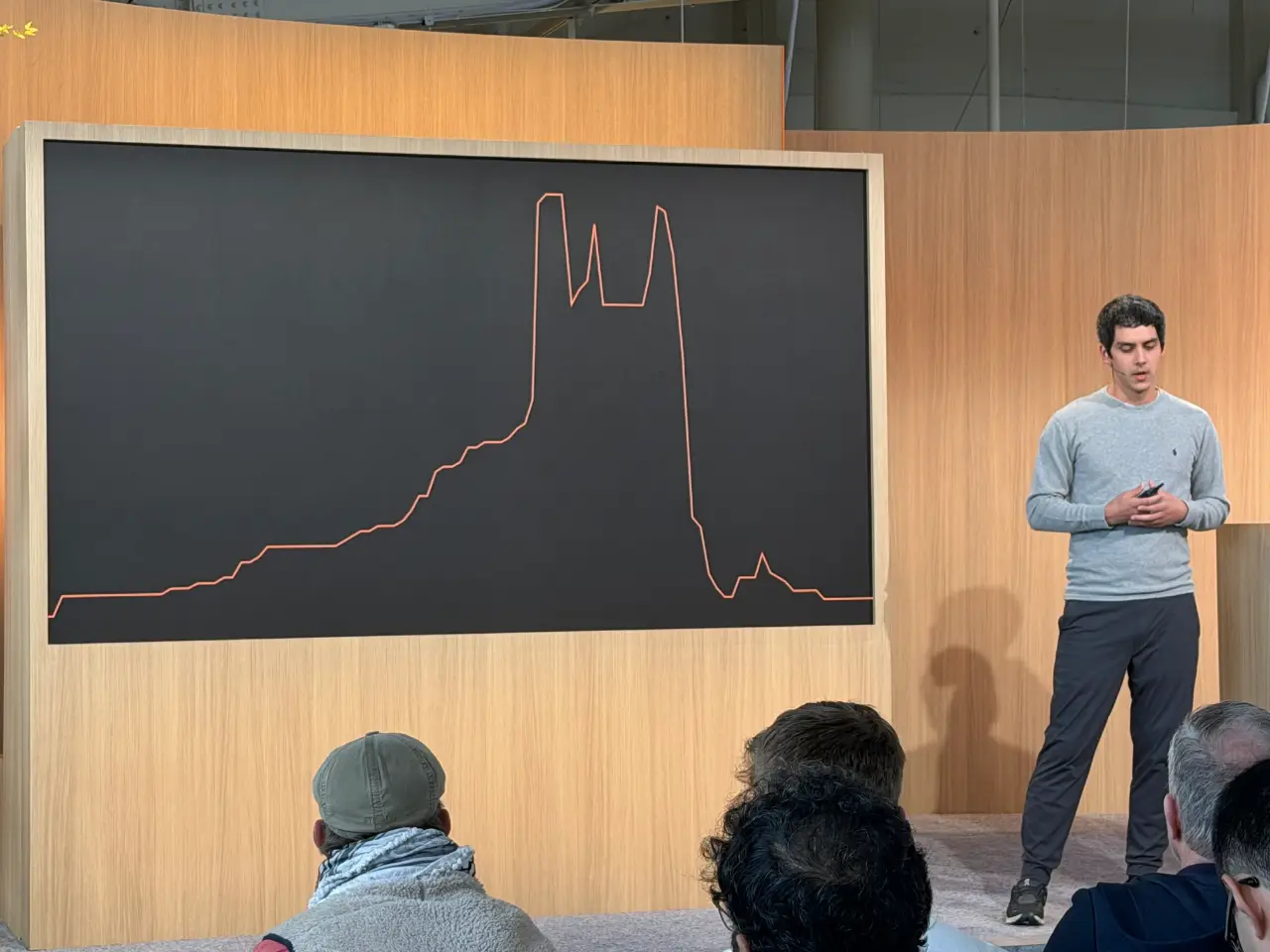
13:48 Here's a version of OpenAI's own internal burndown chart of their security vulnerabilities, showing the impact of their security sprint.
13:49 Codex Security Cloud lets you run continuous security. It's in the Codex plugins marketplace, and uses the Daybreak model that specializes in security.
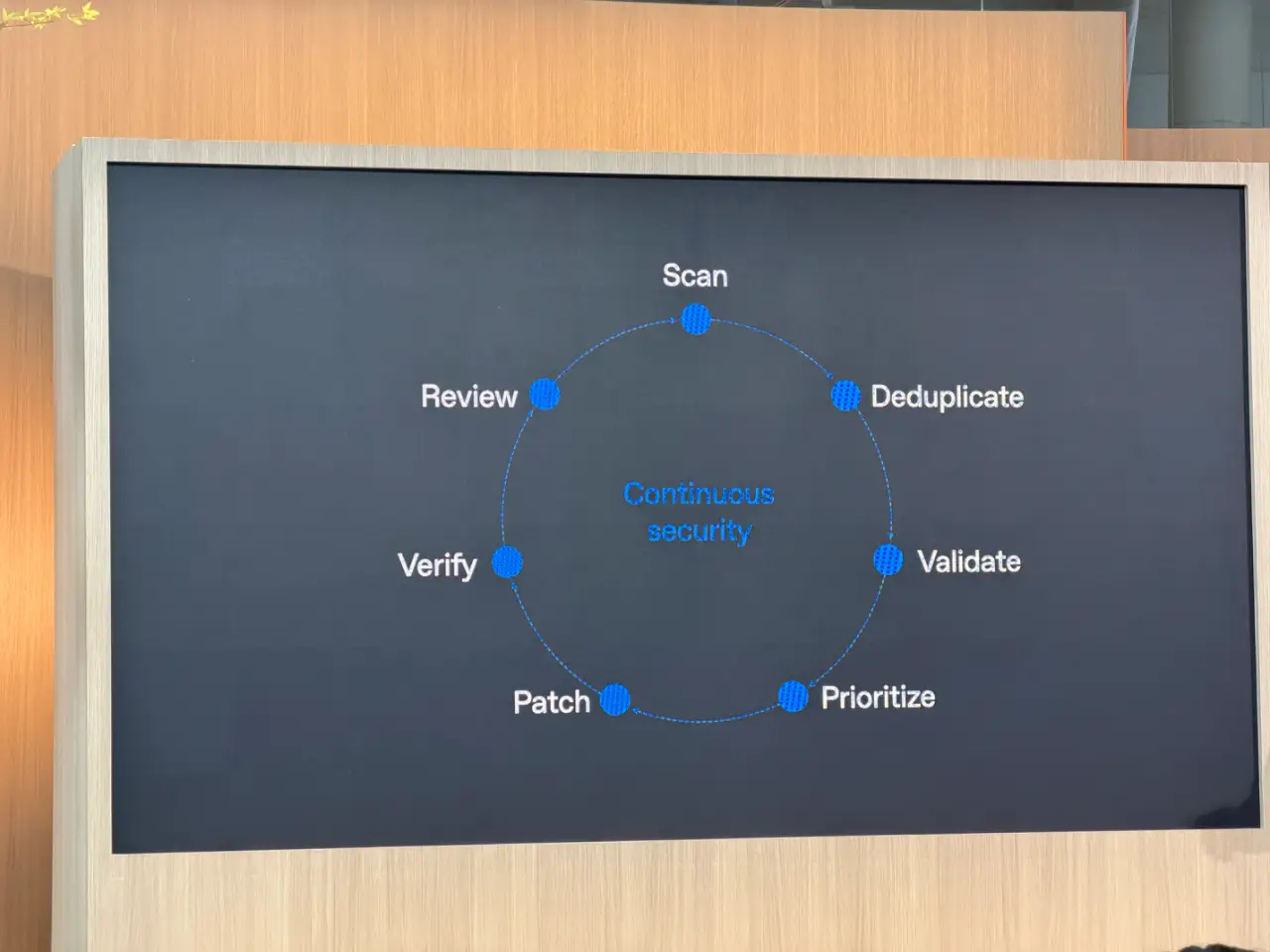
13:50 It runs a scan, lets you inspect the vulnerabilities, and can generate patches and open PRs. It should be generally available today.
14:13 I was wondering why OpenAI's visual identity for this event - the logos made up of animated clouds of dots, see first photo in this thread - felt somewhat familiar.
Then I realized they remind me of the Pluribus logo!
(I'm pretty sure that wasn't deliberate.)

15:07 The GPT-Live session with Alex Gamble and Erika Kettleson is pretty fun, they have a GPT-Live session running as a third co-presenter. It's mostly working very well - it can bring up slides on demand, and it only interrupted the human speakers inappropriately once.
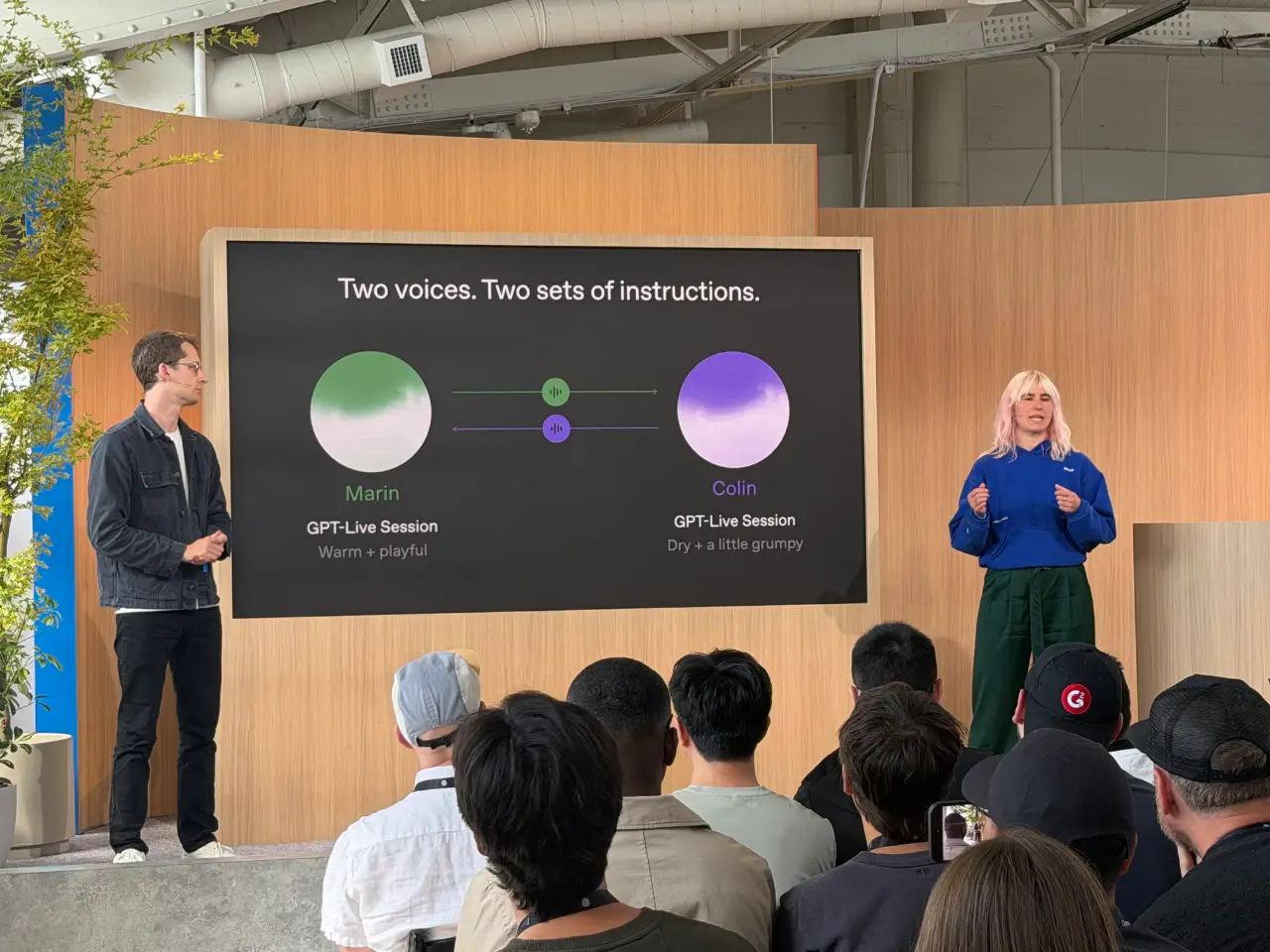
15:10 We played a game where the GPT-Live agent, Marin, drew images while we guessed what they were and shouted the answers.
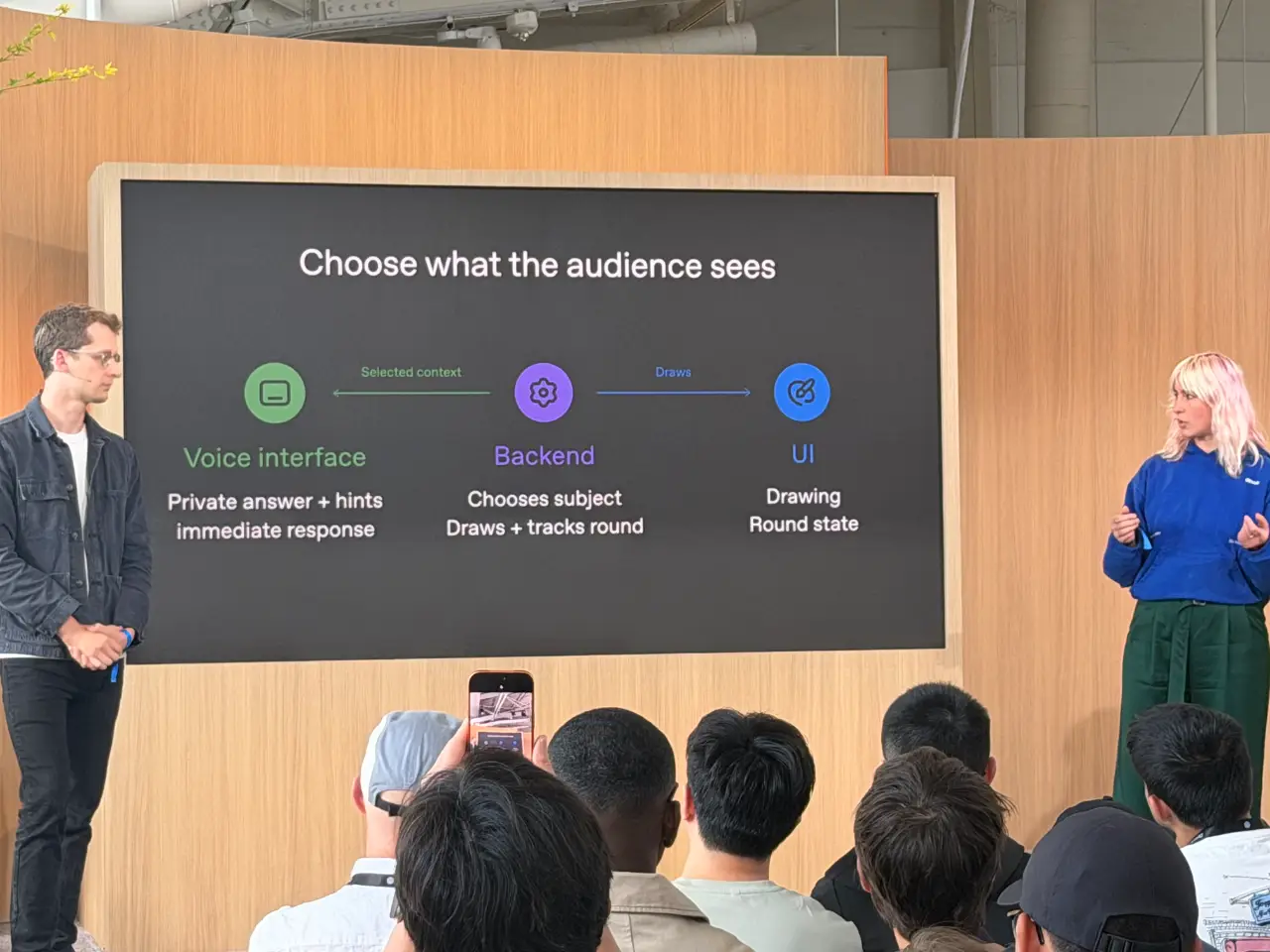
This was a demonstration of delegation, where a more powerful model ran the drawing while GPT-Live continues to listen and interact.
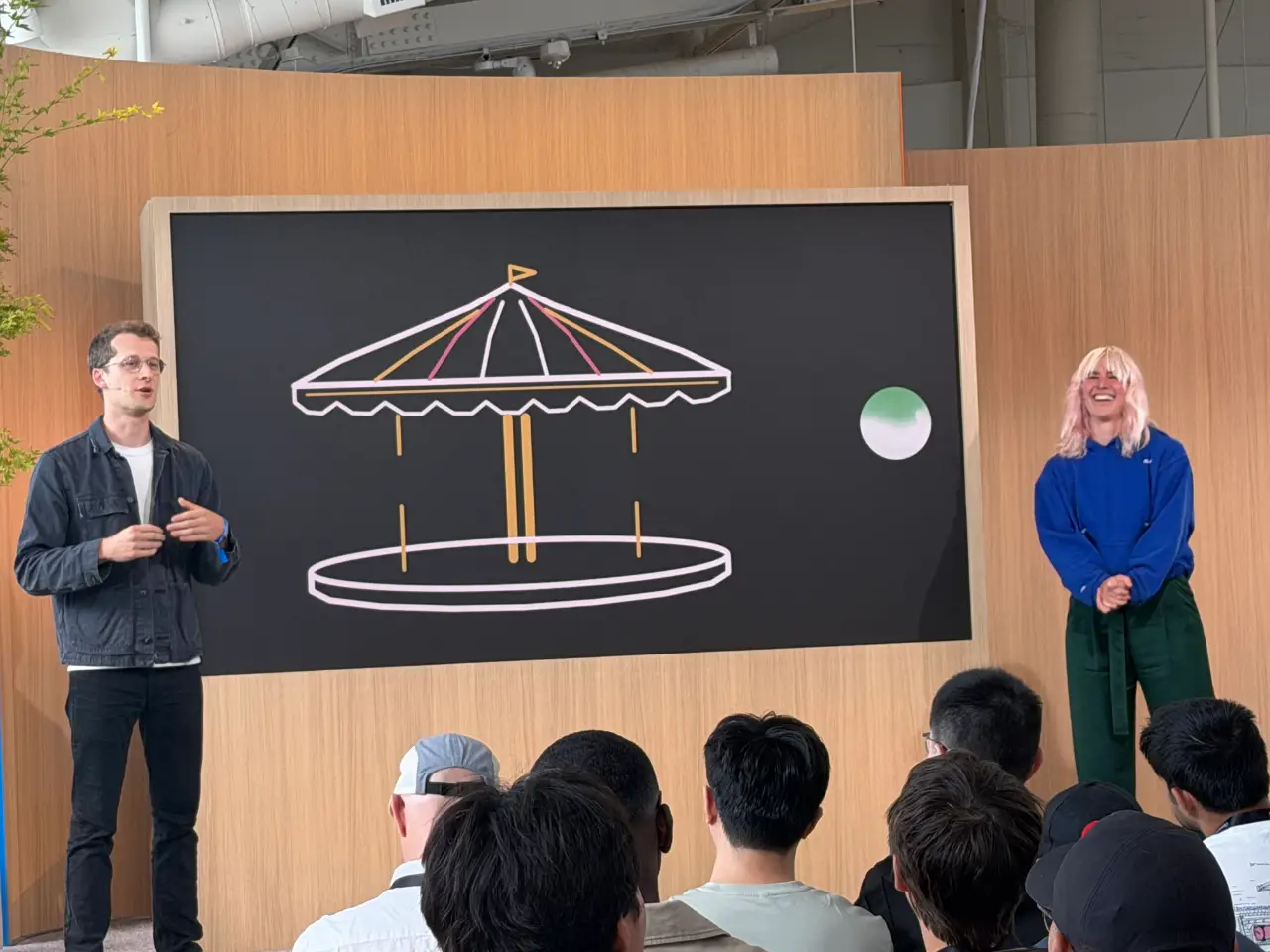
15:11 The backend had GPT-6 Astra writing code to draw the images.
15:19 Neat demo of Marin handling quite loud background music while still understanding and following instructions. The agent also appeared to be able to comment on the style of music.