可被教练式训练的 Agent:Asana 如何借助 Claude 构建人机团队
英文标题:ArticleSep 29, 2026Agents you can coach: how Asana builds human-agent teams with ClaudeArnab Bose, Chief Product Officer at Asana, on how Asana runs AI agents as teammates with scoped roles, shared memory, and work that everyone can see. Claude Platform
Asana 将 Claude 作为员工默认 AI 工具,并让 AI Agent 在其 Work Graph® 工作模型中以“AI 队友”身份协作,拥有明确角色、权限范围、共享记忆和可见的工作记录。该公司通过角色化访问控制与“触发者权限边界”,让 Agent 能够使用公共信息,同时降低私密信息越权风险。Asana 将 Agent 的日常使用与训练管理分离:多数员工可对任务提出反馈,但仅管理员和编辑者能够将反馈写入长期记忆。其应用案例包括解答 Slack 产品问题、生成风险续约日报,以及在 Command 中支持工程周期规划,表明 AI 价值正从代码生成转向规划、决策和持续优化。
 562.6 KB
 24.4 KB
中文
本文是“构建人机团队”系列的第三篇。 第一篇分享了我们在 Anthropic 使用多人协作式 AI 所学到的经验。第二篇介绍了 Slack 如何将工作场所对话转化为 Agent 所需的上下文。本文则探讨:当 Agent 在团队日常工作的同一个平台上运行时,会发生什么变化。
在引入 AI Agent 多年以前,Asana 的团队便不断探索如何将结构与责任机制编码到团队协作方式中。最终,他们构建了 Work Graph® 模型:它通过关系网络映射每一项任务、项目、目标和对话,并定义负责人、贡献者及依赖关系。
当开始构建 AI Agent 时,Asana 决定不再为 AI 添加新的上下文结构,而是让 Agent 在这一既有模型中运行。它们拥有明确角色、被分配任务、可以读取和撰写消息,并与人类协作者一道出现在动态信息流中——同时,系统会对 Agent 可访问和可共享的内容增加额外保护措施。
我们与 Asana 首席产品官 Arnab Bose 交流,了解 Asana 的团队如何使用 Claude 并与这些 Agent 协同工作;Claude 模型如何为复杂任务提供支持;每个 Agent 如何获得角色与访问权限、由谁训练;如何让工作对所有人保持可见;以及 Asana 内部人机团队会交给 Agent 哪些类型的工作。
在 Agent 行动前,先思考并组织好你的工作
对于 Asana 员工而言,Claude 是默认的 AI 工具,已连接至员工的工作平台,包括 Google Drive、Slack,当然还有 Asana。
Arnab 表示:“一个人理解自己一天工作的方式,是处理非结构化数据:自己的一个想法、Slack 中的一段对话、Zoom 的会议录音、Databricks 报告、Google Docs 中的信息。他们与 Claude 讨论这些内容,然后就能将其全部导入 Asana 通过项目和任务提供的结构中。”一旦结构就位,Agent 就可以据此行动,并具备本系列第一篇文章《构建高效的人机团队》所介绍的三项能力:持久记忆、自己的凭证,以及共享上下文。
如何落地实践:
- 从你自己的想法开始。 将一天中非结构化的内容——一个想法、一段 Slack 对话,或散落在不同文档中的笔记——带给 Claude。
- 与 Claude 辩论和讨论。 将它作为思考伙伴:围绕想法进行讨论,直至下一步行动清晰明确。
- 将可执行事项记录到 Work Graph 中。 将可落实的内容转入项目和任务,供 Agent 与同事接手处理。
Asana 员工可以像与人类同事合作一样,在任何项目中与 AI Agent 协作。人类负责设计自己参与的团队;每位员工都会获得一份推荐 Agent 列表,可用于增强其团队目标的达成能力。
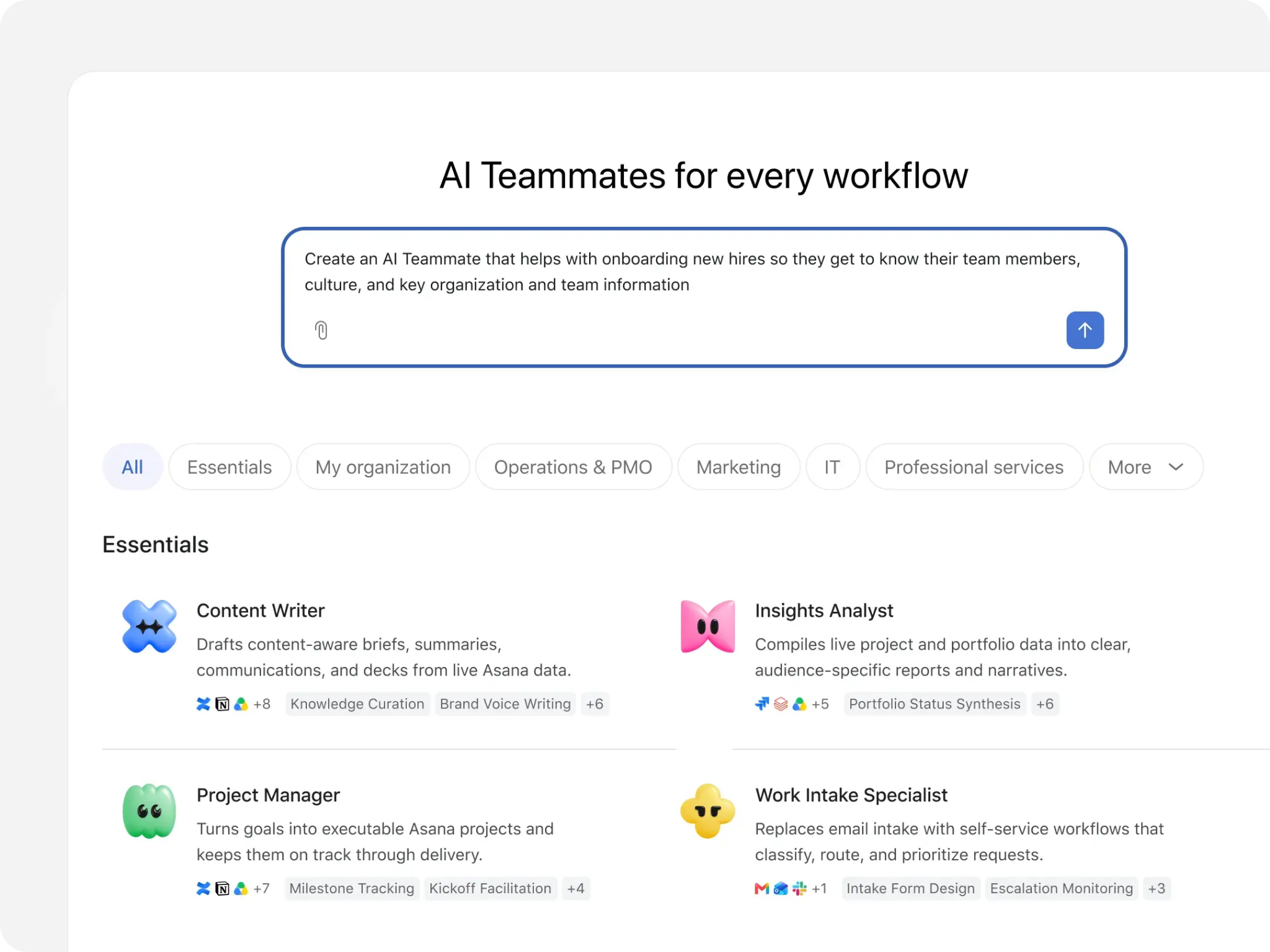
Agent 围绕角色或工作类型构建,例如内容撰稿人、洞察分析师、项目经理、工作受理专员、营销活动分析师或营销活动协调员。每个 Agent 都配备基于 Asana 对客户工作方式研究而预构建的技能,以及完成工作所需的集成,例如 Hubspot 或文档驱动器。
每个 Agent 还拥有一个资料页面,列出其名称和用途、可使用它的人员、管理员、指令、技能、集成与权限。Asana 提供了让访问控制更具意图性的工具。Arnab 表示:“Asana 是一个受控的工作界面。你可以选择授予对特定项目而非所有内容的访问权限,或仅授予特定文档的权限,或者授予文档与应用的组合权限。”
与人类用户一样,Agent 也受到明确访问控制的约束,但还拥有一层额外保护:Asana 表示,Agent 的有效访问范围受触发它的人员权限限制。这使 Agent 可以广泛访问公共内容,同时尽可能降低任何人访问到 Agent 在私密场景中获知的信息的风险。
如何落地实践:
- 在创建 Agent 前定义角色。 思考 Agent 能在团队中承担哪些工作,然后像为新员工规划第一个季度一样,写下 Agent 的目的、指令,以及它具体负责的工作。
- 限定访问范围。 决定 Agent 可以读取哪些项目和文档、可以访问哪些应用,以及可以执行哪些操作。
- 分别指定用户和管理员。 许多人可以与一个 Agent 协作,但应只有少数具名人员负责管理它可访问的内容及其行为方式。
将使用 Agent 与训练 Agent 分开
Asana 的 Agent——其称之为 AI 队友——有一项关键功能是共享记忆。这使 Agent 能保留先前指令中的信息,让多名用户能够复用这些记忆,更快地完成任务或工作。Arnab 表示:“AI 队友可以像团队中的真人一样被教练式指导和训练。”
共享记忆的运作存在一项基于角色的限制。任何人都可以就某项任务向 Agent 提供反馈,但只有管理员和编辑者能将反馈写入永久记忆,也只有他们能撤销或删除记忆中的内容。对于其他人而言,其提供的反馈仅适用于当前任务。
Arnab 表示,这种划分是有意为之。Asana 的传播团队负责公司的声音和语调,因此他们应当担任写作 Agent 的编辑者和管理员。Arnab 可以借助它起草内容,但不能修改它的行为。并且,大多数人根本无需接触底层机制:“团队中的每个人都不需要理解技能、行为和记忆等概念。团队中会有一两个人成为专家,他们正确完成设置,团队中其余所有人都将持续获得相同的收益。”
如何落地实践:
- 确定每个 Agent 由谁训练、由谁使用。 在企业内部确定能够帮助构建团队所用 Agent 的领域专家。其他所有人都可以针对任务提供反馈,但不能重写 Agent。
- 让编辑职责匹配专业能力。 负责 Agent 所应用标准的团队——例如品牌声音或规划惯例——应拥有或管理该 Agent。
- 在工作过程中构建记忆。 反馈可以随着时间推移改善 Agent。要求 Agent 记住值得保留的决策,或删除不再相关、不再真实的内容。
让所有人都能看到 Agent 的工作
与Slack 中的 Agent 会在频道内透明发帖类似,当一个任务被分配给 AI 队友时,所有人都能看到是 Agent 在执行该任务,以及它做了什么。Agent 会发布活动记录,包括研究计划和所采取的步骤,因此所有有权访问该任务的人都可以查看其工作、发表评论,并引导它实现自己期望的结果。
当 Asana 传播团队请 Arnab 审阅一份演讲活动的简报文件时,他在任务中通过 @ 提及该 Agent,并要求它同时参考他此前一次演讲的讲稿。由于他曾多次使用该 Agent,且所引用的材料已存在于 Work Graph 中,因此这条消息很简短。传播团队的一位同事可以看到他的请求和 Agent 的回复,并同时与 Agent 来回沟通。
Arnab 表示:“如果你对 AI 非常熟练,或许可以从一对一 AI Agent 获得高质量回复,生成文档后,再将它贴回 Slack 或 Asana。但在那种情况下,其他审阅内容的人不知道提示词是什么,也不知道之前进行了怎样的往返沟通。如果他们不同意你提供的某些指导意见,就无法就此达成一致。”在共享任务中,请求、异议和输出都位于同一处;审阅输出的人也可以修改生成该输出的指令。
如何落地实践
- 将 Agent 引入团队审阅工作的位置。 这样,请求、Agent 的执行步骤和结果都位于同一处,审阅者可以修改指令或输出。
- 明确标示 Agent 工作就是 Agent 工作。 这样,人们就能知道该工作由 AI Agent 而非人类同事完成。
- 让审阅者能够指导 Agent 的工作。 Asana 的 Agent 会在共享任务中发布其计划和步骤,因此其他审阅者可以提供更多指令或反馈。
Asana 已交给 Agent 的三类工作
在 Asana,Claude 为所有生成文档或执行复杂任务的 Agent 工作提供支持。以下是来自公司不同团队的三个示例:
回答 Slack 频道中的产品问题
随着 Asana 发布新功能,销售人员和客户成功团队成员可以在一个共享 Slack 频道中提问。在引入 AI 队友之前,同样的问题会被反复发布,每次都会 @ 提及领域专家。Arnab 表示,可搜索知识库并非实用解决方案,因为答案很微妙,而且会发生变化。他说:“你需要对产品当前状态具备一定的判断力。”
这些问题仍然会被发到 Slack,因为那里是业务一线最容易提问的地方。现在,频道中的 Asana 应用会将每个问题转化为 Asana 任务,并由一个 Agent 接手处理。如果已有获批准的指导意见,Agent 会回复并附上来源链接。如果没有获批准的答案,且问题指向产品中的缺口,Agent 会在产品团队的受理项目中创建任务,并将其加入待办列表。如果同一个问题不断出现,而 Agent 不断发布相同记录,它会为赋能团队创建任务,以更新培训材料和文档。
这一流程让赋能团队能够腾出宝贵时间,专注于战略性更强、优先级更高的工作,同时也为企业其他领域提供信息。例如,若围绕一款新产品的某个特定主题出现大量问题,就意味着赋能团队应通过额外培训或信息支持来重点关注它。
向高管简报存在风险的续约情况
Asana 首席客户官 Josh Abdulla 过去会为管理团队编制每周的风险续约简报,依据是客户成功经理(CSM)的更新:他们标记存在风险的续约,并在情况变化时更新客户账户。在全球数千名客户中,更新量巨大,若没有专人进行汇总,便不可能及时掌握最新情况;而这项工作既繁琐,也使整个流程趋于被动。Arnab 表示:“Josh 是在领导告诉他问题时才知道问题,而不是在数据最先显示问题时。”
客户体验组织在 Asana 中构建了一个名为 At-Risk Renewal 的 AI 队友 Agent。它会读取全球客户组合中每一项风险续约任务,包括每位 CSM 的更新、状态说明和评论,并生成结构化的每日日报,分为三类:积极进展、消极进展和建议的后续行动。它先生成全球视图,再按地区拆分,并每天早上自动将摘要推送给首席客户官、首席营收官和每位区域客户成功负责人。由于摘要会发布在共享空间中,这些负责人可以提出后续问题,例如某个客户账户流失预测背后的领先指标是什么;他们还可以指导 Agent 记住下一次运行所需的信息,从而使报告每天早晨都得到改进。
Arnab 表示:“他们大概可以让 Claude 为自己生成一份报告。但我们如何做到报告标准化、拥有共享工作空间,并让它在每次运行后持续变得更好?”
借助 Command 规划工程周期
当 Asana 在自身产品中运行自动化编程循环时,其周期时长和发布进度曾出现延误,因为自动生成的改动使周期不断膨胀。这种循环如今已在软件公司中很常见:从各种渠道收集客户反馈,对其进行汇总,再触发编程 Agent 将其转化为拉取请求(PR)。Arnab 表示:“代码生成如今已不再是瓶颈。瓶颈在于规划、决策和优化。”Asana 的工程组织现已使用 Command by Asana——一款用于管理大型工程团队的产品——来管理这一循环。
在 Command 中,一个团队空间容纳 10 至 12 名负责同一产品的工程师。Agent 会利用客户反馈,以及团队 Slack 反馈频道中的评论,向团队的未规划看板填充工单。人们决定哪些工单从该看板进入周期,而 Command 会以乐观、平衡和保守三种估算方式预测该周期的完成时间。
一张工单可以分配给某个人或一个编程 Agent。由于周期数据都集中在同一处,管理者可以在聊天中询问某次发布为何偏离计划,以及进行哪些取舍可以让它重回正轨。Command 会依据数据回答:是什么推动了这一信号,以及可以如何调整取舍。所有这些信息都通过 Asana 的 MCP server 暴露出来;这是一种让 Claude 等助手读取这些信息的连接方式,因此 Arnab 或与他对应的 CTO 可以在不打开 Command 的情况下,向 Claude 询问哪些工作进展顺利。
Arnab 表示:“当团队能够毫不费力地协作时,人类就会蓬勃发展;如今,每一个团队都由人类和 Agent 共同组成。这正是我们为之设计的工作方式:一个由人类和”
English / 原文
This is the third post in our series on building human-agent teams. Thefirst shared what we’ve learned working with multiplayer AI at Anthropic. The second shared how Slack turns workplace conversation into the context agents need. This one looks at what changes when agents operate on the same platform where teams work.
Years before they introduced AI agents, teams at Asana were iterating on ways to encode structure and accountability into how teams work together. They ultimately built the W ork Graph ® model, which maps out every task, project, goal, and conversation on a web of relationships, with defined owners, contributors, and dependencies.
When they started building AI agents, they decided that rather than adding new context structures for AI, agents would operate within this same model. They would have defined roles, be assigned tasks, read and write messages, and show up in activity feeds alongside human collaborators—with additional safeguards around what agents can access, and share.
We talked with Arnab Bose, Asana’s Chief Product Officer, about how Asana’s own teams use Claude and work alongside these agents, where Claude models power complex tasks: how each agent gets its role and access, who trains it, how work stays visible to everyone, and the types of jobs agents have on human-agent teams at Asana.
Think through and structure your work before agents act on it
For Asana employees, Claude is the default AI tool, connected to the platforms employees use to work, including Google Drive, Slack, and of course, Asana.
"A person makes sense of their day by taking unstructured data, an idea they have, a conversation in Slack, a meeting recording in Zoom, a Databricks report, information from Google Docs,” Arnab says. “They talk it through with Claude, and then they can pump all of that into the structure that Asana provides with projects and tasks." Once the structure is in place, agents can act on it, with the three capabilities we described in the first post of this series, Building effective human agent teams: persistent memory, their own credentials, and shared context.
How to put this into practice:
- Start with your own ideas. Bring the unstructured pieces of your day, an idea, a Slack conversation, or notes spread across docs, to Claude.
- Debate and discuss with Claude. Use it as a thinking partner: talk the idea through until the next steps are clear.
- Log the actionable items to the Work Graph. Move what's actionable into projects and tasks, where agents and colleagues can pick it up.
Asana employees can work with AI agents in any project like they would with a human colleague. Humans design the teams they work on; each employee gets a list of recommended agents they can use to augment their teams’ goals.
Agents are built around roles or types of work, for example, content writer, insights analyst, project manager, work intake specialist, campaign analyst, or campaign coordinator. Each agent comes with pre-built skills based on Asana’s research into how its customers do that work, and with the integrations they would need, such as Hubspot or a document drive.
Each agent also has a profile page that lists its name and purpose, the people who can use it, the administrators, instructions, skills, integrations, and permissions. Asana gives you the tools to make access intentional. “Asana is a contained work surface,” Arnab says. “You could choose to grant access to a specific set of projects versus everything, or a specific set of documents, or a combination of documents and apps.”
Like human users, agents are subject to explicit access controls, but have an additional safeguard: Asana says an agent’s effective access is bounded by the permissions of the person who triggers it. This allows agents to have broad access to public content, while minimizing the risk of anyone accessing information the agent has learned in a private context.
How to put this into practice:
- Define the role before you create the agent. Think about the types of jobs that agents can do on your team, then write down the agent’s purpose, instructions, and which specific jobs it owns, the way you would for a new hire’s first quarter.
- Scope access. Decide which projects and documents the agent can read, which applications it can access, and which actions it can take.
- Name users and admins separately. Many people can work with an agent, but only a small, named group should govern what it can access and how it behaves.
Separate working with an agent from training it
A key feature of Asana’s agents, which it calls AI teammates, is shared memory, which enables an agent to retain information from previous instructions, allowing multiple users to reuse that memory to complete tasks or jobs faster. “AI teammates can be coached and trained as if they were a person on your team,” Arnab says.
There is one role-based restriction in how shared memory works. While anyone can give an agent feedback on a task, only admins and editors can commit feedback to permanent memory, as well as undo, or delete from that memory. For everyone else, the feedback they provide applies only to the current task.
The split is intentional, Arnab says. Asana's communications team hold the pen on the company's voice and tone, so they would be the editors and admins of an agent that writes. Arnab can draft with it, but he can't modify its behavior. And most people never need to touch the machinery at all: "Not everybody on the team needs to understand these concepts, like skills and behavior and memory. There are one or two people on the team who become experts, they set it up correctly, and all the other human beings on the team get the same benefits going forward."
How to put this into practice:
- Decide who trains each agent, and who works with it. Identify subject matter experts inside your business who can help build the agents that the team uses. Everyone else can provide feedback on tasks, but cannot rewrite the agent.
- Match editors to expertise. The team that owns the standard the agent applies, like brand voice or planning conventions, owns (or administers) the agent.
- Build the memory as you work. Feedback can improve the agent with time. Ask the agent to remember decisions worth keeping, or delete ones that are no longer relevant or true.
Keep the agent’s work where everyone can see it
Similar to how agents in Slack post transparently in channels, when a task is assigned to an AI teammate everyone can see that an agent is doing it, and what it does. The agent posts activity, including its research plan and the steps it took, so everyone with access to that task can read what it did, comment, and steer it toward the result they want.
When Asana’s communications team asked Arnab to review a briefing document for a speaking engagement, he @-mentioned the agent on the task and asked it to also factor in his talk track from an earlier talk. The message was brief because he had used that agent many times and the material he referenced was already in the Work Graph. A colleague on the communications team could see his request and the agent’s response, and go back and forth with the agent at the same time.
"You could probably get great quality responses from a one-on-one AI agent if you are highly AI fluent, get that document out, and post it back into Slack or into Asana," Arnab says. "But at that point, the other human beings who are reviewing that content don't know what the prompt was and what the back-and-forth was. If they disagree with some of the guidance you provided, that's impossible for them to get aligned on." On a shared task, the request, the pushback, and the output are in one place, and the people reviewing the output can also revise the instructions that produced it.
How to put this into practice
- Bring in agents where your team reviews work. This way, the request, the agent’s steps, and the results are in one place, and reviewers can change the instructions or the output.
- Make agent work visibly agent work. This way, people will know the work is being done by an AI agent rather than a human colleague.
- Enable reviewers to coach the agent’s work. Asana’s agents post their plan and steps in the shared task, so other reviewers can provide further instructions or feedback.
Three jobs Asana has handed to agents
Claude powers any agentic work that generates documents or runs complex tasks at Asana. Here are three examples from different teams across the company:
Answering product questions from a Slack channel
As Asana launches features, sellers and customer success staff can ask questions in a shared Slack channel. Before AI teammates, the same questions were posted repeatedly and subject-matter experts were @-mentioned each time. A searchable knowledge base wasn’t a practical solution, Arnab says, because the answers are nuanced and they change. "You kind of need to have some amount of taste-making around what is the current state of the product," he says.
Those questions still go to Slack, because that's the simplest place for the field to ask. Now, an Asana app in the channel turns each question into an Asana task, and an agent picks it up. If approved guidance exists, the agent replies with source links. If there is no approved answer and the question points to a gap in the product, the agent creates a task in the product team's intake project and adds it to the backlog. And if the same question keeps coming up and the agent keeps posting the same record, it creates a task for the enablement team to update the training material and documentation.
This process frees up valuable time for the enablement team to focus on strategic, higher priority work, while also informing other areas of the business. For example, if there are a lot of questions on a particular topic around a new product, that’s a signal for the enablement team to focus on it with extra training or information.
Briefing executives on at-risk renewals
Asana's Chief Customer Officer, Josh Abdulla, used to produce a weekly at-risk renewals briefing for the executive team based on updates from customer success managers (CSMs) who flagged at-risk renewals and updated accounts as conditions changed. Across thousands of customers globally, the volume of updates made it impossible to stay current without a dedicated person synthesizing them, which was tedious work, and it made the process reactive. "Josh knew about problems when leaders told him, not when the data first showed it," Arnab says.
The customer experience organization built an agent AI teammate in Asana called At-Risk Renewal. It reads every at-risk renewal task across the global portfolio, including each CSM's updates, status notes, and comments, and generates a structured daily digest organized into three buckets: positive momentum, negative momentum, and recommended follow-ups. It runs a global view first, then cuts by region, and pushes the digest automatically each morning to the Chief Customer Officer, the Chief Revenue Officer, and every regional customer success leader. Because the digest lands in a shared space, those leaders can ask follow-up questions, such as what the leading indicators were behind a particular account's churn forecast, and coach the agent to remember things for the next run, so the report improves each morning.
"They could probably have Claude generate a report for themselves," Arnab says. "But how do we get to the place where there's standardization of the report, there's a shared workspace, and it keeps getting better with every single run?"
Planning engineering cycles with Command
When Asana ran automated coding loops on its own product, its cycle times and releases slipped, because the cycles were getting bloated by automatically generated changes. The loop itself has become common at software companies: gather customer feedback from various channels, synthesize it, and trigger coding agents to turn it into pull requests (PRs). "Code generation is now no longer the bottleneck," Arnab says. "The bottleneck is around planning, decision-making, and refinement." Asana's engineering organization now runs on Command by Asana, a product for managing large engineering teams, and uses it to manage that loop.
In Command, a team space holds a group of 10 to 12 engineers who work on one product. Agents populate the team's unplanned board with tickets pulled from customer feedback and from comments in the team's feedback channel in Slack. People decide what moves from that board into the cycle, and Command predicts time to completion for the cycle with optimistic, balanced, and conservative estimates.
A ticket can be assigned to a person or to a coding agent, and because the cycle data is all in one place, a manager can ask in chat why a release is off track and what tradeoffs would bring it back. Command answers from the data with what's driving the signal and which changes to trade. All of it is exposed through Asana's MCP server, the connection that lets an assistant like Claude read it, so someone like Arnab or his CTO counterpart can ask Claude what's on track without opening Command.
“Humanity thrives when teams can work together effortlessly, and today every team is part human, part agent,” Arnab says. “That’s the kind of work we design for: one shared context that both humans and agents can work from, with a distinct identity for every agent so its contributions and access can be audited, and a durable record of what agents can learn so the team’s knowledge compounds instead of evaporating.”