insight Simon Willison 2026-07-16T14:57 正文 ok 55 words

Mermaid 到 ASCII 艺术(mermaid-ascii)

英文标题:Mermaid to ASCII art (mermaid-ascii)

作者在基于 Grok Build 的 Rust 代码构建 Mermaid 转 ASCII 工具后,发现了一个更老、功能更全的 Go 语言库 AlexanderGrooff/mermaid-ascii。通过 Claude Fable 5 将该 Go 库编译到 WebAssembly,实现了两版工具的对比。新工具尤其支持彩色输出,为开发者提供了可视化流程图到 ASCII 图的又一种可选方案。
打开原文相关 2.4 · 机会 2
media39.0 KB

中文

在构建了基于 Grok Build 的 Rust 代码的 Mermaid 转 ASCII 工具之后,我了解到还有一个更早、功能更全面的 Go 语言库,名为 AlexanderGrooff/mermaid-ascii,它实现了类似的模式,于是我也让 Claude Fable 5 把这个库编译到了 WebAssembly,以便对两者进行比较。

这个版本支持彩色!
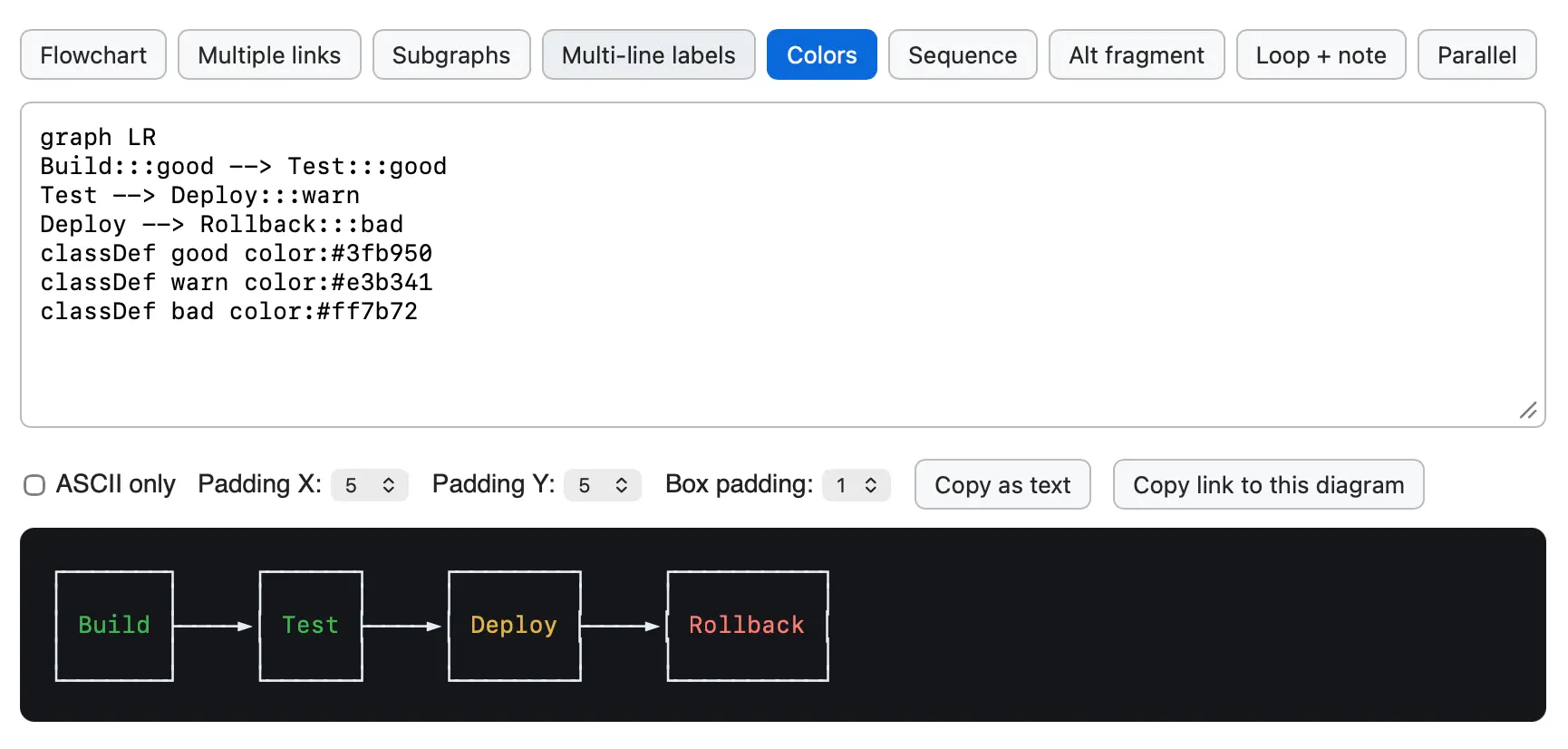
一个 Mermaid 图表编辑器网页应用的截图。顶行是一排标签按钮:Flowchart、Multiple links、Subgraphs、Multi-line labels、Colors(选中,高亮为蓝色)、Sequence、Alt fragment、Loop + note、Parallel。下方是一个文本输入区,内容为:“graph LR / Build:::good --> Test:::good / Test --> Deploy:::warn / Deploy --> Rollback:::bad / classDef good color:#3fb950 / classDef warn color:#e3b341 / classDef bad color:#ff7b72”。操控行显示一个未选中的“ASCII only”复选框,“Padding X: 5”、“Padding Y: 5”、“Box padding: 1”,以及“Copy as text”和“Copy link to this diagram”按钮。底部在黑色背景上渲染出从左到右的流程图,包含四个带箭头的连接框:“Build”(绿色文字)、“Test”(绿色文字)、“Deploy”(黄色文字)、“Rollback”(红色文字)。

English / 原文

After building the Mermaid to ASCII tool based on Grok Build's Rust code I learned that there's an older, more fully-featured Go library called AlexanderGrooff/mermaid-ascii that implements a similar pattern, so I had Claude Fable 5 compile that one to WebAssembly as well so I could compare the two.

This one includes support for colors!

Screenshot of a Mermaid diagram editor web app. A row of tab buttons reads: Flowchart, Multiple links, Subgraphs, Multi-line labels, Colors (selected, highlighted blue), Sequence, Alt fragment, Loop + note, Parallel. Below is a text input area containing: "graph LR / Build:::good --> Test:::good / Test --> Deploy:::warn / Deploy --> Rollback:::bad / classDef good color:#3fb950 / classDef warn color:#e3b341 / classDef bad color:#ff7b72". A control row shows an unchecked "ASCII only" checkbox, "Padding X: 5", "Padding Y: 5", "Box padding: 1", and buttons "Copy as text" and "Copy link to this diagram". At the bottom on a black background is the rendered left-to-right flowchart with four connected boxes: "Build" (green text), "Test" (green text), "Deploy" (yellow text), "Rollback" (red text), each linked by arrows.