Qwen-Image-Edit:更高画质与效率的图像编辑模型
英文标题:Qwen-Image-Edit: Image Editing with Higher Quality and Efficiency
Qwen-Image-Edit 是基于 20B Qwen-Image 的图像编辑版本,将文字渲染能力拓展到图像编辑,支持精准中英文文本修改。模型同时融合 Qwen2.5-VL(视觉语义控制)与 VAE Encoder(视觉外观控制),实现语义级和像素级的高质量编辑。在多项公开基准测试中达到领先水平,并通过 Qwen Chat 上线“Image Editing”功能,为开发者和创作者提供了兼具 IP 形象创作、文字纠错和风格迁移能力的强大基础模型。
 80.4 KB
 909.7 KB
 186.5 KB
 222.8 KB
 156.0 KB
 147.5 KB
 167.3 KB
 190.4 KB
 166.0 KB
 139.2 KB
 160.9 KB
 173.2 KB
 123.2 KB
 151.3 KB
 204.9 KB
 215.6 KB
 197.6 KB
 205.1 KB
 184.5 KB
 191.6 KB
中文
QWEN CHAT GITHUB HUGGING FACE MODELSCOPE DISCORD
我们很高兴推出 Qwen-Image-Edit,即 Qwen-Image 的图像编辑版本。基于 20B 参数的 Qwen-Image 模型,Qwen-Image-Edit 成功将 Qwen-Image 独有的文字渲染能力扩展到图像编辑任务,实现了精准的文字编辑。此外,Qwen-Image-Edit 同时将输入图像馈送到 Qwen2.5-VL(用于视觉语义控制)和 VAE 编码器(用于视觉外观控制),从而具备语义编辑和外观编辑的双重能力。要体验最新模型,请访问 Qwen Chat 并选择“Image Editing”功能。
主要特性:
- 语义与外观编辑:Qwen-Image-Edit 同时支持低层级视觉外观编辑(如添加、删除或修改元素,要求图像其他区域完全不变)和高层级视觉语义编辑(如 IP 形象创作、物体旋转和风格迁移,允许整体像素变化同时保持语义一致性)。
- 精准文字编辑:Qwen-Image-Edit 支持中英文双语文字编辑,可直接对图像中的文字进行添加、删除和修改,同时保留原字体、大小和风格。
- 强大的基准表现:在多个公开基准上的评估表明,Qwen-Image-Edit 在图像编辑任务中达到当前最优(SOTA)水平,使其成为一款强大的图像编辑基础模型。
展示#
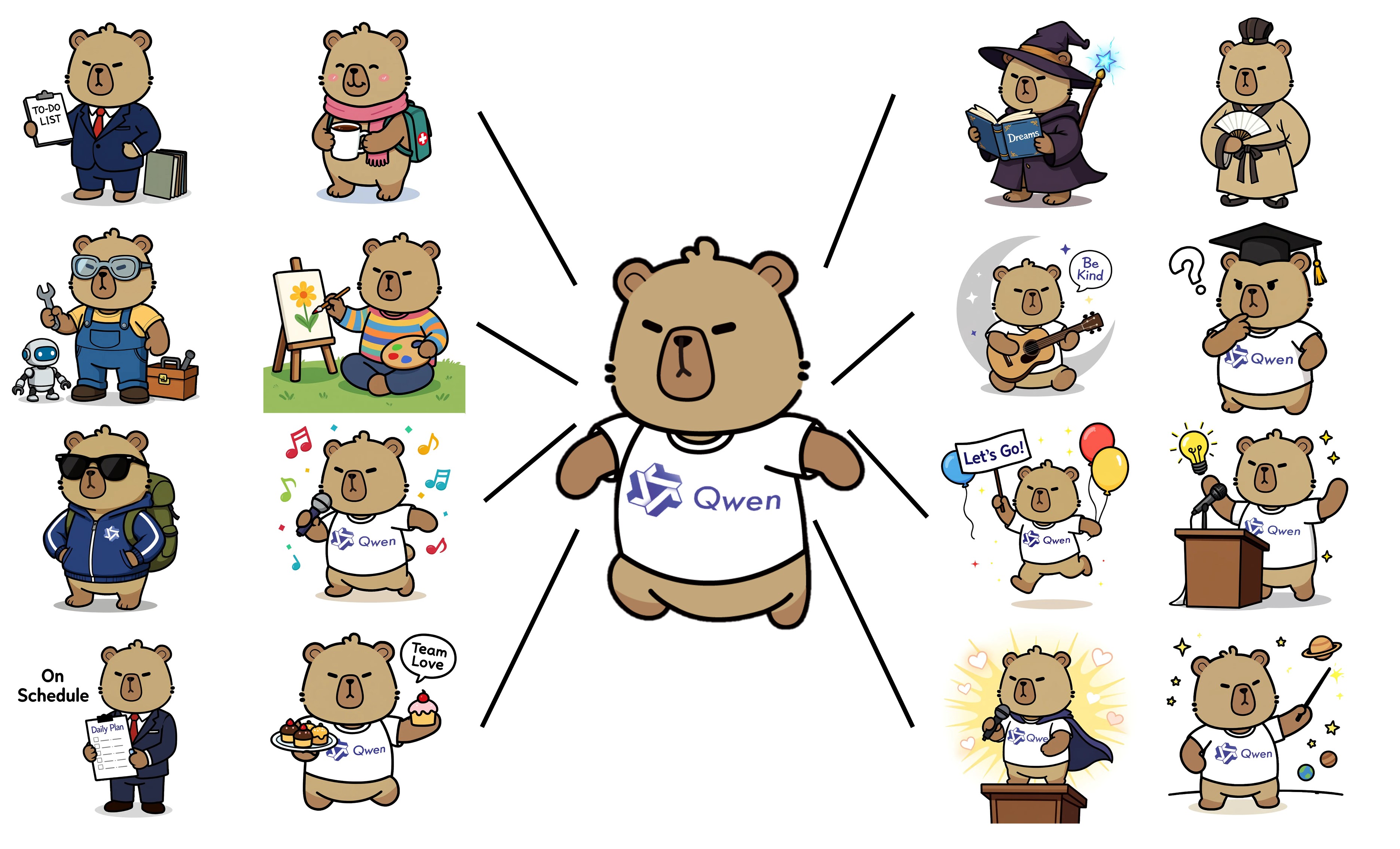
Qwen-Image-Edit 的一大亮点在于其强大的语义和外观编辑能力。语义编辑指在保留原始视觉语义的同时修改图像内容。为了直观展示这一能力,我们以 Qwen 的吉祥物——水豚(Capybara)为例:
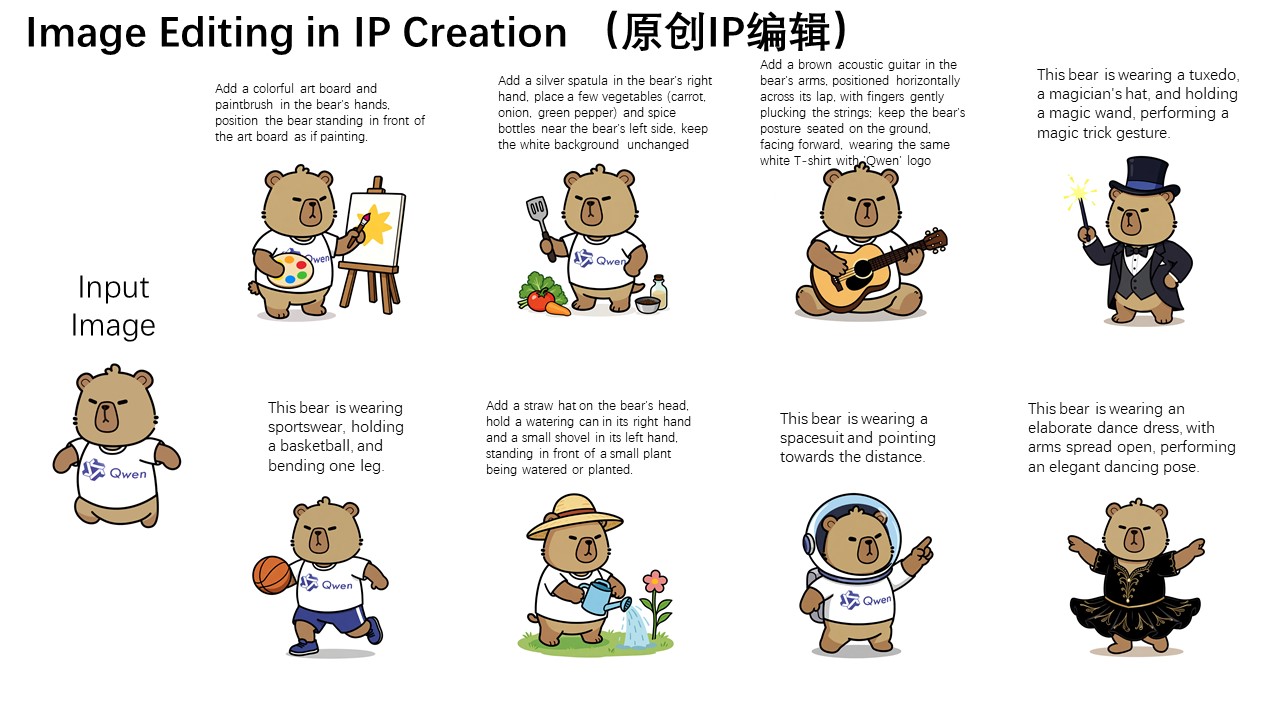
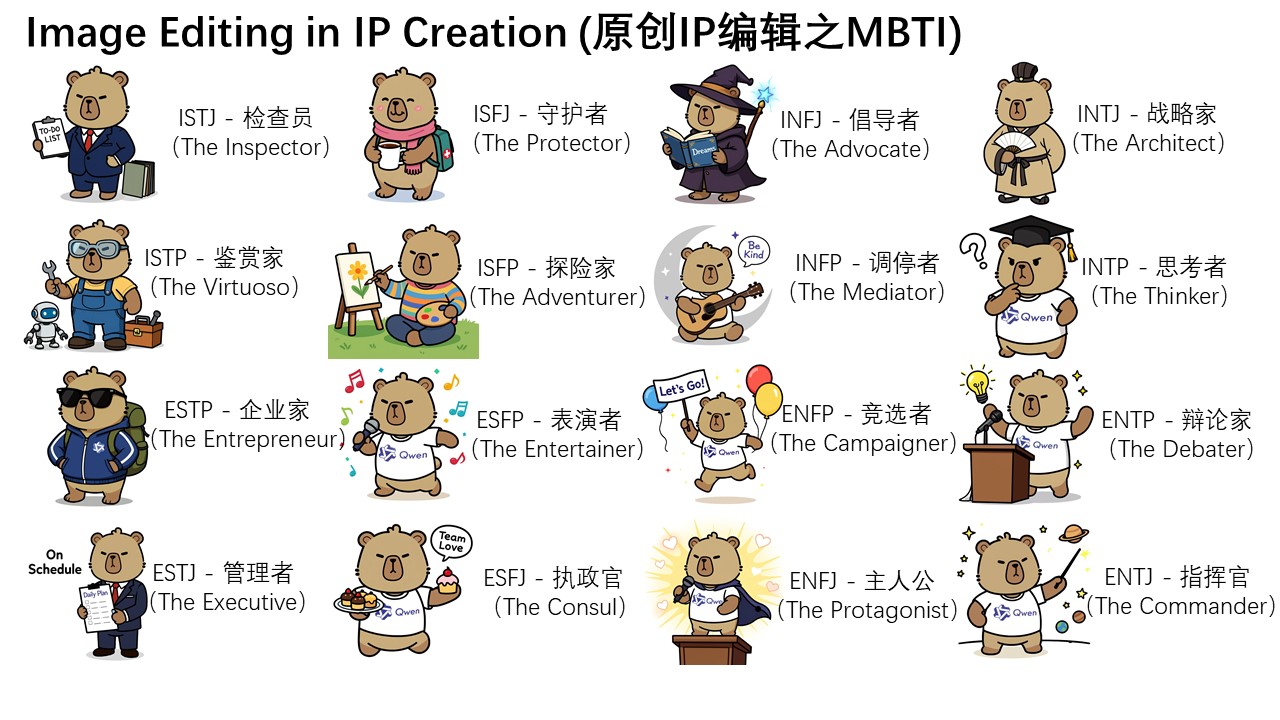
可以看出,尽管编辑后图像的大多数像素与输入图像(最左侧)不同,但水豚的角色一致性得到了完美保留。Qwen-Image-Edit 强大的语义编辑能力让原创 IP 内容的创作变得轻松多样。此外,在 Qwen Chat 上,我们围绕 16 种 MBTI 人格类型设计了一系列编辑提示词。借助这些提示词,我们成功基于吉祥物水豚创作了一套 MBTI 主题表情包,轻松拓展了 IP 的传播和表现力。
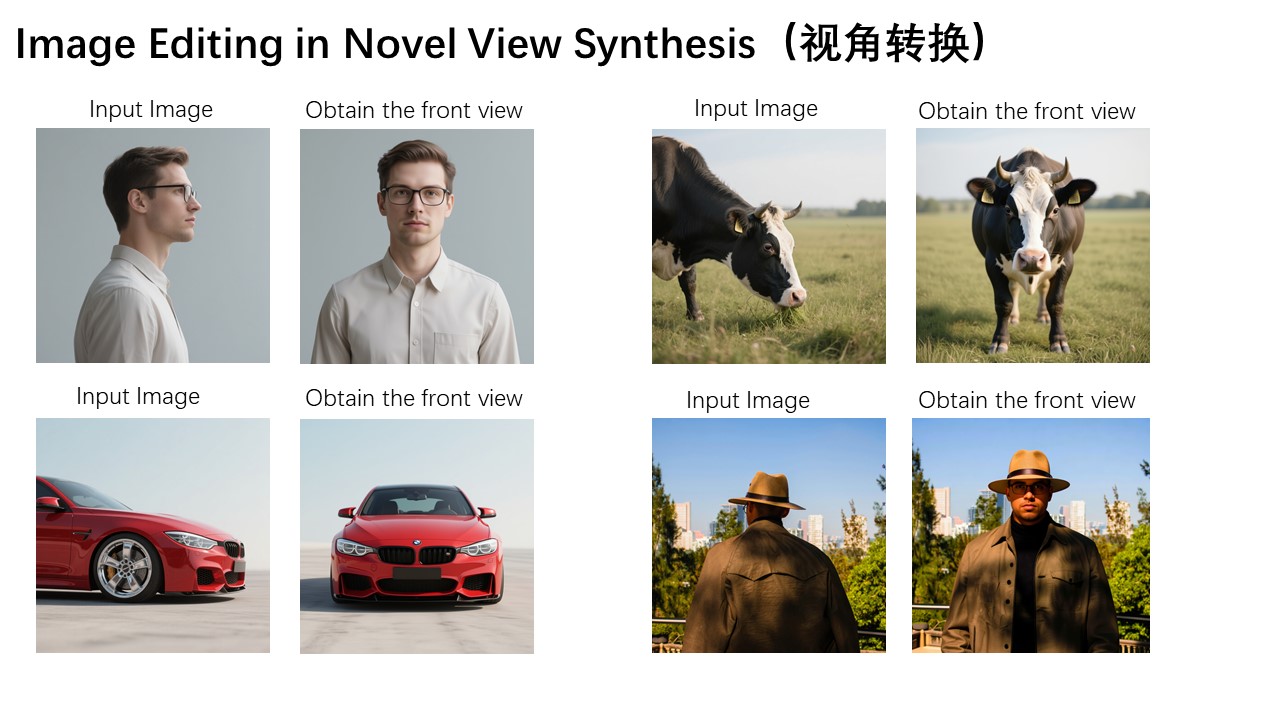
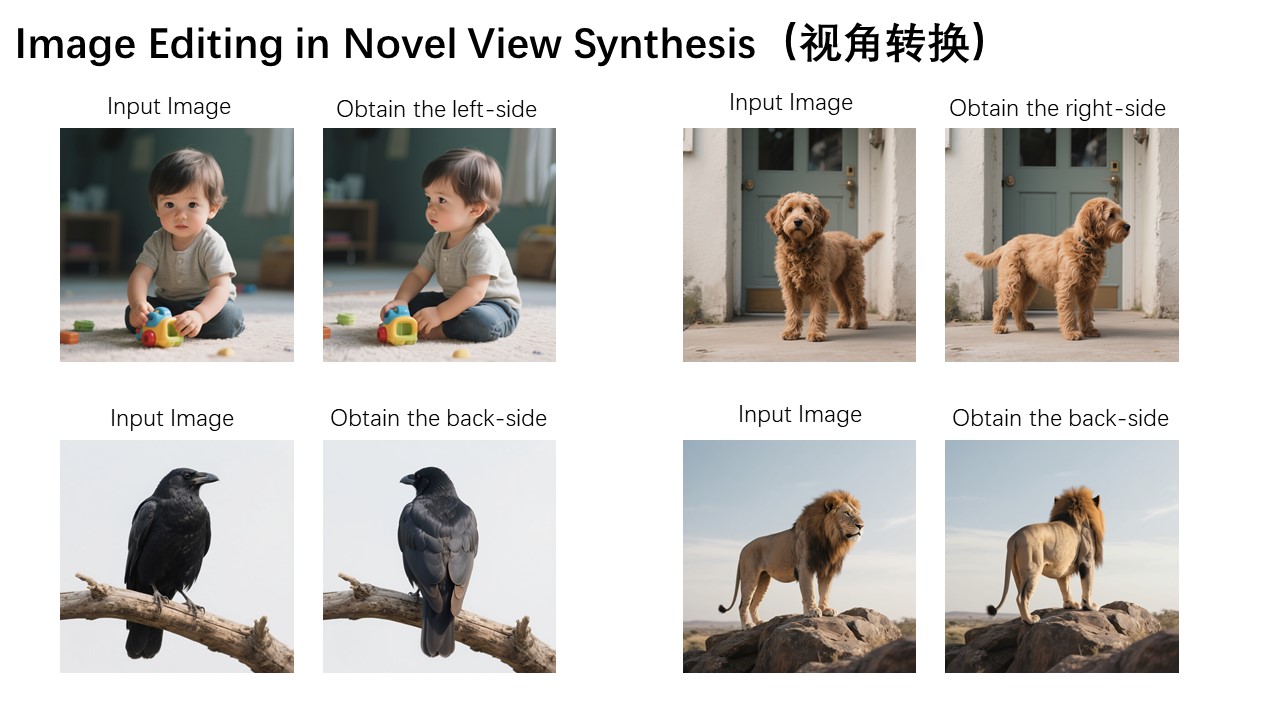
此外,新视角合成是语义编辑中的另一个关键应用场景。如下面两张示例图所示,Qwen-Image-Edit 不仅可以将物体旋转 90 度,还能进行 180 度完整旋转,让我们直接看到物体的背面:
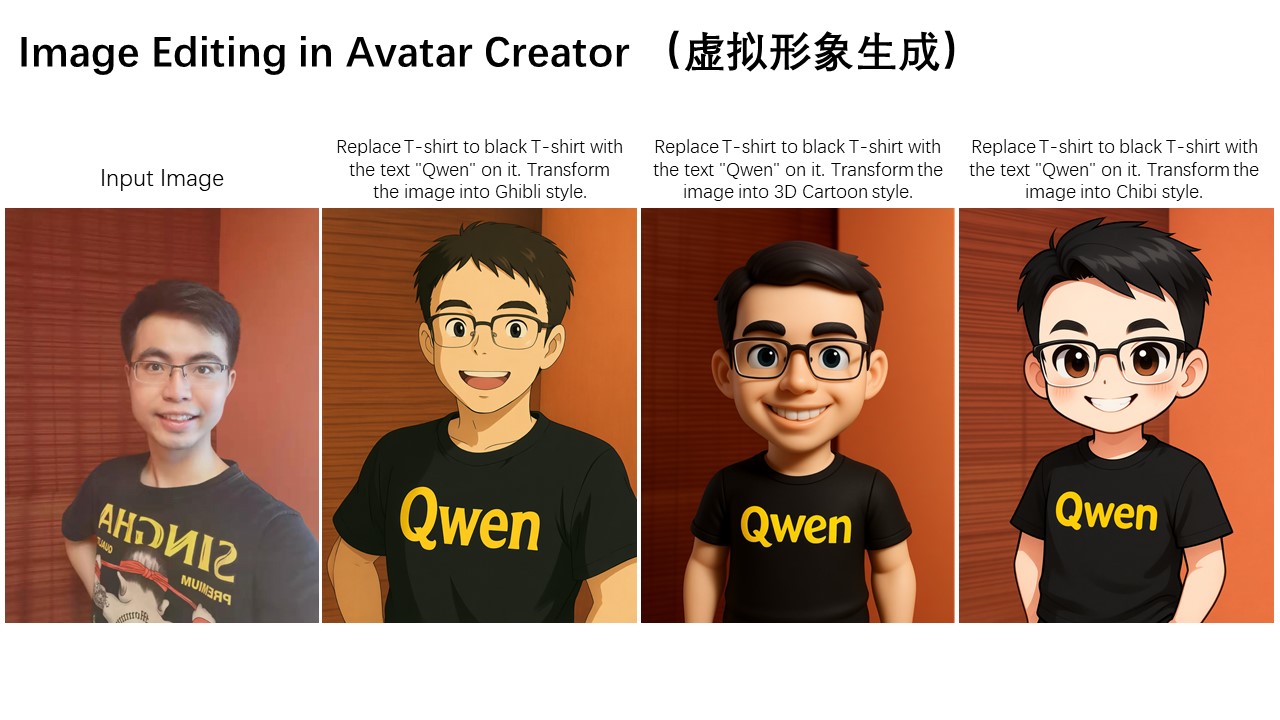
语义编辑的另一个典型应用是风格迁移。例如,给定一张输入肖像,Qwen-Image-Edit 能轻松将其转换为多种艺术风格,如吉卜力工作室风格。这一能力在虚拟头像创建等应用中具有重要价值:
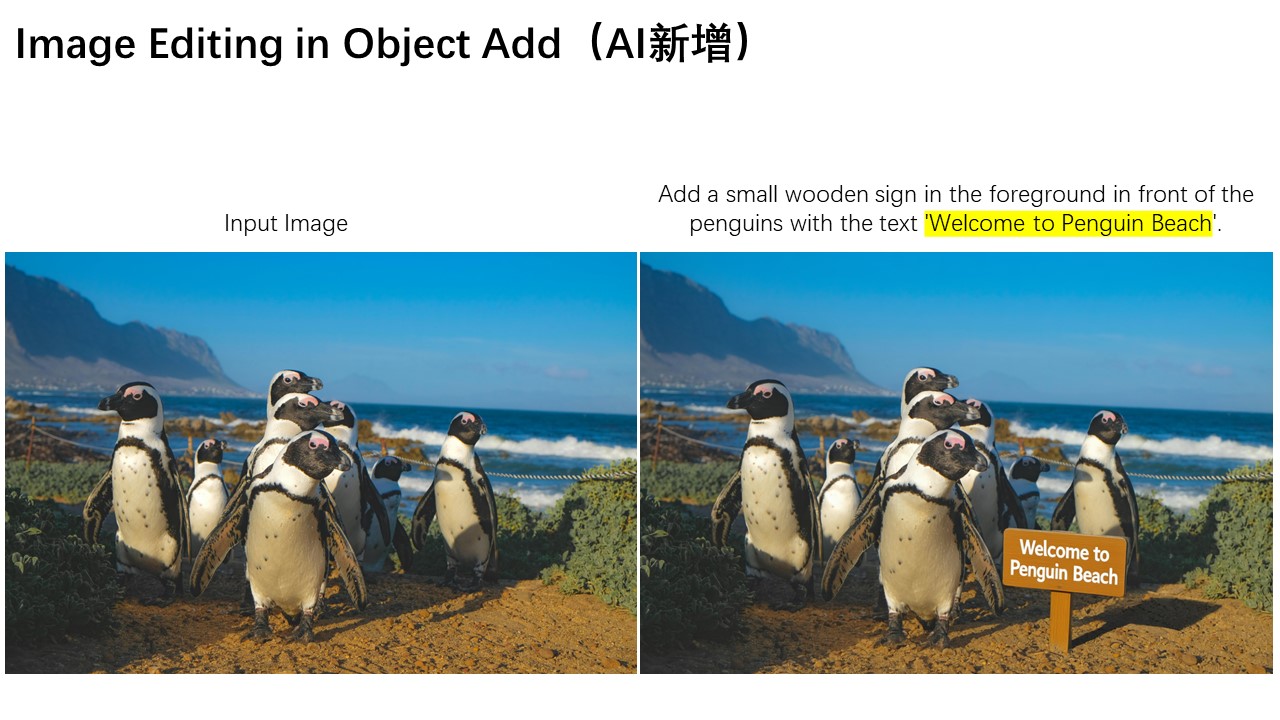
除了语义编辑,外观编辑是另一种常见的图像编辑需求。外观编辑强调保持图像某些区域完全不变,同时添加、删除或修改特定元素。下图展示了一个在场景中添加招牌的案例,可以看出 Qwen-Image-Edit 不仅成功插入了招牌,还生成了相应的倒影,展现出对细节的出色关注。
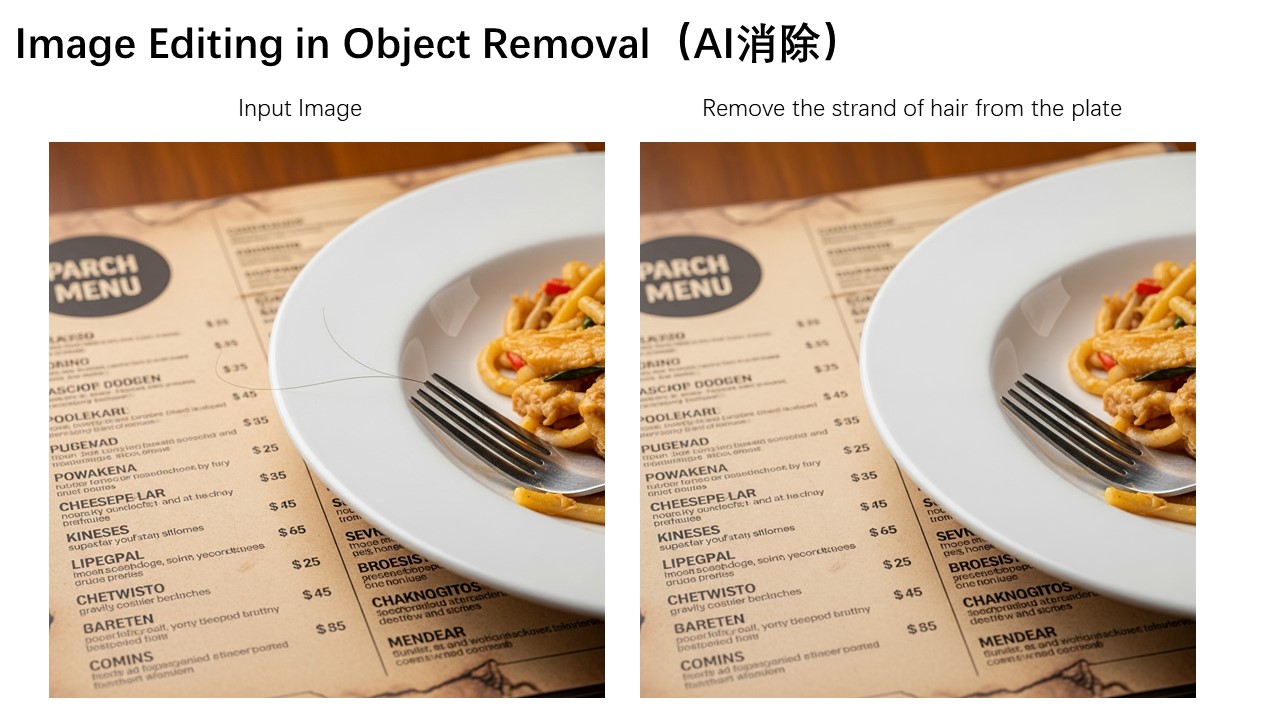
下面是另一个有趣的示例,演示如何从图像中去除细小发丝及其他小物体。
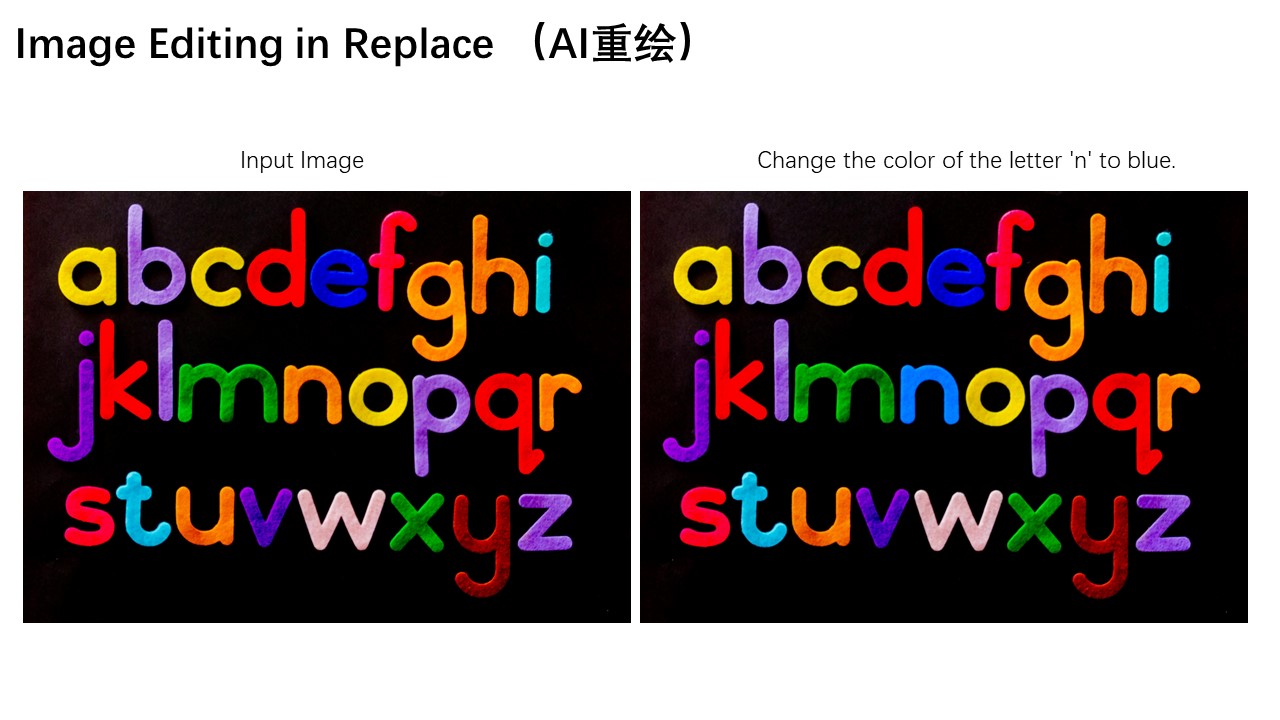
此外,还可以将图像中特定字母“n”的颜色修改为蓝色,实现对特定元素的精准编辑。
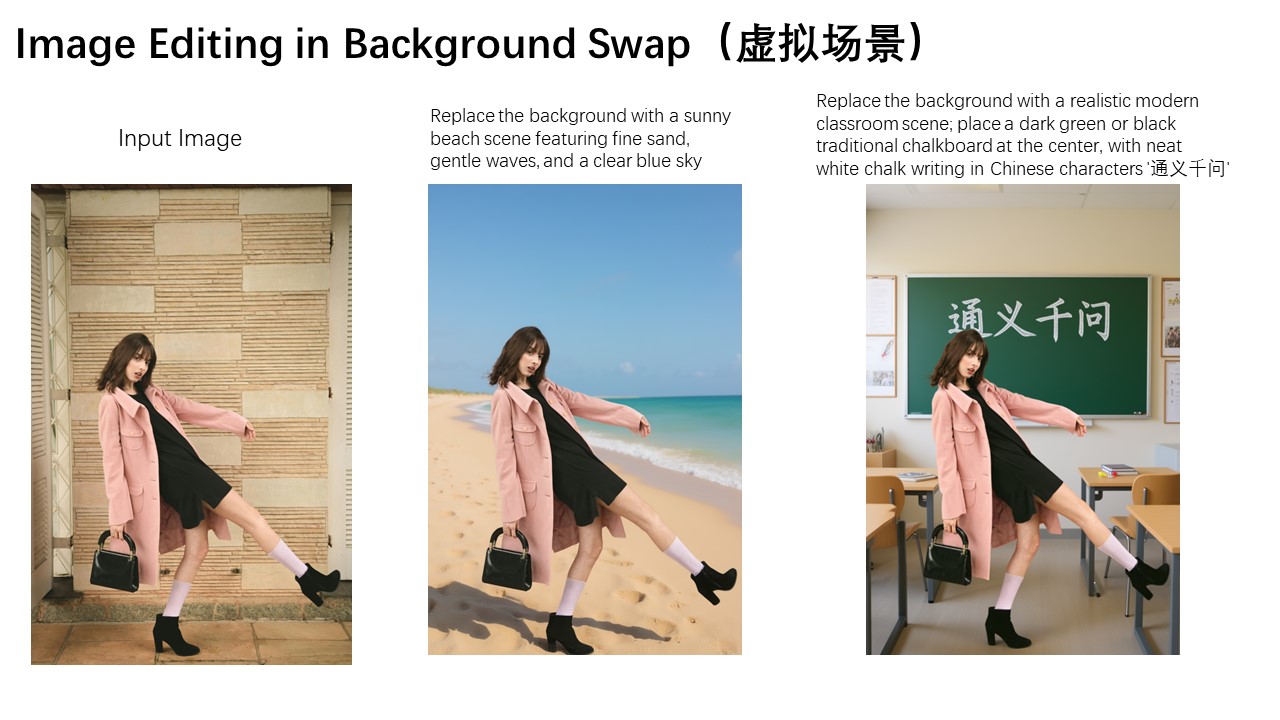
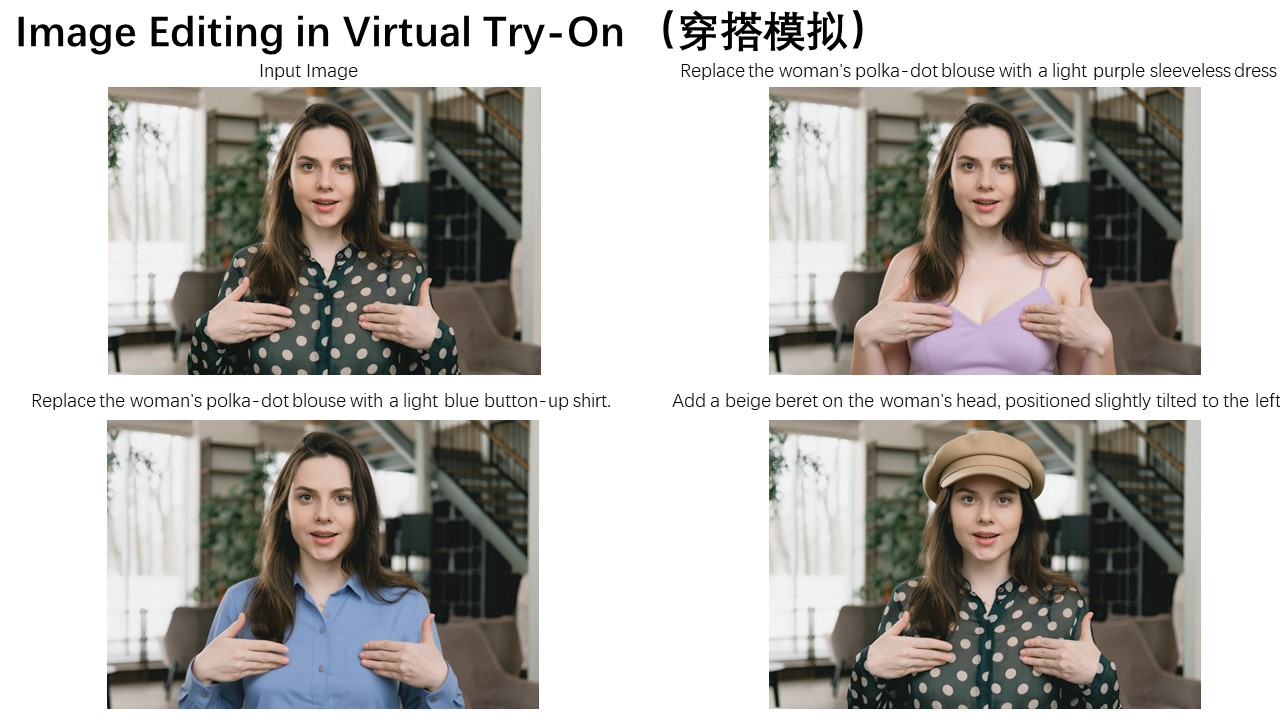
外观编辑在调整人物背景或更换服装等场景中也有广泛应用。下面三张图片分别演示了这些实际用例。
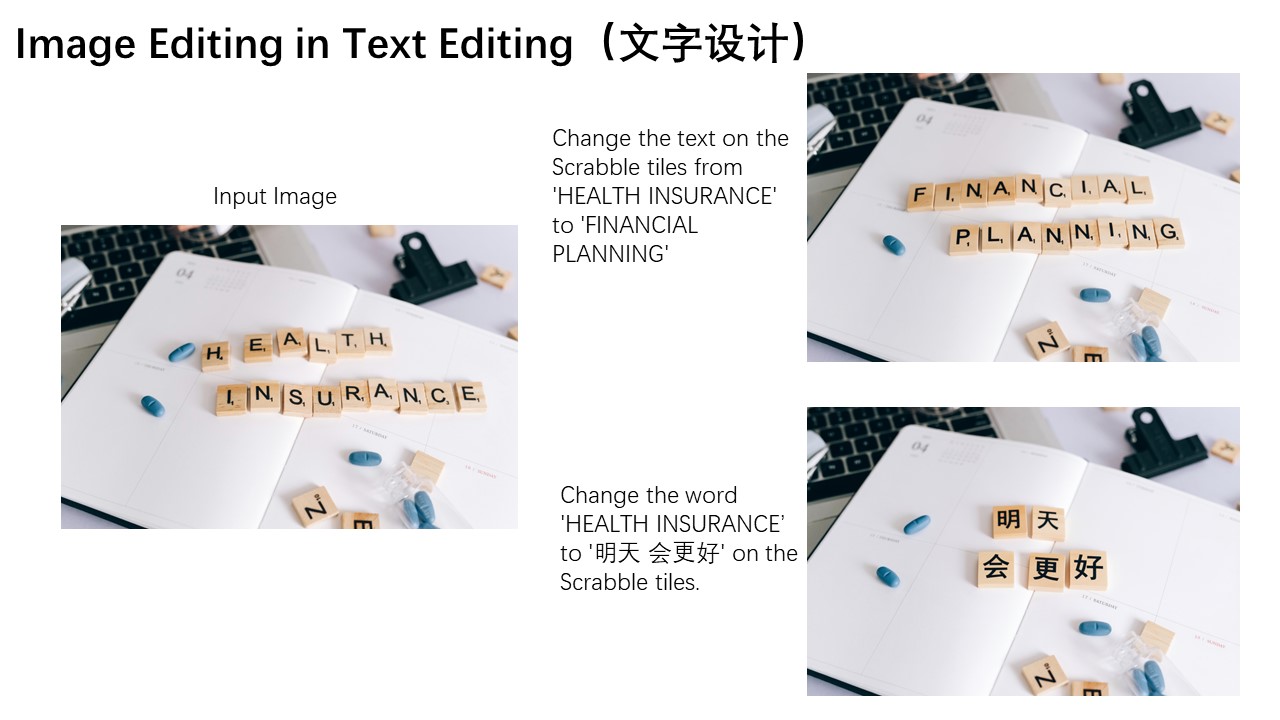
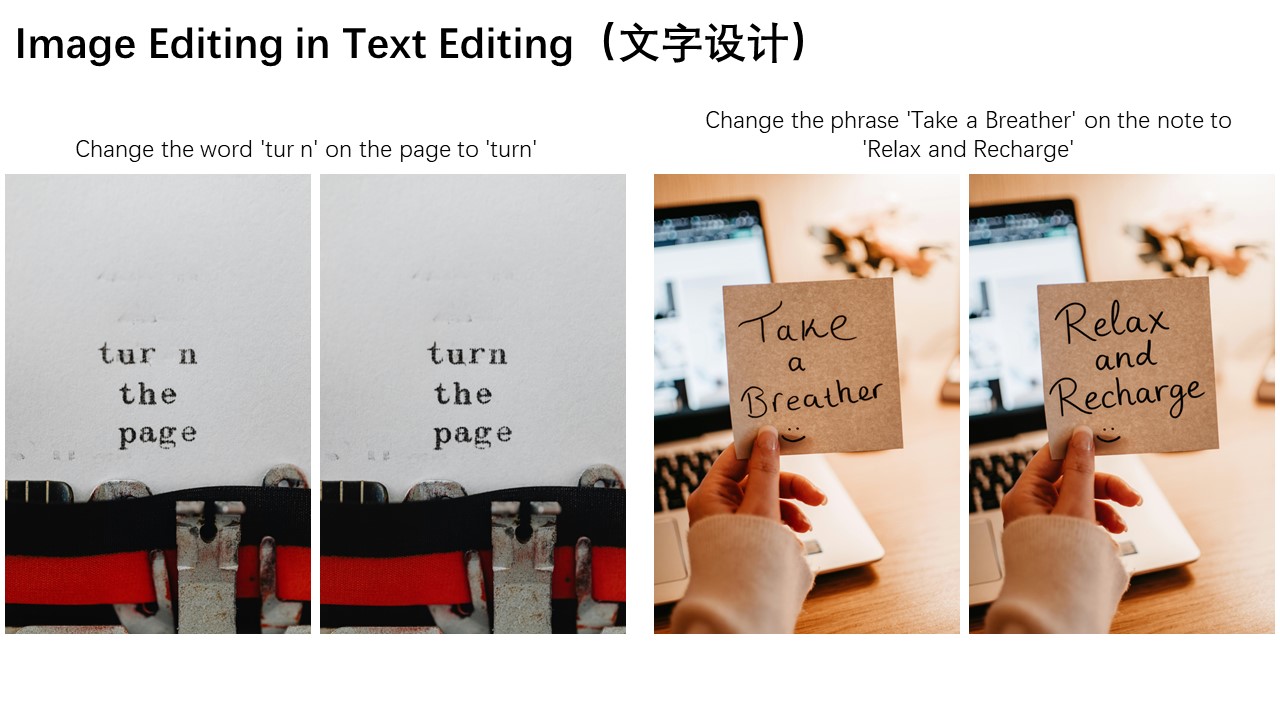
Qwen-Image-Edit 的另一大突出特性是其精准的文字编辑能力,这源于 Qwen-Image 在文字渲染方面的深厚积累。如下图所示,以下两个案例生动展示了 Qwen-Image-Edit 在编辑英文文本方面的强大表现:
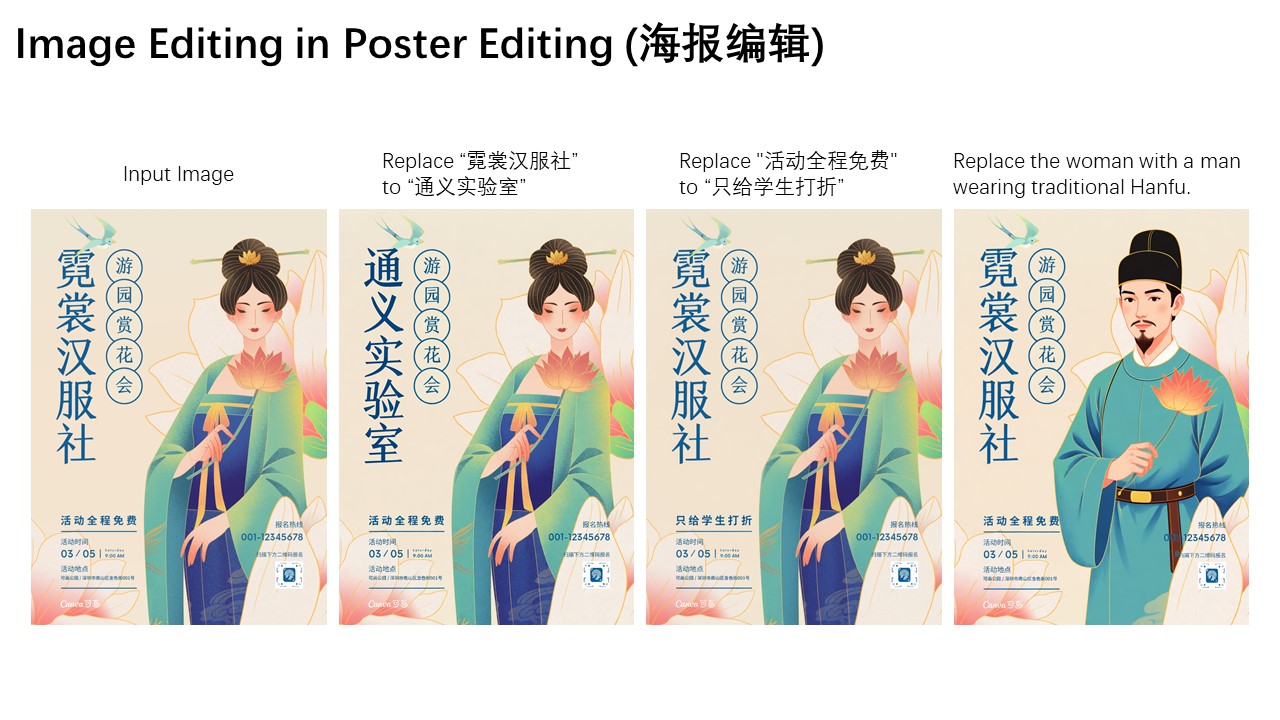
Qwen-Image-Edit 还可以直接编辑中文海报,不仅能修改大标题文字,甚至能对细小而复杂的文字元素进行精准调整。
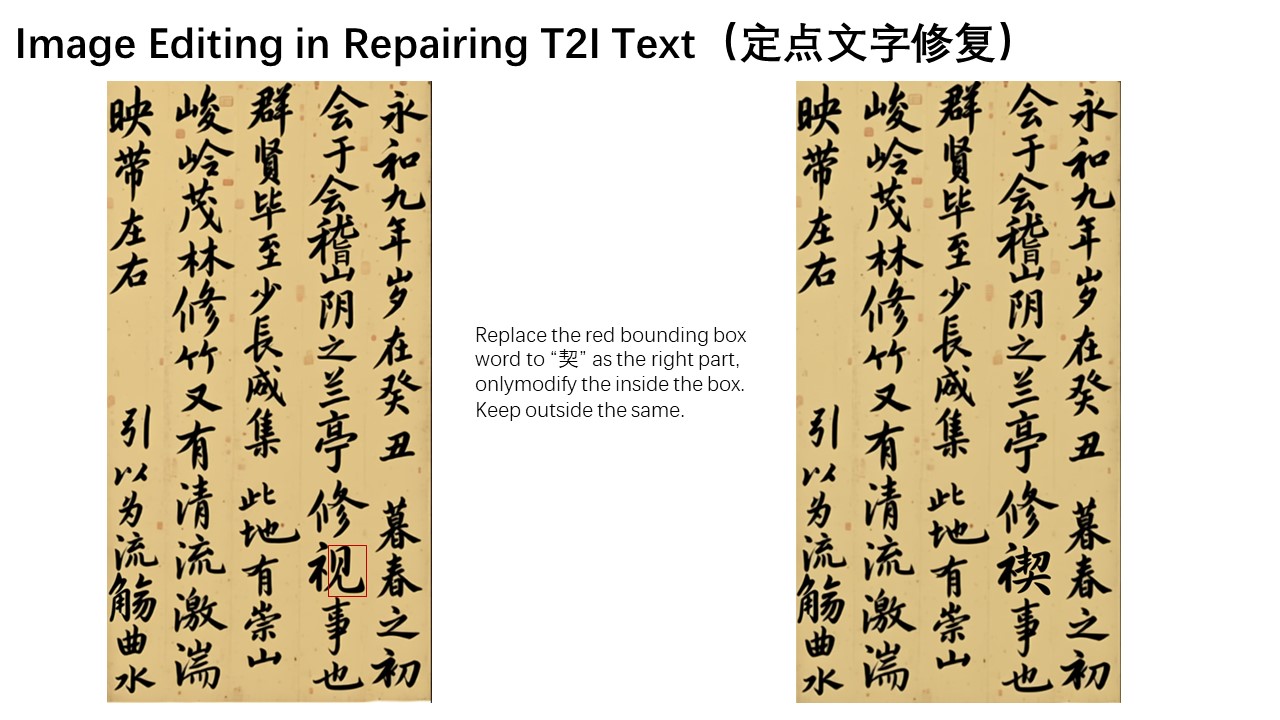
最后,让我们通过一个具体的图像编辑案例,演示如何使用链式编辑方法逐步修正 Qwen-Image 生成的书法作品中存在的错误:
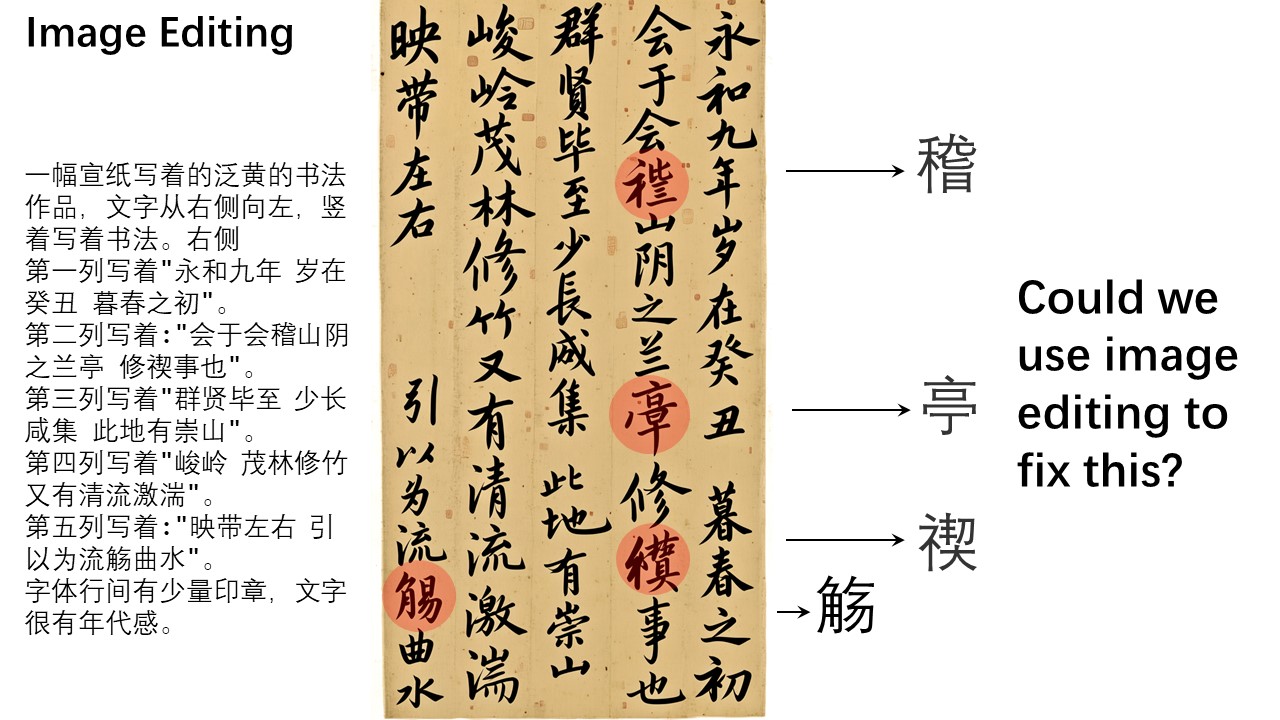
在这幅作品中,有几个汉字存在生成错误。我们可以借助 Qwen-Image-Edit 一步步进行修正。例如,我们可以在原图上绘制边界框标记需要修正的区域,指示 Qwen-Image-Edit 修复这些特定部分。这里,我们希望红色框内的“稽”字正确书写,蓝色区域内的“亭”字准确呈现。
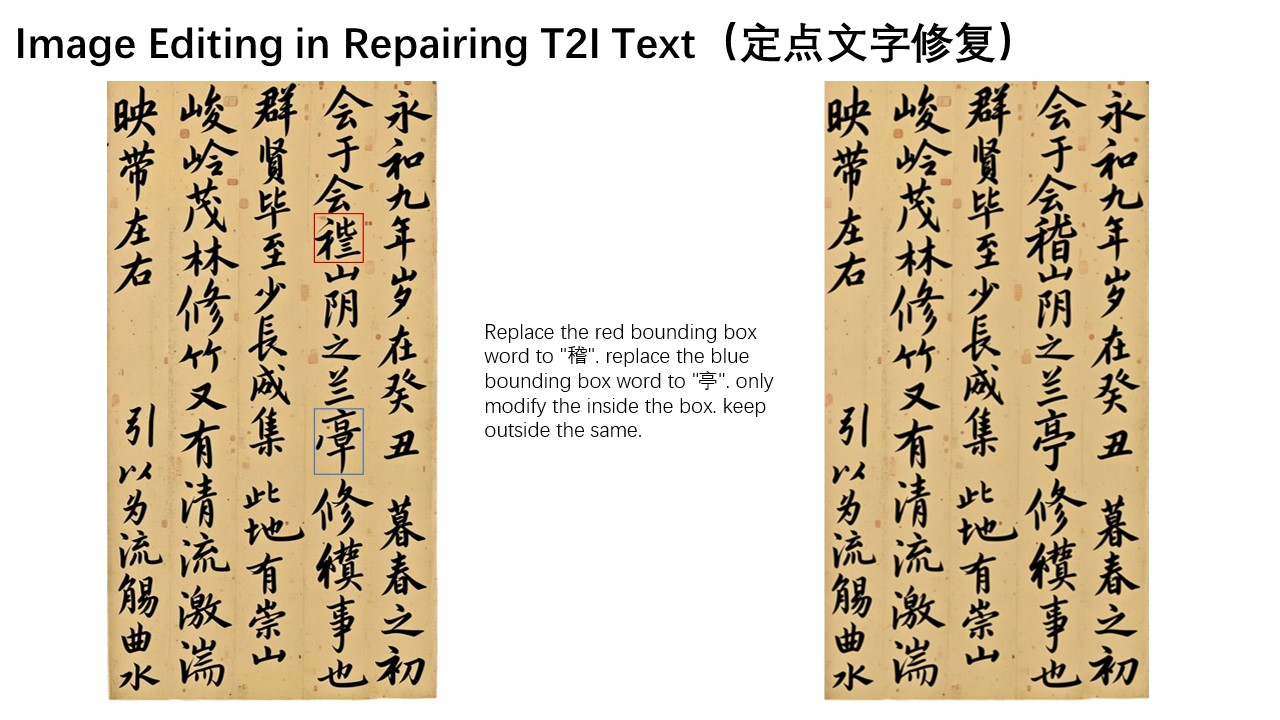
然而,实际中“稽”字较为生僻,模型无法一次性正确修正。“稽”的右下部分应为“旨”而不是“日”。此时,我们可以进一步用红色框标出“日”部分,指示 Qwen-Image-Edit 对此细节进行微调,将其替换为“旨”。
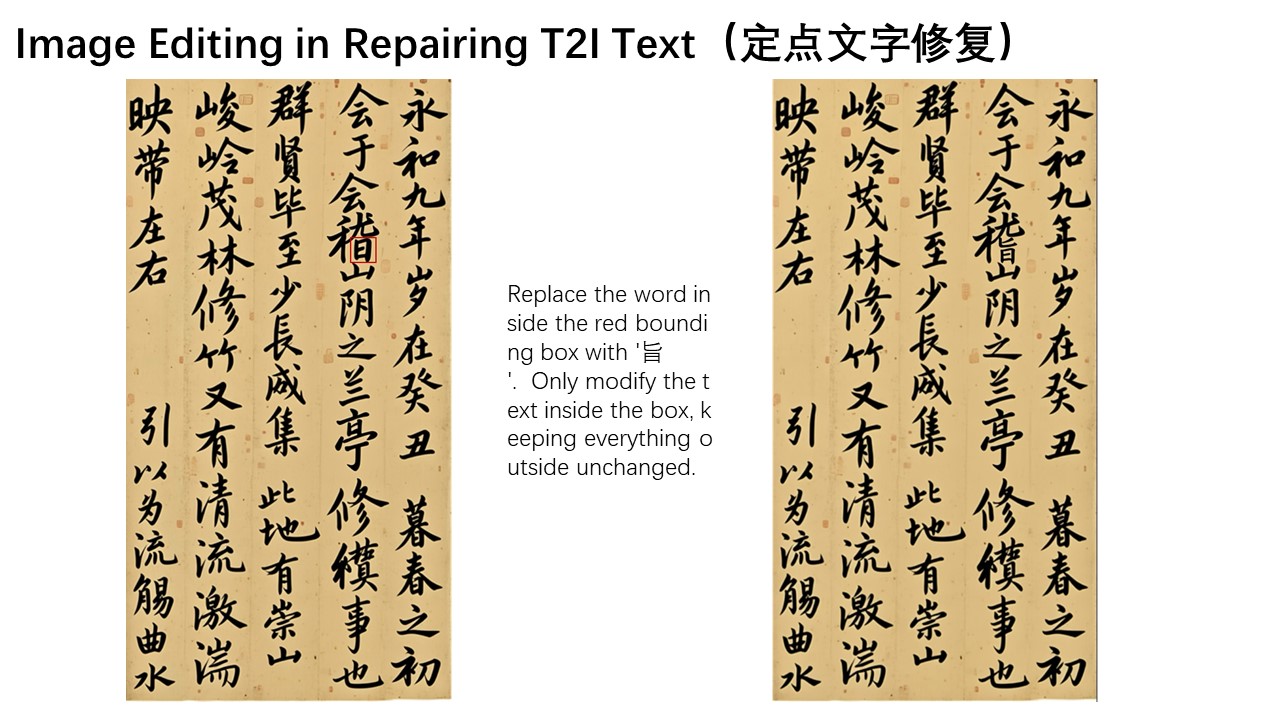
是不是很神奇?通过这种链式、分步编辑的方法,我们可以持续纠正文字错误,直到获得理想的最终结果。
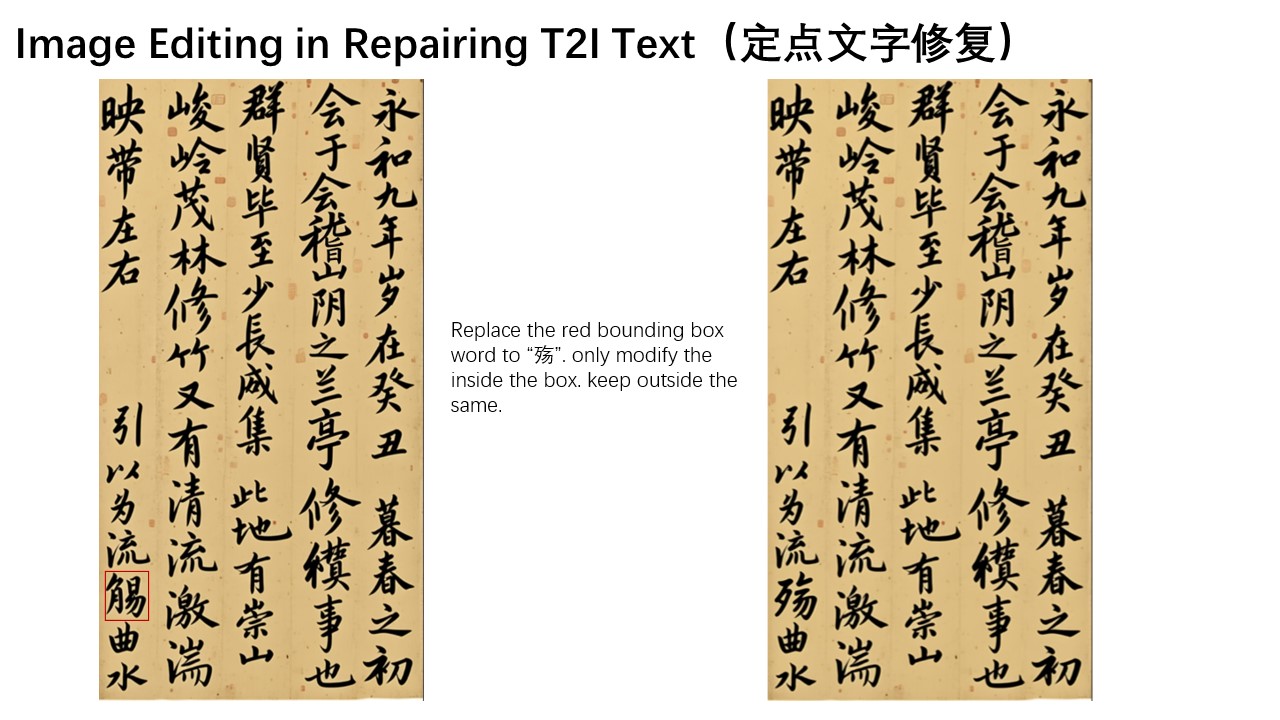
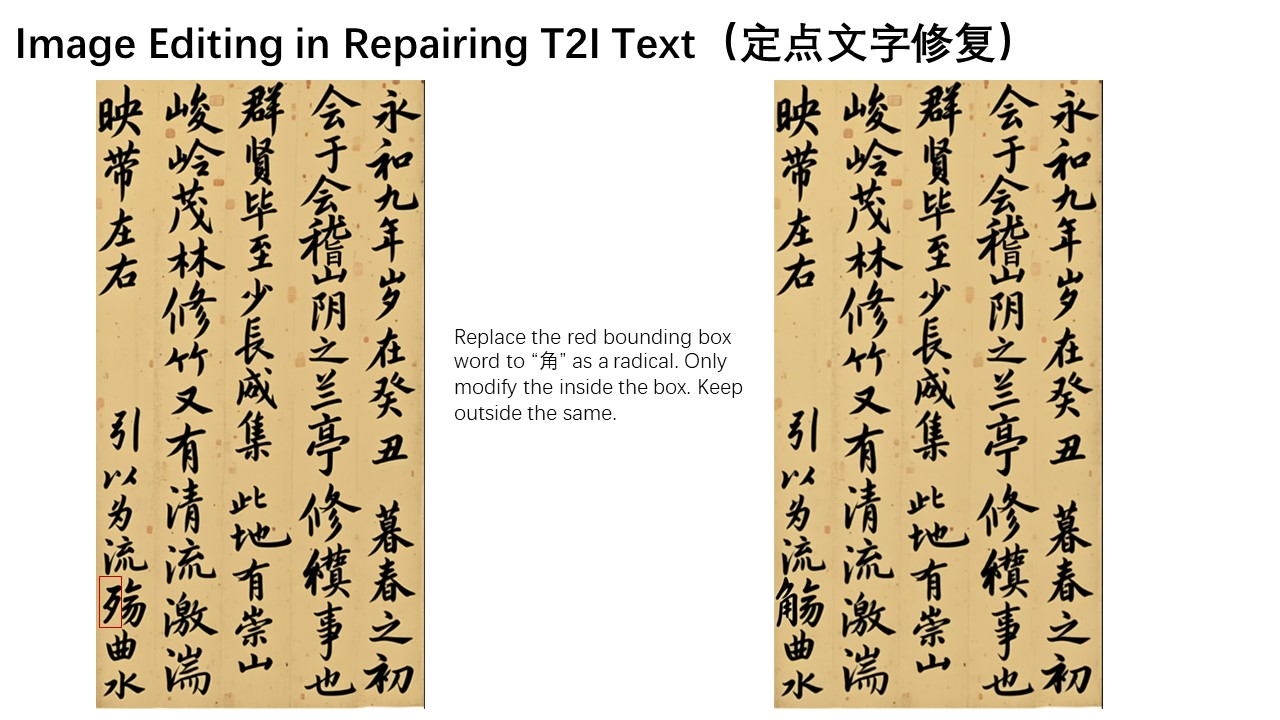
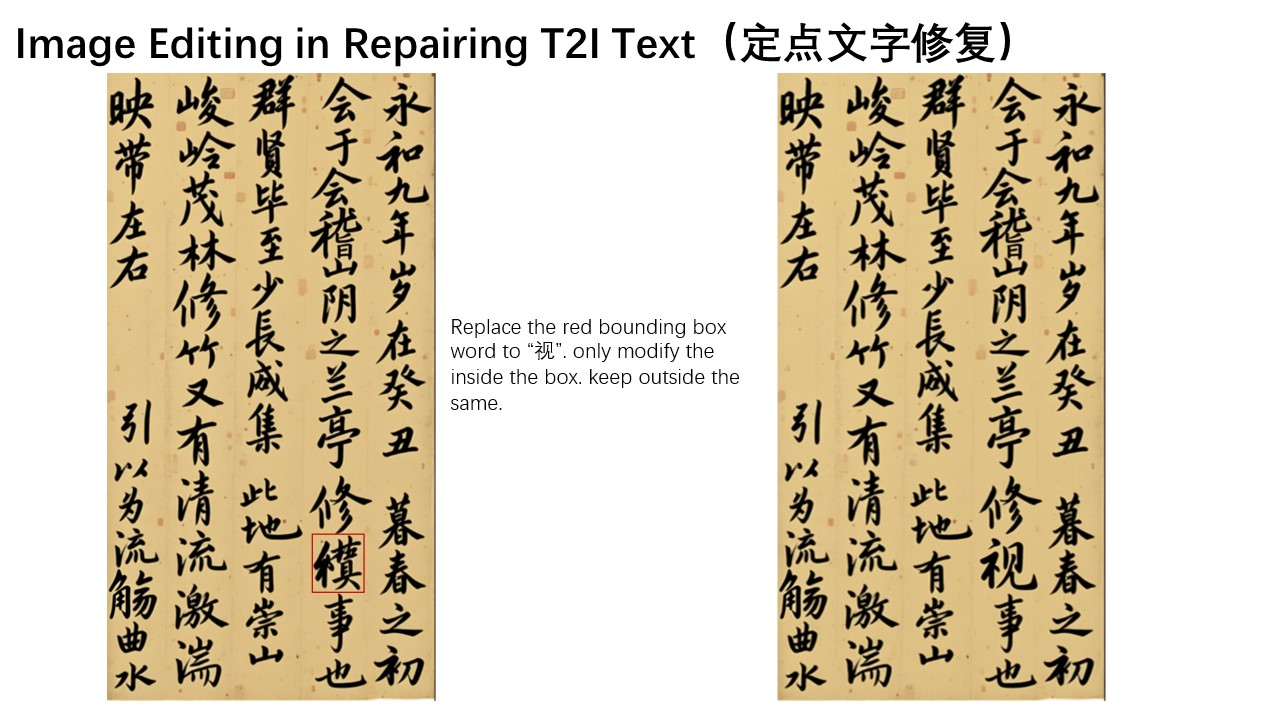
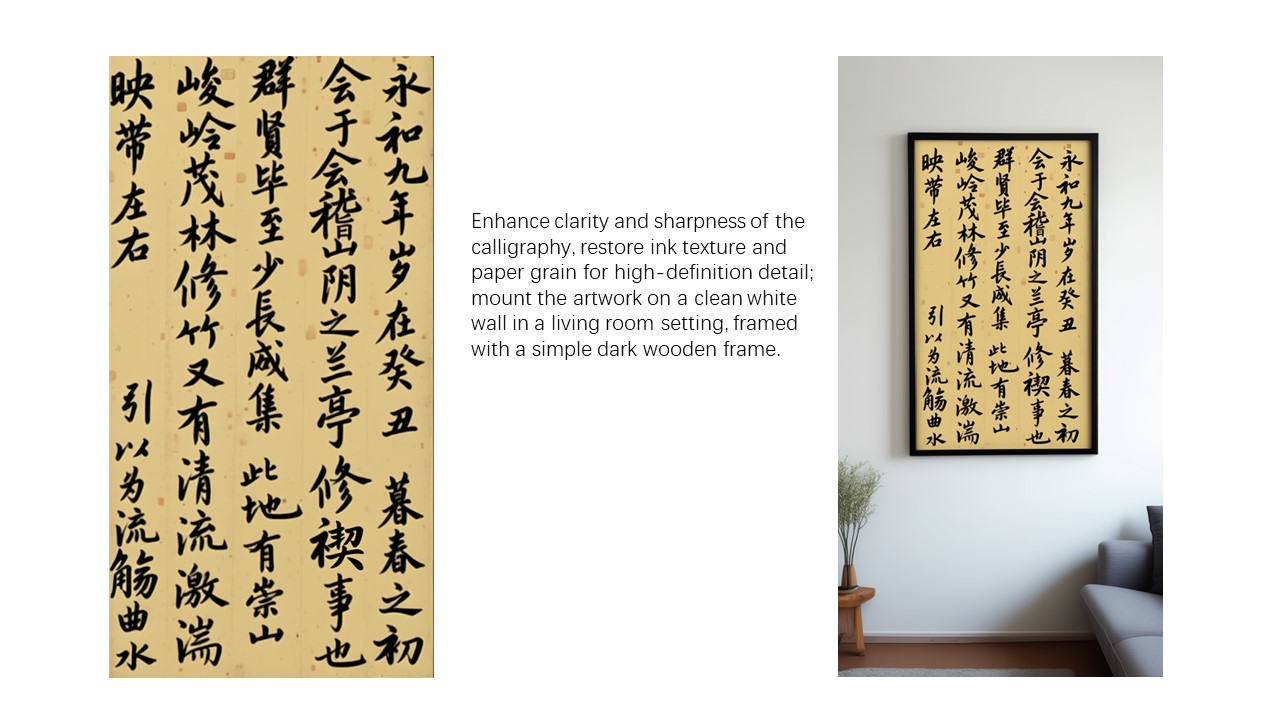
最后,我们成功获得了一幅完全正确书写的《兰亭集序》!
总之,我们希望 Qwen-Image-Edit 能进一步推动图像生成领域的发展,真正降低视觉内容创作的技术门槛,并激发更多创新应用。
English / 原文
QWEN CHAT GITHUB HUGGING FACE MODELSCOPE DISCORD
We are excited to introduce Qwen-Image-Edit, the image editing version of Qwen-Image. Built upon our 20B Qwen-Image model, Qwen-Image-Edit successfully extends Qwen-Image’s unique text rendering capabilities to image editing tasks, enabling precise text editing. Furthermore, Qwen-Image-Edit simultaneously feeds the input image into Qwen2.5-VL (for visual semantic control) and the VAE Encoder (for visual appearance control), achieving capabilities in both semantic and appearance editing. To experience the latest model, visit Qwen Chat and select the “Image Editing” feature.
Key Features:
-
Semantic and Appearance Editing : Qwen-Image-Edit supports both low-level visual appearance editing (such as adding, removing, or modifying elements, requiring all other regions of the image to remain completely unchanged) and high-level visual semantic editing (such as IP creation, object rotation, and style transfer, allowing overall pixel changes while maintaining semantic consistency).
-
Precise Text Editing : Qwen-Image-Edit supports bilingual (Chinese and English) text editing, allowing direct addition, deletion, and modification of text in images while preserving the original font, size, and style.
-
Strong Benchmark Performance : Evaluations on multiple public benchmarks demonstrate that Qwen-Image-Edit achieves state-of-the-art (SOTA) performance in image editing tasks, establishing it as a powerful foundation model for image editing.
Showcase#
One of the highlights of Qwen-Image-Edit lies in its powerful capabilities for semantic and appearance editing. Semantic editing refers to modifying image content while preserving the original visual semantics. To intuitively demonstrate this capability, let’s take Qwen’s mascot—Capybara—as an example:
As can be seen, although most pixels in the edited image differ from those in the input image (the leftmost image), the character consistency of Capybara is perfectly preserved. Qwen-Image-Edit’s powerful semantic editing capability enables effortless and diverse creation of original IP content. Furthermore, on Qwen Chat, we designed a series of editing prompts centered around the 16 MBTI personality types. Leveraging these prompts, we successfully created a set of MBTI-themed emoji packs based on our mascot Capybara, effortlessly expanding the IP’s reach and expression.
Moreover, novel view synthesis is another key application scenario in semantic editing. As shown in the two example images below, Qwen-Image-Edit can not only rotate objects by 90 degrees, but also perform a full 180-degree rotation, allowing us to directly see the back side of the object:Another typical application of semantic editing is style transfer. For instance, given an input portrait, Qwen-Image-Edit can easily transform it into various artistic styles such as Studio Ghibli. This capability holds significant value in applications like virtual avatar creation:In addition to semantic editing, appearance editing is another common image editing requirement. Appearance editing emphasizes keeping certain regions of the image completely unchanged while adding, removing, or modifying specific elements. The image below illustrates a case where a signboard is added to the scene. As shown, Qwen-Image-Edit not only successfully inserts the signboard but also generates a corresponding reflection, demonstrating exceptional attention to detail.Below is another interesting example, demonstrating how to remove fine hair strands and other small objects from an image.Additionally, the color of a specific letter “n” in the image can be modified to blue, enabling precise editing of particular elements.Appearance editing also has wide-ranging applications in scenarios such as adjusting a person’s background or changing clothing. The three images below demonstrate these practical use cases respectively.
Another standout feature of Qwen-Image-Edit is its accurate text editing capability, which stems from Qwen-Image’s deep expertise in text rendering. As shown below, the following two cases vividly demonstrate Qwen-Image-Edit’s powerful performance in editing English text:Qwen-Image-Edit can also directly edit Chinese posters, enabling not only modifications to large headline text but also precise adjustments to even small and intricate text elements.
Finally, let’s walk through a concrete image editing example to demonstrate how to use a chained editing approach to progressively correct errors in a calligraphy artwork generated by Qwen-Image:In this artwork, several Chinese characters contain generation errors. We can leverage Qwen-Image-Edit to correct them step by step. For instance, we can draw bounding boxes on the original image to mark the regions that need correction, instructing Qwen-Image-Edit to fix these specific areas. Here, we want the character “稽” to be correctly written within the red box, and the character “亭” to be accurately rendered in the blue region.However, in practice, the character “稽” is relatively obscure, and the model fails to correct it correctly in one step. The lower-right component of “稽” should be “旨” rather than “日”. At this point, we can further highlight the “日” portion with a red box, instructing Qwen-Image-Edit to fine-tune this detail and replace it with “旨”.
Isn’t it amazing? With this chained, step-by-step editing approach, we can continuously correct character errors until the desired final result is achieved.Finally, we have successfully obtained a completely correct calligraphy version of Lantingji Xu (Orchid Pavilion Preface)!
In summary, we hope that Qwen-Image-Edit can further advance the field of image generation, truly lower the technical barriers to visual content creation, and inspire even more innovative applications.