Peek-CLI:让 Claude Code 看见浏览器
英文标题:🔶 Show HN: Peek-CLI: Let Claude Code See the Browser
peek-cli 是一个开源命令行工具,能让 Claude Code、Codex、Copilot 等 AI 编程代理捕获浏览器中任意标签页的截图。它通过浏览器扩展与 WebSocket 流传输实现,并在设计上严格限定代理只能请求截图,无法访问浏览器或执行脚本,确保安全。该工具已发布 Chrome 扩展,支持与常用编码代理的插件市场集成,为开发者提供了赋予代理视觉感知能力的轻量方案。
 153.5 KB
 1.4 MB
 22.5 KB
 204.8 KB
 815.2 KB
中文
peek-cli 允许代理捕获浏览器中任意打开的标签页的截图。
适用于 Claude Code、Codex、Copilot 等多种代理……
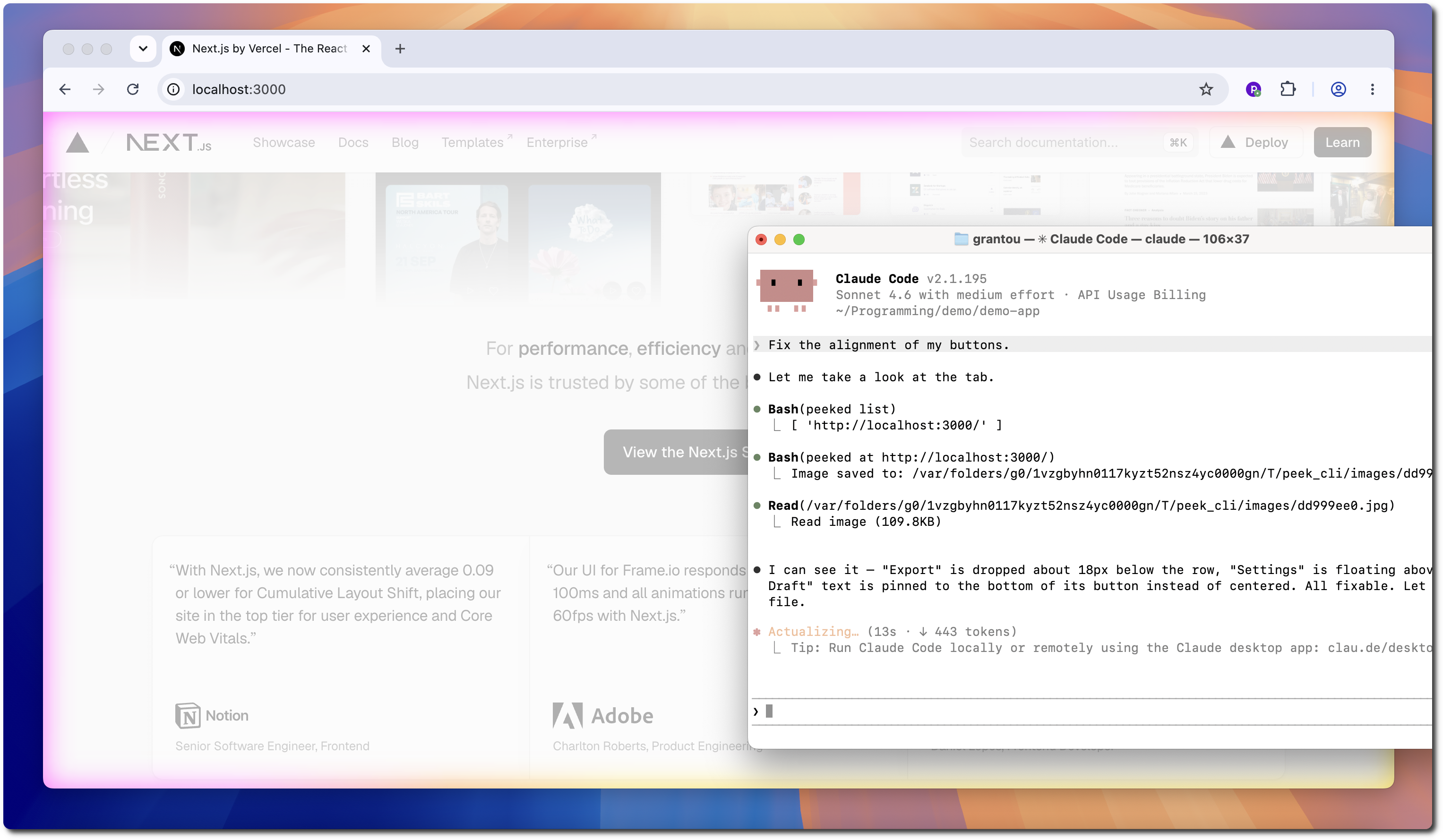
查看实际运行效果:
其工作原理是通过浏览器扩展,利用 WebSocket 实时传输截图。
出于安全考虑,每次启动时都需要将代理连接一次。
-
启动 WebSocket 守护进程:
bash peeked start
Successfully started server.
-
连接您的浏览器:
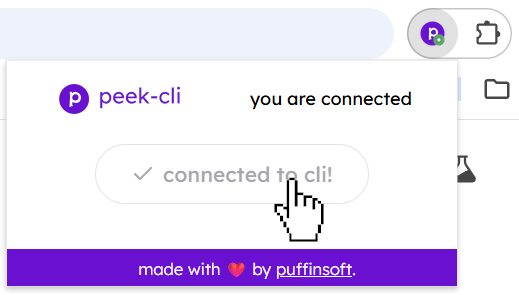
-
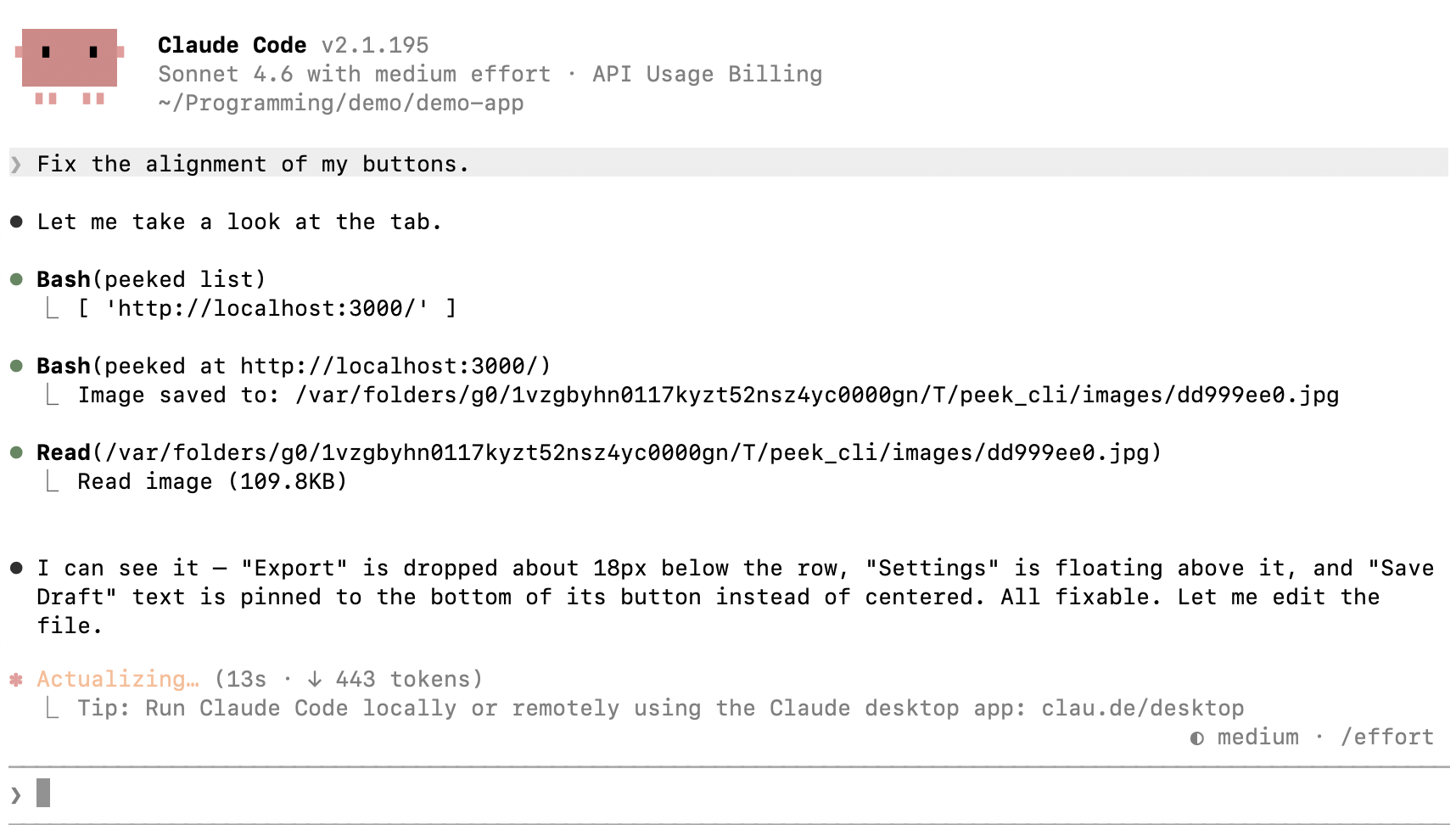
一切就绪!
bash peeked list # view available tabs
[ 'http://localhost:3000/' ]
peeked at http://localhost:3000 # capture screenshot
Image saved to: /var/.../peek_cli/images/dd999ee0.jpg
- 安装 Chrome 扩展。
🎉 扩展已获 Chrome 网上应用店审核通过!
-
安装 CLI
-
安装技能
对于 Claude Code:
bash
/plugin marketplace add puffinsoft/peek-cli
/plugin install view-browser-tab@peek-cli
对于 Codex:
bash
codex plugin marketplace add puffinsoft/peek-cli
codex plugin add view-browser-tab@peek-cli
没错,100% 安全。代理除了 截图 之外无法执行任何操作。
这是因为代理通过 WebSocket 服务器向扩展发送 截图请求。
它从不直接访问浏览器,也不能注入任何脚本或执行任何操作。
为了让您更加安心,我们邀请您查看扩展的源代码。
peek-cli 是开源软件,采用 MIT 许可证。
English / 原文
peek-cli allows agents to capture a screenshot of any open tab in your browser.
Works with Claude Code, Codex, Copilot and many more...
See it in action:
demo.mp4
It works by using a browser extension to stream screenshots over WebSockets.
For security, you need to connect the agent once on every startup.
- Start the WebSocket daemon:
peeked start
> Successfully started server.
- Connect your browser:
- You're good to go!
peeked list # view available tabs
> [ 'http://localhost:3000/' ]

peeked at http://localhost:3000 # capture screenshot
> Image saved to: /var/.../peek_cli/images/dd999ee0.jpg
- Install the Chrome Extension.
🎉 the extension has been approved on the Chrome Web Store!
-
Install the CLI
-
Install the Skill
For Claude Code:
/plugin marketplace add puffinsoft/peek-cli
/plugin install view-browser-tab@peek-cli
For Codex:
codex plugin marketplace add puffinsoft/peek-cli
codex plugin add view-browser-tab@peek-cli

Yes, 100%. It is impossible for the agent to do anything but take a screenshot.
This is because the agent sends screenshot requests to the extension through a WebSocket server.
It never accesses the browser and cannot inject any scripts / perform any actions.
We invite you to take a look at the extension source code for added peace of mind.
peek-cli is open source software, licensed under the MIT license.