无状态 MCP 重新激起了我的兴趣(并催生了 mcp-explorer 和 datasette-mcp)
英文标题:Stateless MCP has recaptured my interest (and inspired mcp-explorer and datasette-mcp)
2026-07-28 Model Context Protocol 规范推出了无状态 MCP,被作者视为自 MCP 发布以来最重要的一次变化。新规范将常见工具调用从“初始化会话再调用工具”的两次 HTTP 请求,简化为单次请求,降低了客户端和服务器实现及横向扩展的复杂度。作者据此开发了 mcp-explorer、datasette-mcp 和 llm-mcp-client 三个项目,分别用于探测 MCP 服务、向 Datasette 暴露 SQL 工具,以及让 LLM CLI 调用 MCP。文章认为,相较于具备任意 shell 和网络访问能力的通用 Agent,MCP 的工具边界更容易审计、控制和推理,因此更适合构建敏感的 LLM 应用。
 2.5 KB
 57.9 KB
中文
无状态 MCP 重新激起了我的兴趣(并催生了 mcp-explorer 和 datasette-mcp)
2026 年 7 月 31 日
周二是无状态 MCP 日——MCP 2.0 正式发布,或者用更正式但不那么好记的名称来说,是2026-07-28 Model Context Protocol 规范。这是 MCP 规范自首次推出以来最重大的变化,也重新点燃了我个人对这一协议的兴趣。
背景说明:MCP 即 Model Context Protocol(模型上下文协议),它定义了一种标准化方式,可将新工具暴露给由 LLM 驱动的 Agent 框架。Anthropic 于 2024 年 11 月首次推出它;它在 2025 年的大部分时间里经历了极其显著的关注度激增,但后来被 Skills(Anthropic 的另一项发明)在一定程度上盖过了风头,因为人们发现,能够访问终端和 curl 的 Agent harness 可以用更灵活的方式完成 MCP 所做的大部分事情。我曾在我的 2025 年回顾中写过这一点。
如今我重新看好 MCP。为 Agent 提供一个能够访问互联网的 shell 环境充满风险,而且这要求模型足够强大,能够有效地操控这样的环境。MCP 工具更容易审计和控制,其足够简单,即使是运行在笔记本电脑上的小模型也能相当合理地调用它们。
新的无状态 MCP 规范还大幅降低了实现该协议客户端和服务器的复杂度。本周我就构建了三个相关项目!
无状态 MCP 简化了什么
展示有状态与无状态 MCP 差异的最佳材料,是这篇于 5 月 21 日发布、介绍新规范 RC 版的博客文章。其中包含一个清晰的新旧对比例子。
旧版有状态 MCP(我将其称为“传统 MCP”)需要两次 HTTP 请求:第一次用于初始化会话并获取 Mcp-Session-Id,第二次才是真正调用工具:
POST /mcp HTTP/1.1
Content-Type: application/json

{
  "jsonrpc": "2.0",
  "id": 1,
  "method": "initialize",
  "params": {
    "protocolVersion": "2025-11-25",
    "capabilities": {
    },
    "clientInfo": {
      "name": "my-app",
      "version": "1.0"
    }
  }
}

POST /mcp HTTP/1.1
Mcp-Session-Id: 1868a90c-3a3f-4f5b
Content-Type: application/json

{
  "jsonrpc": "2.0",
  "id": 2,
  "method": "tools/call",
  "params": {
    "name": "search",
    "arguments": {
      "q": "otters"
    }
  }
}
新的无状态方式只需使用如下所示的一次 HTTP 请求:
POST /mcp HTTP/1.1
MCP-Protocol-Version: 2026-07-28
Mcp-Method: tools/call
Mcp-Name: search
Content-Type: application/json

{
  "jsonrpc": "2.0",
  "id": 1,
  "method": "tools/call",
  "params": {
    "name": "search",
    "arguments": {
      "q": "otters"
    },
    "_meta": {
      "io.modelcontextprotocol/clientInfo": {
        "name": "my-app",
        "version": "1.0"
      }
    }
  }
}
无论从客户端还是服务器端的实现视角看,这都简洁得多。它也更适合构建可扩展的 Web 应用,因为现在不再需要维护服务器端状态来跟踪这些会话 ID,也无需担心必须将同一个会话路由到同一台后端机器。
mcp-explorer
我找不到一款优秀的 CLI 工具来交互式探测 MCP 服务器,于是让 Codex 协助我自己开发了一款。
mcp-explorer 就是成果。它是一款无状态 Python CLI 工具,甚至无需安装即可试用——可以通过 uvx 这样运行:
uvx mcp-explorer list https://agentic-mermaid.dev/mcp
这会查询 Ade Oshineye 的 agentic-mermaid.dev 演示 MCP。上述命令会返回以下工具列表:
execute(code: string, timeoutMs?: integer) - Execute Mermaid SDK code
  Run JavaScript in an isolated sandbox; return a value.

describe_sdk(family: string, detail?: string) - Describe Mermaid SDK operations
  Return version-matched mutation operations for one diagram family.

render_svg(source: string, options?: object) - Render Mermaid as SVG
  Render a Mermaid source string to themeable SVG. Returns { ok, svg }.

render_ascii(source: string, useAscii?: boolean, targetWidth?: integer, options?: object) - Render Mermaid as text
  Render a Mermaid source string to text. Returns { ok, text }.

render_png(source: string, scale?: number, background?: string, fitTo?: object, options?: object) - Render Mermaid as PNG
  Rasterize a Mermaid source string to PNG. Returns { ok, png_base64 }.
...
然后检查某个工具:
uvx mcp-explorer inspect render_svg
这会输出大量信息,其中包括输入和输出的 JSON schema。
要调用该工具并向其传递参数:
uvx mcp-explorer call \
  https://agentic-mermaid.dev/mcp \
  render_svg \
  -a source 'graph TD; A-->B' \
  -a options '{"padding":24}'
返回结果为:
{"ok":true,"svg":"<svg xmlns=\"http://www.w3.org/2000/svg\" width=...
若只想获取原始 SVG,可在该命令后添加 | jq .svg -r。我得到了这张图片:
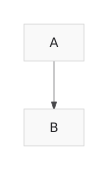
README 中还有更多几个命令,但你应该已经了解基本思路了。我发现,构建这样的 CLI 工具是熟悉一项规范非常高效的方式,即使大部分实际代码是由 Agent 编写的。
datasette-mcp
第二个项目是 datasette-mcp,这是一个 Datasette 插件,可为任何 Datasette 实例添加 /-/mcp 端点。
这大概已经是我第四次尝试构建这个插件了,但得益于新的无状态 MCP 规范,我终于有了一个让我觉得适合发布的版本。
它只提供三个工具:list_databases()、get_database_schema(database_name) 和 execute_sql(database_name, sql)。它们的作用正如你所预期——不过目前 execute_sql() 仍是只读的。
把这些工具接入 Agent,或 ChatGPT、Claude 等聊天工具后,它们就能够针对你托管的 Datasette 实例运行 SQL 查询。
目前我将它运行在我的博客 Datasette 镜像上,地址是 datasette.simonwillison.net/-/mcp。要弄清如何将其接入 ChatGPT 和 Claude 需要做一些调整,但最终我成功了。这里有一篇新的 TIL,展示了具体操作方法。
这里有一个共享的 Claude 会话,其中我问它:
列出 simonwillison.net 中的表
然后又问:
Simon 最近谈过哪些关于 MCP 的内容?
它执行了 7 条独立的 SQL 查询来得出答案。
llm-mcp-client
我的 LLM 工具早就该提供官方 MCP 集成了。新的 alpha 版 llm-mcp-client 插件正是我对此的尝试:
llm install llm-mcp-client
llm -T 'MCP("https://datasette.simonwillison.net/-/mcp")' 'count the notes'
以下是输出内容(包括推理轨迹;我使用的是 LLM 0.32rc2):
考虑笔记数量
我看到问题“count the notes”可能是在要求我统计博客笔记数量。它也可能指已发布笔记或草稿,因此存在一些歧义。我需要找出笔记总数,可能需要同时查询已发布笔记和草稿的数量,以获得明确答案。让我们执行这个统计!
有 151 条笔记。
以及该提示词对应的 llm logs 输出。
在它完全成熟后,我考虑将其直接纳入 LLM 核心。我也很期待在 Datasette Agent 和 llm-coding-agent 中试验 MCP。
MCP 是一种更安全的 Agent 构建方式
MCP 首次发布几个月后,我写了《Model Context Protocol 存在提示词注入安全问题》,其中指出,让终端用户自行混搭工具的模式,将防范数据泄露攻击的责任推给了用户自身。当时我还没有提出致命三要素(Lethal Trifecta)这个术语,但我当时所想到的正是这件事。
随后,拥有任意 shell 和 curl 访问能力的通用 Agent 出现了,而这要安全得多也更难!
我逐渐认识到,和开放网络环境中的任意命令执行——即当今大多数通用和编程 Agent 工具的默认模式——相比,MCP 中 Agent 的能力范围及可能出错的方式都更容易被理解和推理。
当我基于 LLM 构建敏感应用时,我计划更多地采用 MCP。
English / 原文
Stateless MCP has recaptured my interest (and inspired mcp-explorer and datasette-mcp)
31st July 2026
Tuesday was Stateless MCP day—the rollout of MCP 2.0, or the 2026-07-28 Model Context Protocol specification to use the more formal but less memorable name. This is the most significant change to the MCP spec since it first launched, and has also served to reignite my personal interest in the protocol.
For background: MCP is the Model Context Protocol, which describes a standard way to expose new tools to LLM-powered agent frameworks. It was introduced by Anthropic back in November 2024, had a huge spike of interest through much of 2025, and then became somewhat eclipsed by Skills (another Anthropic invention) when it became apparent that an agent harness with access to a terminal and curl could do most of what MCP did in a more flexible way. I wrote about that in my review of 2025.
I’m coming back around to MCP now. Giving an agent a shell environment with the ability to access the internet is fraught with risk, and requires a strong model that is capable of effectively driving such an environment. MCP tools are easier to audit and control, and simple enough that smaller models that run on a laptop can still drive them reasonably well.
The new stateless MCP specification also greatly decreases the complexity of implementing both clients and servers for the protocol. I built three of those this week!
What’s easier with stateless MCP
The best demonstration of the difference between stateful and stateless MCP is in this May 21st blog post that introduced the RC for the new specification. It included a clear before-and-after example.
The older stateful MCP (I’m going to call it “legacy MCP”) required two HTTP requests—the first to initialize a session and obtain a Mcp-Session-Id, and the second to actually call the tool:
POST /mcp HTTP/1.1
Content-Type: application/json

{
  "jsonrpc": "2.0",
  "id": 1,
  "method": "initialize",
  "params": {
    "protocolVersion": "2025-11-25",
    "capabilities": {
    },
    "clientInfo": {
      "name": "my-app",
      "version": "1.0"
    }
  }
}

POST /mcp HTTP/1.1
Mcp-Session-Id: 1868a90c-3a3f-4f5b
Content-Type: application/json

{
  "jsonrpc": "2.0",
  "id": 2,
  "method": "tools/call",
  "params": {
    "name": "search",
    "arguments": {
      "q": "otters"
    }
  }
}
The new stateless way uses a single HTTP request which looks like this:
POST /mcp HTTP/1.1
MCP-Protocol-Version: 2026-07-28
Mcp-Method: tools/call
Mcp-Name: search
Content-Type: application/json

{
  "jsonrpc": "2.0",
  "id": 1,
  "method": "tools/call",
  "params": {
    "name": "search",
    "arguments": {
      "q": "otters"
    },
    "_meta": {
      "io.modelcontextprotocol/clientInfo": {
        "name": "my-app",
        "version": "1.0"
      }
    }
  }
}
This is so much cleaner from both a client- and server-side implementation perspective. It’s also a better fit for building scalable web applications, since now you don’t need to maintain server-side state to keep track of those session IDs, or worry about routing the same session to the same backend machine.
mcp-explorer
I couldn’t find a great CLI tool for interactively probing an MCP server, so I had Codex help build my own.
mcp-explorer is the result. It’s a stateless Python CLI tool, so you don’t even need to install it to try it out—it works with uvx like this:
uvx mcp-explorer list https://agentic-mermaid.dev/mcp
This queries Ade Oshineye’s agentic-mermaid.dev demo MCP. The above command returns the following list of tools:
execute(code: string, timeoutMs?: integer) - Execute Mermaid SDK code
  Run JavaScript in an isolated sandbox; return a value.

describe_sdk(family: string, detail?: string) - Describe Mermaid SDK operations
  Return version-matched mutation operations for one diagram family.

render_svg(source: string, options?: object) - Render Mermaid as SVG
  Render a Mermaid source string to themeable SVG. Returns { ok, svg }.

render_ascii(source: string, useAscii?: boolean, targetWidth?: integer, options?: object) - Render Mermaid as text
  Render a Mermaid source string to text. Returns { ok, text }.

render_png(source: string, scale?: number, background?: string, fitTo?: object, options?: object) - Render Mermaid as PNG
  Rasterize a Mermaid source string to PNG. Returns { ok, png_base64 }.
...
Then to inspect a tool:
uvx mcp-explorer inspect render_svg
This outputs a whole bunch of information, including the JSON schema of the inputs and outputs.
To call that tool and pass arguments to it:
uvx mcp-explorer call \
  https://agentic-mermaid.dev/mcp \
  render_svg \
  -a source 'graph TD; A-->B' \
  -a options '{"padding":24}'
Which returns:
{"ok":true,"svg":"<svg xmlns=\"http://www.w3.org/2000/svg\" width=...
To get just the raw SVG try adding | jq .svg -r to that command. I got back this image:
There are a few more commands in the README, but you get the general idea. I find building CLI tools like this to be a really productive way to get familiar with a specification, even if an agent writes most of the actual code.
datasette-mcp
The second project is datasette-mcp , a Datasette plugin which adds a /-/mcp endpoint to any Datasette instance.
This is probably the fourth time I’ve tried building this plugin, but thanks to the new stateless MCP specification I finally have a version that feels good to release.
It provides just three tools: list_databases(), get_database_schema(database_name), and execute_sql(database_name, sql). They do exactly what you would expect them to do—though execute_sql() is read-only for the moment.
Wire these into an agent, or a chat tool like ChatGPT or Claude, and they’ll gain the ability to run SQL queries against your hosted Datasette instance.
So far I’m running it on the Datasette mirror of my blog, at datasette.simonwillison.net/-/mcp. It took a bit of fiddling to figure out how to attach that to ChatGPT and Claude, but I got there in the end. Here’s a new TIL showing exactly how to do that.
Here’s a shared Claude session where I asked it:
list tables in simonwillison.net
And then:
what has Simon said recently about MCP?
It ran 7 separate SQL queries to figure out the answer.
llm-mcp-client
My LLM tool is long overdue for an official MCP integration. The new alpha llm-mcp-client plugin is my attempt at exactly that:
llm install llm-mcp-client
llm -T 'MCP("https://datasette.simonwillison.net/-/mcp")' 'count the notes'
Here’s the output (including reasoning trace, I’m using LLM 0.32rc2):
Considering note count
I see the question “count the notes” is probably asking me to tally up blog notes. It could also mean published notes or drafts, so there’s some ambiguity there. I’ll need to figure out the total number of notes, likely by querying the count for both published notes and drafts to get a clear answer. Let’s execute that count!
There are 151 notes.
And the output of llm logs for that prompt.
Once this is fully baked, I’m considering bringing it directly into LLM core. I’m excited to experiment with MCP in Datasette Agent and llm-coding-agent as well.
MCP is a safer way to build with agents
A few months after MCP was first released, I wrote Model Context Protocol has prompt injection security problems, where I noted that the pattern of having end users mix and match tools pushed responsibility for avoiding data exfiltration attacks out to the users themselves. I hadn’t coined the Lethal Trifecta yet, but that was absolutely what I had in mind.
Then general agents with arbitrary shell and curl access came along, and that’s so much harder to keep secure!
Something I’ve come to appreciate about MCP is that it’s much easier to reason about agent capabilities and what might go wrong than with arbitrary command execution in an open network environment—the default for most of today’s general and coding agent tools.
I plan to lean into MCP a whole lot more when I’m building sensitive applications on top of LLMs.