CORS Chat:用于测试兼容 OpenAI Responses 的聊天端点的 Web 工具
英文标题:CORS Chat
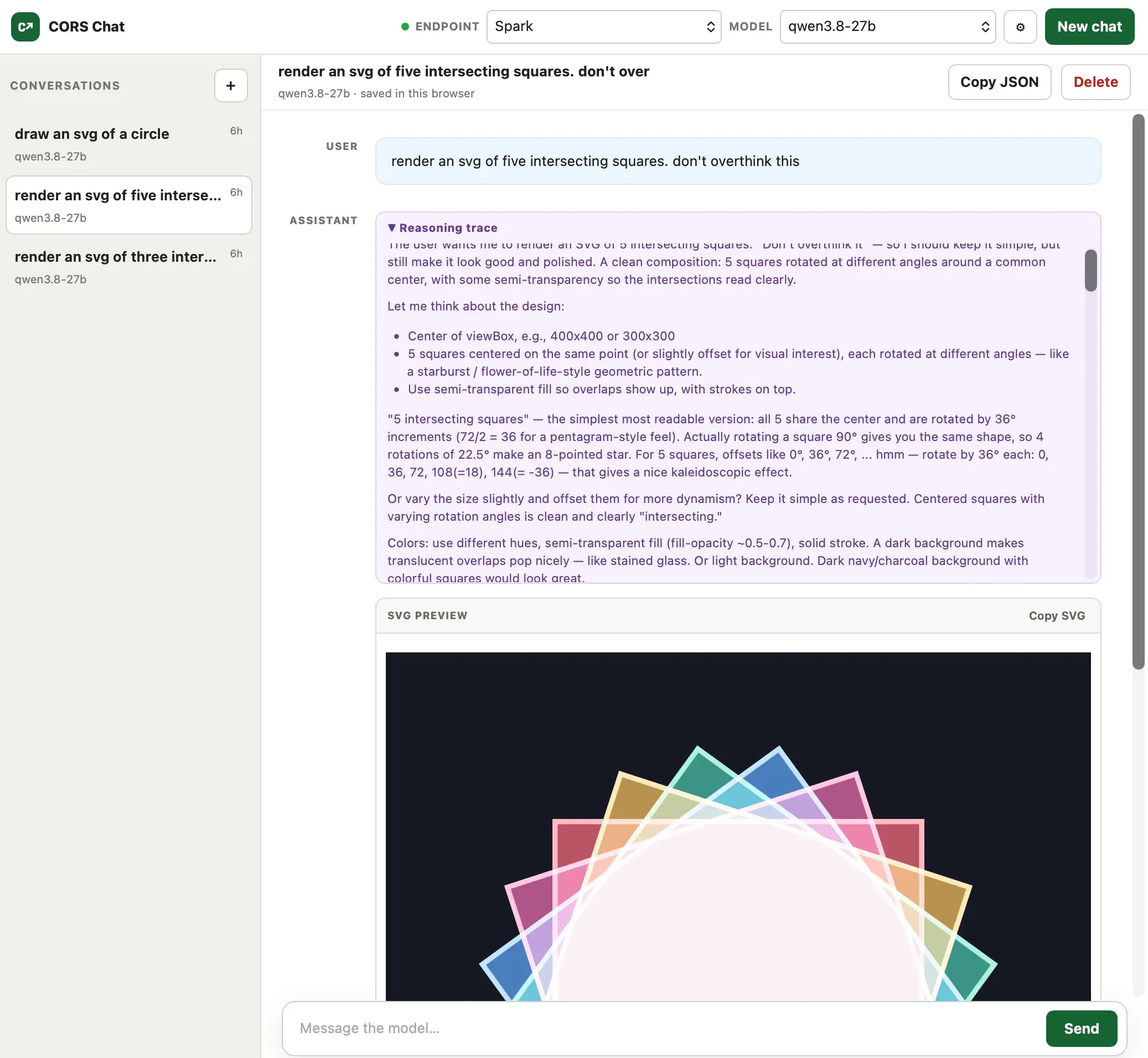
作者使用 GPT-5.6-Sol xhigh 构建了 CORS Chat,用于测试分别运行在 M5 MacBook Pro 和 NVIDIA DGX Spark 上、通过 LM Studio 部署的 Qwen 3.8 27B。该工具提供一个 Web UI,可调用兼容 OpenAI Responses API 的聊天端点,已验证可与启用 `--cors` 选项的 LM Studio 及 OpenRouter 配合使用。聊天记录会保存在浏览器中,并可导出为便于复制粘贴的 JSON;当模型流式生成 SVG 时,界面还能在 token 尚未传输完成前渐进式渲染图像。对开发者而言,这提供了一个轻量的浏览器端测试界面,尤其适合验证本地或远程模型服务的 CORS、流式响应与多模态输出体验。
 137.7 KB
中文
我今天构建了这个工具(使用 GPT-5.6-Sol xhigh),用于帮助测试在我的 M5 MacBook Pro 和 NVIDIA DGX Spark 上通过 LM Studio 运行的 Qwen 3.8 27B。
它提供了一个 Web UI,用于调用兼容 OpenAI Responses 的聊天端点。我已经针对启用 --cors 选项的 LM Studio 和 OpenRouter 进行了测试,两者都运行良好。
对话会持久保存在浏览器中,并可导出为可复制粘贴的 JSON。一个有趣的细节是:它能够识别正在生成的 SVG 图像,并在 token 仍在流式传输时于聊天界面中渐进式渲染这些图像。
English / 原文
I built this today (with GPT-5.6-Sol xhigh) to help test Qwen 3.8 27B running in LM Studio on both my M5 MacBook Pro and an NVIDIA DGX Spark.
It provides a web UI for exercising an OpenAI-Responses-compatible chat endpoint. I've tried it against LM Studio with the --cors option and OpenRouter, and both work fine.
Conversations are persisted in the browser and can be exported as copy-pasted JSON. One fun detail is that it notices SVG images that are being generated and progressively renders them in the chat while the tokens are still streaming in.