insight Simon Willison 2026-09-07T18:29 正文 ok 50 words

视频压缩器

英文标题:Video compressor

作者在手机上录制了 Equal Earth 动画的短演示视频,希望借助 FFMPEG 为博客发布优化后的版本。为此,作者使用 Claude Code for web 中的 Claude Fable 5.1,基于 FFMPEG 的 WebAssembly 构建版本开发了这款视频压缩工具。该工具可一次生成多种分辨率、CRF 质量和音频码率预设,并提供编码速度、H.264 配置、帧率限制、删除元数据及移除音频等选项。对于开发者而言,这展示了如何利用浏览器端 WebAssembly 与 AI 编程助手快速构建本地视频转码工作流。
打开原文相关 3.6 · 机会 1
media64.3 KB media90.8 KB

中文

我用手机录制了一段我的 Equal Earth 动画短演示视频,并希望在博客中发布该视频的优化版本(使用 FFMPEG)。因此,我让 Claude Code for web 中的 Claude Fable 5.1 使用 FFMPEG 的 WebAssembly 构建版本,为我开发了这个工具。
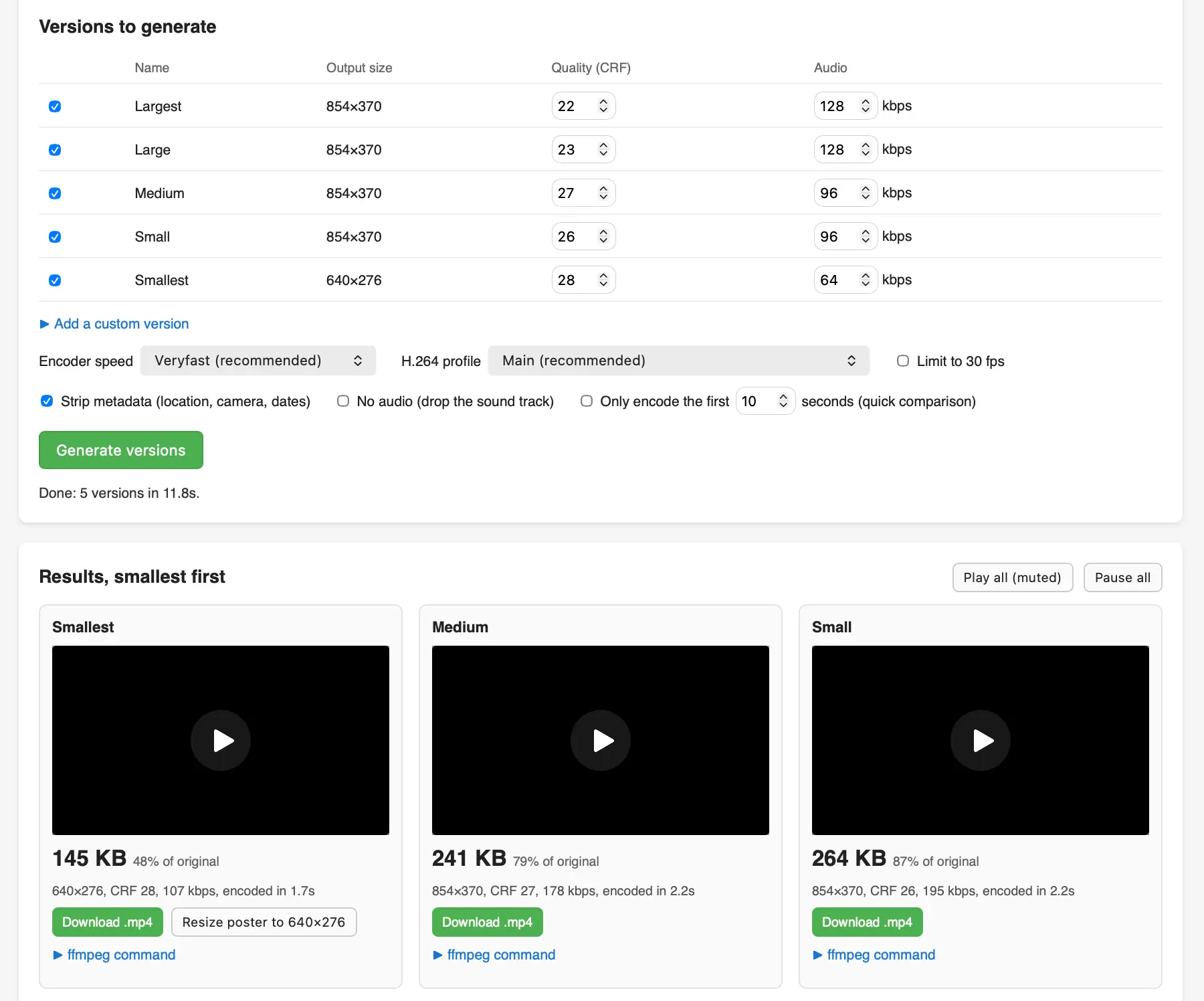
视频压缩网页工具的截图。在“要生成的版本”下方,有一张包含五种预设(最大、大、中等、小、最小)的表格,输出尺寸为 854×370 或 640×276,CRF 质量设置范围为 22 至 28,音频码率范围为 128 至 64 kbps;此外还提供编码器速度、H.264 配置、限制为 30 fps、移除元数据、删除音频以及仅编码前 10 秒等选项。绿色“生成版本”按钮显示“完成:在 11.8 秒内生成 5 个版本”。下方“结果,按文件大小从小到大排列”展示了三个视频播放器:最小版本为 145 KB(原始文件的 48%)、中等版本为 241 KB(79%)、小版本为 264 KB(87%);每个版本均提供“下载 .mp4”按钮及可折叠的 ffmpeg 命令。

English / 原文

I recorded a short demo video of my Equal Earth animation on my phone and wanted to publish an optimized version of that video (using FFMPEG) on my blog, so I had Claude Fable 5.1 in Claude Code for web build me this tool using the WebAssembly build of FFMPEG.

Screenshot of a video compression web tool. Under "Versions to generate" is a table of five presets (Largest, Large, Medium, Small, Smallest) with output sizes of 854×370 or 640×276, CRF quality settings from 22 to 28, and audio bitrates from 128 to 64 kbps, plus options for encoder speed, H.264 profile, 30 fps limit, stripping metadata, dropping audio, and encoding only the first 10 seconds. A green "Generate versions" button reads "Done: 5 versions in 11.8s." Below, "Results, smallest first" shows three video players: Smallest at 145 KB (48% of original), Medium at 241 KB (79%), and Small at 264 KB (87%), each with a Download .mp4 button and a collapsible ffmpeg command.